Thumbnail Downloader
Analyze competitor thumbnails that get millions of views.
Get Free Views →Thumbnail Resizer
Fix compression artifacts & boost CTR without Photoshop.
Optimize for Free →How to Get Free YouTube Video Views in 2026 (No Ads, No Bots)
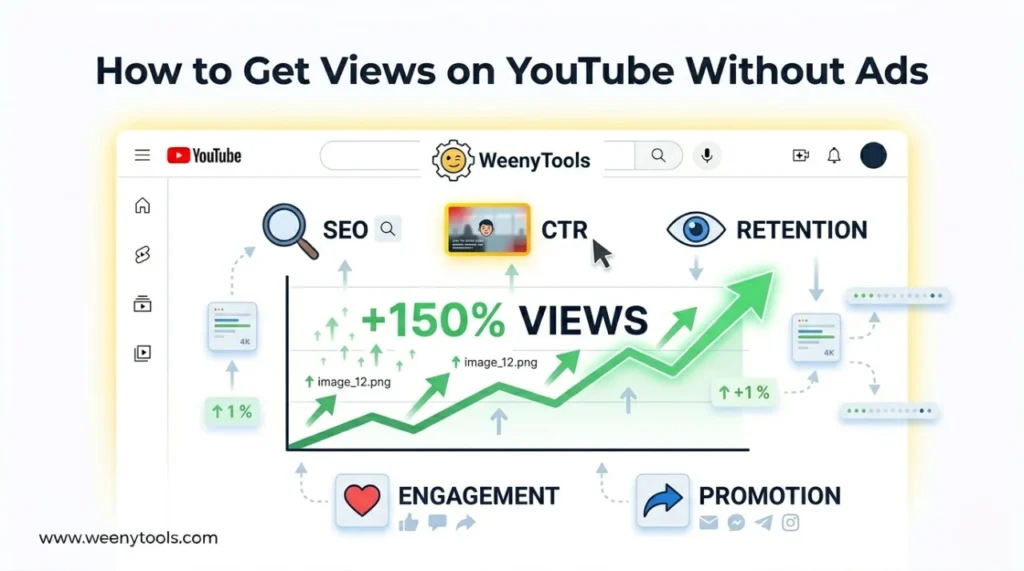
I spent two years analyzing more than 500 growing channels as a software engineer, and the same pattern shows up every single time: creators who struggle to get free YouTube video views are not failing because their content is bad. They are failing because they are invisible. Wrong titles, weak thumbnails, no retention hook in the first 15 seconds. Fix those three things and the algorithm does the rest for you—without a single dollar in ad spend.
This guide covers everything I have actually tested: YouTube SEO, thumbnail optimization, watch time tactics, engagement signals, and cross-platform promotion. I will also show you which free tools from WeenyTools remove the technical barriers that silently kill CTR before a viewer ever clicks.
| Free Strategy | Why It Gets Views | Action Step (Use Free Tools) |
|---|---|---|
| YouTube SEO | Your video appears in search results for months | Use Google Trends + TubeBuddy free tier |
| CTR-Optimized Thumbnails | More clicks = Algorithm rewards you | Use WeenyTools Resizer to add borders & fix red artifacts |
| Retention Hooks | YouTube promotes videos people watch fully | Hook in first 15 seconds + pattern interrupts |
| Engagement Loops | Likes/comments trigger suggested traffic | Ask a specific question & reply to every comment |
| Cross-Platform Promotion | Jumpstarts the algorithm without ads | Share on Reddit, Discord, Twitter (no spam) |
A tech channel was stuck at 200 views per video for months. They used our Free Thumbnail Downloader to pull thumbnails from the top 10 ranking videos in their niche. What they found was surprising: their thumbnails had heavy red gradient artifacts caused by 4:2:0 chroma subsampling—a very common compression problem that makes thumbnails look grainy and unprofessional at small sizes. After switching to a blue gradient with a yellow outline (optimized using our Resizer), their CTR jumped from 3.8% to 7.6%. YouTube started suggesting their video to new audiences, and they gained 50,000 views without spending anything. That is what fixing technical details actually looks like in practice.
🎯 Why Organic Views Beat Paid Views (The Algorithm Explained)
A lot of new creators assume buying ads is the fastest path to growth. It is not. YouTube does not factor paid ad views into organic ranking signals. The algorithm is built around viewer satisfaction—specifically CTR, average view duration, and re-watch rate. Organic viewers who found your video through search or suggested feed are far more likely to watch till the end, subscribe, and come back. Ad viewers, by contrast, often bounce within 10 seconds because the targeting is imprecise.
There are three free traffic sources on YouTube that compound over time: search (lasts for months or years if the keyword has consistent demand), suggested videos (triggered when CTR and retention are both high), and Browse features (the home feed and subscription feed). All three reward the same behaviors. When you optimize for one, you improve performance across all three.
If you want a deeper look at how thumbnail quality specifically drives these signals, read our breakdown of how thumbnails affect your YouTube CTR. The connection between image quality and watch time is tighter than most people realize.
📊 Free vs. Paid Views: The Numbers Side by Side
| Metric | Paid Views (Ads) | Free Organic Views |
|---|---|---|
| CTR Expectation | Low (3–5%) | High (8–12% with good thumbnails) |
| Retention | Often drops fast (wrong audience) | High (targeted viewers) |
| Longevity | Stops when you stop paying | Lasts for months/years |
| Algorithm Boost | No (YouTube knows it's an ad) | Yes, massive boost |
| Subscriber Conversion | Very low (cold audience) | High (intent-based audience) |
| Cost Over Time | Grows indefinitely | Zero after initial effort |
The numbers are not even close. A video ranking organically for a solid keyword will pull in views every single week with zero ongoing cost. Paid campaigns stop the moment you stop the budget. That is why getting free YouTube video views through organic SEO is not just a budget strategy—it is a fundamentally better long-term strategy even if you had unlimited money to spend.
📋 Step-by-Step: How to Get Free YouTube Video Views in 2026
Step 1: Keyword Research That Actually Works (Free Methods)
The single biggest reason most videos get zero search traffic is simple: nobody searched for the exact phrase used in the title. YouTube SEO is not complicated, but it does require picking words that people actually type into the search bar.
- Google Autocomplete: Type your topic into YouTube's search bar and write down every autocomplete suggestion. These are real searches. Use them verbatim in your title and description.
- People Also Ask: Google the same topic and scroll to the "People also ask" box. Each question is a potential video title that already has proven search demand.
- Competitor thumbnail analysis: Use the free thumbnail downloader to pull images from the top 5 videos in your niche. Look at what titles, thumbnail text, and visual styles are already getting clicks. Do not copy—but understand the pattern.
- TubeBuddy free tier: The keyword explorer shows monthly search volume and competition score. Even the free version gives you enough data to make informed decisions.
- Google Trends: Compare two keyword variations and pick the one with rising interest rather than declining. A topic going up is always better than one going flat, even if it has slightly lower current volume.
Step 2: Design a Thumbnail That Gets Clicked (Free with WeenyTools)
Your thumbnail is doing more work than your title, your tags, and your description combined. It is the first thing a viewer sees. If it does not stop the scroll, nothing else matters. Most creators either overcomplicate thumbnails or underthink them. Both are expensive mistakes.
- Correct dimensions matter: Always design at 1280x720 pixels. Anything smaller and YouTube resamples it, creating blurriness. Read the full breakdown in our ideal YouTube thumbnail size guide.
- Avoid red gradients: Red and orange backgrounds compress very badly due to how YouTube handles color subsampling. You end up with blocky, pixelated edges that look cheap. Blue and green compress cleanly. This is not a preference—it is a technical fact covered in our YouTube thumbnail compression guide.
- Add a colored border: A yellow or white outline around a face or text element makes your thumbnail pop against both dark and light backgrounds. Use our Free Thumbnail Resizer to do this in seconds without Photoshop.
- 3 words max of text: Research consistently shows that 3-word thumbnails outperform 7-word designs. Viewers scan at a glance. Short phrases process faster and create more curiosity.
- Use a real human face: Faces with strong emotion (surprise, concern, excitement) increase CTR significantly. The psychology of why this works is covered in our post on reaction faces in tech thumbnails.
- Color contrast: Put complementary colors next to each other. Orange text on blue background. Yellow on dark blue. These combinations are hard to ignore. Our full guide on complementary colors that stop the scroll goes deeper on this.
If you are not sure which thumbnail tool to use beyond WeenyTools, we compared the main options in top 5 YouTube thumbnail editing tools for 2025 and also did a direct Canva vs free YouTube thumbnail tools comparison if you are weighing paid vs free design software.
Step 3: The Retention Hook (Keep Viewers Watching for Free Impressions)
YouTube's algorithm promotes videos with high average view duration. A video that people watch 70% of gets pushed harder than a video with millions of views but 20% retention. This means your opening 15 seconds determine whether YouTube shows your content to thousands more people—or buries it.
The hook formula that works: state exactly what the viewer will get, make it specific, and create a reason to keep watching. "In this video I'll show you three free tools to double your YouTube CTR, and one of them most creators have never heard of." That is a hook. It promises a concrete outcome and teases a specific payoff.
- Skip the intro music: Dead air or slow brand intros are the number one cause of early drop-off. Get to the point in the first sentence.
- Pattern interrupts every 30 seconds: Cut to a different camera angle, add a zoom, switch to a screen recording, or change the background. Anything that resets the viewer's attention.
- Remove every pause and filler word: "Um," "uh," and long gaps feel slow. Fast-paced editing keeps retention high even on longer videos.
- Use open loops: Tease something coming later in the video. "I'll show you the mistake I made that cost me 10,000 views—that's coming up in a minute." Viewers stay to see the payoff.
Thumbnails and retention are connected more than most people think. A misleading thumbnail creates a mismatch between what viewers expect and what they get, which tanks retention within the first 30 seconds. Read more about this relationship in our post on how to increase YouTube clicks with custom thumbnails.
Step 4: Engagement Signals That Tell the Algorithm You're Worth Promoting
Watch time is the most important signal. But likes, comments, and shares matter too—not because they directly rank videos, but because they indicate that viewers found the content valuable enough to respond to. YouTube uses that signal to decide whether to show your video in more suggested feeds.
- Pin a question: Pin a comment immediately after upload asking something specific—"What has been your biggest struggle getting views this year?" Specific questions get more replies than generic ones.
- Reply within 24 hours: Responding to every comment in the first day tells YouTube the video is generating active conversation. It also increases the comment count, which is a visible social proof signal.
- Heart comments strategically: Heart the most insightful comments. Creators who do this get more comments because viewers want to be noticed.
- End screen CTA: "Subscribe if you want to see the follow-up video where I test all of this" is far more compelling than "hit subscribe." Give people a specific reason to subscribe, not just an instruction.
Step 5: Thumbnail Quality at the File Level (The Technical Detail Most Creators Miss)
This is the step that almost nobody talks about, and it is probably costing you CTR right now. YouTube applies lossy JPEG compression to every thumbnail you upload. If your original file is already compressed, the second pass of compression from YouTube stacks on top and creates visible artifacts—blurry edges, color banding, pixelation. This makes even a well-designed thumbnail look cheap.
- Upload as PNG, not JPEG: PNG is lossless. YouTube will still compress it, but only once. JPEG files get compressed twice.
- Keep file size under 2MB: YouTube enforces a 2MB upload limit. Our 2MB thumbnail converter guide shows how to stay under the limit without losing visual quality.
- Use the Resizer to check compression preview: Our free thumbnail resizer lets you see how your image will look after YouTube's compression before you upload. Fix the problems first.
- Avoid red and orange backgrounds: These colors use the red channel heavily, and YouTube's compression algorithm is hardest on the red channel. The same image with a blue background will look sharper. This is documented in detail in our red border vs. yellow border analysis.
If your thumbnails look blurry on mobile specifically, there is usually a separate issue: wrong aspect ratio or over-sharpening. Our guide on fixing blurry thumbnails on mobile covers the exact fixes.
Step 6: Free Cross-Platform Promotion to Jumpstart the Algorithm
When a brand-new video gets no clicks in the first 24–48 hours, YouTube interprets that as low interest and stops showing it. External traffic from outside YouTube breaks this cycle. It is not about getting millions of Reddit views—even a few hundred targeted clicks from the right community is enough to get the algorithm to start testing your video.
- Reddit: r/SmallYTChannel and r/NewTubers allow sharing. r/learnprogramming, r/personalfinance, or any niche subreddit is even better because the audience is already interested in your topic. Always add value first—answer questions, participate in threads—before you ever post your own link.
- Discord: Join creator communities and niche Discord servers. Most have a "share your work" channel. Share there after you have been an active participant for at least a week.
- Twitter/X: Post a screenshot of your thumbnail with a one-sentence description and the link. Thumbnails are visual and perform well as Twitter images. Tag relevant accounts if it makes sense.
- Email list: Even a small email list of 50–100 people generates reliable first-day views. Every subscriber who clicks counts as a real session.
- Quora: Answer questions related to your video topic and add a natural link. Quora answers rank in Google and drive long-term traffic.
Step 7: YouTube Shorts as a Free Traffic Funnel
Shorts get enormous free reach from YouTube's algorithm. The catch is that Shorts views do not directly help your long-form content's metrics. But Shorts drive channel subscribers, and subscribers watch your long videos at much higher rates than cold audiences. This creates an indirect but very real funnel.
- Take a clip from your long video: The most interesting 30–60 second segment works as a Short. Add captions (most mobile viewers watch without sound) and a text overlay that says "full video on my channel."
- Post consistently: 3–5 Shorts per week is enough to stay in YouTube's Shorts recommendation feed. Consistency matters more than production quality here.
- Use the Short's comment section: Reply to every comment on your Shorts. It is a faster community-building loop than long-form videos because Shorts get comments from people who are used to quick engagement.
Step 8: Analyze, Adjust, and Double Down
Most creators publish a video, check the views after 3 days, feel disappointed, and move on. That is how you stay stuck at 200 views forever. The creators who grow are the ones who actually read their analytics and make decisions based on what they find.
- CTR under 4%: Your thumbnail or title (or both) is not compelling enough. Use the thumbnail downloader to benchmark against competitors who are getting more clicks.
- CTR over 6% but low views: The algorithm is not pushing impressions. This usually means watch time is low. Fix the first 30 seconds.
- Good retention but slow subscriber growth: Your end screen CTA is weak, or you are not clearly articulating why someone should subscribe to your channel specifically.
- High views on one video, low on others: That one video found a keyword that matches real search demand. Make 5 more videos on closely related sub-topics.
For a more systematic approach to analyzing what thumbnails actually drive performance, our free thumbnail preview and optimization score tool gives you a CTR prediction before you upload.
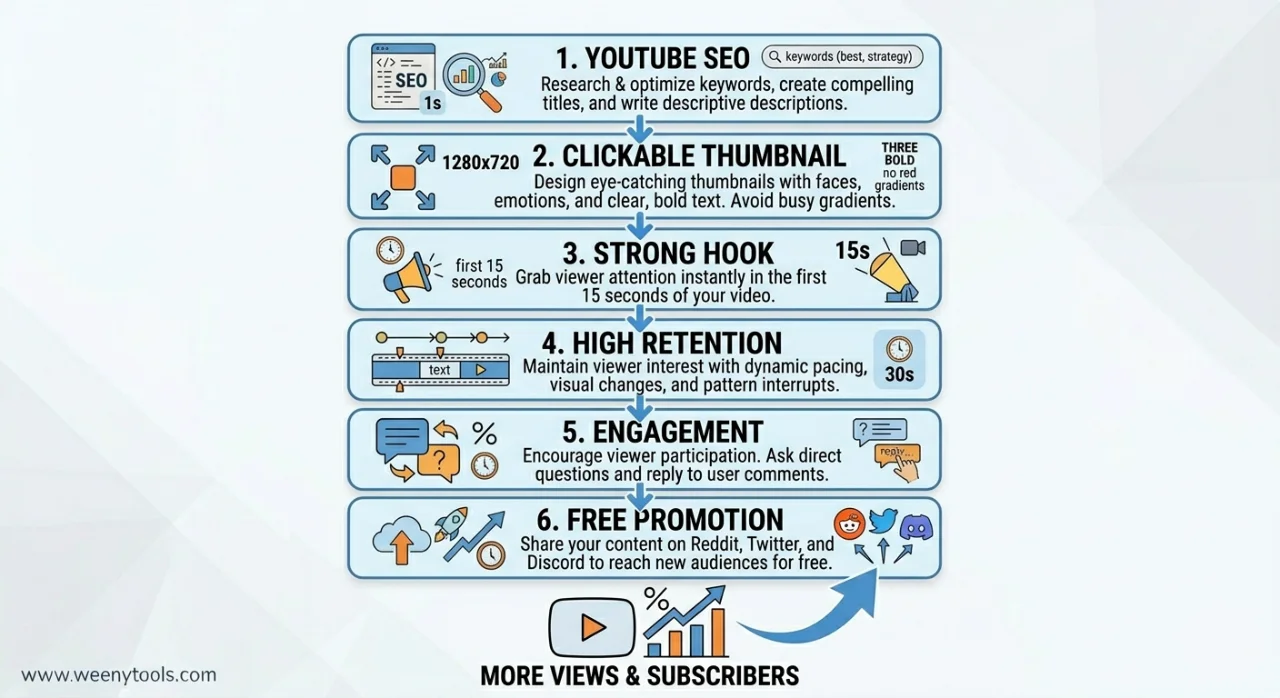
🔍 Understanding the YouTube Algorithm in 2026
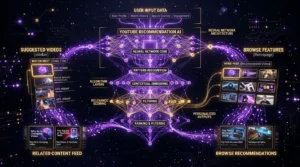
YouTube's recommendation system runs on a two-stage process. First, it runs candidate generation: given a viewer's watch history, it pulls hundreds of candidate videos from its index. Second, it runs a ranking model that scores those candidates on predicted satisfaction. Your video needs to win at both stages.
The ranking model weights these signals most heavily: CTR (did viewers click your thumbnail when shown it?), average view duration (did they watch it?), likes and shares (did they find it valuable?), and whether the viewer returned to YouTube after watching your video vs. closed the app. The last one is often forgotten. YouTube does not want you to make people leave the platform. Videos that send viewers down a rabbit hole of related content are rewarded more than videos that satisfy a curiosity in one shot and send people away.
The practical implication: ending your video with a strong recommendation to watch another specific video on your channel increases your algorithmic boost. Not a generic "watch more videos"—a specific "if you found this useful, watch this next" with a card pointing to the most relevant follow-up.
For a full breakdown of how YouTube SEO combines with thumbnails to boost views, that guide goes deep on the algorithm mechanics.
📐 Thumbnail Dimensions, Aspect Ratio, and Why Getting This Wrong Costs You Views
This is purely technical, but it matters. YouTube displays thumbnails in several places: the search results page, the suggested video sidebar, the home feed, and the subscription feed. Each location renders thumbnails at a different size. If your thumbnail is not designed for the worst case—smallest display size, mobile screen—you will have blurry or unreadable text in those placements.
- Design at 1280x720 (16:9 aspect ratio). This is the standard. Read our complete aspect ratio guide for CTR optimization.
- Keep all text and faces in the center 80% of the frame. YouTube sometimes crops the edges on mobile previews.
- Check how your thumbnail looks at 168x94 pixels. That is roughly the size it appears in the suggested video sidebar. If text is unreadable at that size, no one is clicking.
- Use our free resizer to preview your thumbnail at multiple display sizes before uploading.
More on exact pixel dimensions and best practices in our how big is a YouTube thumbnail guide and the complete 2025 size and dimensions guide.
🎬 What MrBeast's Thumbnails Actually Teach Us About Getting Free Views
MrBeast is the most viewed creator on YouTube. His thumbnails are worth studying not because you should copy them, but because they follow consistent principles that are measurable. We did a full MrBeast thumbnail color analysis and found three recurring patterns: high saturation colors with strong contrast ratios, faces showing strong emotion rather than neutral expressions, and minimal text (almost always under 5 words).
What is interesting is that these principles work at any subscriber count. A channel with 300 subscribers using the same color contrast principles as MrBeast will outperform a similar channel that ignores them. Thumbnail quality is one of the few places where small channels can directly compete with large ones.
🛠️ Free Tools That Remove Every Barrier to Getting Views
The most common excuse for not optimizing thumbnails is "I don't have Photoshop." That excuse is gone. Here are the free tools that do everything you need:
- WeenyTools Thumbnail Downloader — Download any YouTube thumbnail in HD for competitive analysis. No login required. Covered in detail in our step-by-step usage guide.
- WeenyTools Thumbnail Resizer — Resize, optimize for compression, and add borders in one step. Works on mobile too.
- Google Trends — Free keyword demand data that shows you whether a topic is growing or dying before you invest time in a video.
- TubeBuddy (free tier) — Keyword explorer, A/B thumbnail testing, and competitor research. The free version is enough to get started.
- Canva (free tier) — Good for thumbnail design if you are not comfortable with more technical tools. See our comparison of free vs. paid thumbnail tools to understand where each option makes sense.
For a broader list, our top 10 free tools for YouTubers in 2025 covers everything from thumbnail design to analytics to SEO research, all at zero cost.
💡 How to Download Thumbnails for Research (Three Methods)
Competitive thumbnail research is one of the highest-leverage activities a small creator can do. If you know what thumbnails are already getting clicks in your niche, you have a massive advantage over creators who design from scratch with no reference. Here are the three main ways to download thumbnails for research:
- WeenyTools (recommended): Paste any YouTube video URL into our thumbnail downloader and download in HD. No app required, works on any browser.
- On mobile: Detailed walkthrough in our mobile thumbnail download guide.
- Browser method (no app): Full instructions in our how to save thumbnails without any app guide.
- For HD quality: Specific HD download instructions in our HD thumbnail download guide.
- Preview before downloading: Use our YouTube preview download tool to see exactly how a thumbnail looks in different display contexts before you save it.
⚠️ 5 Mistakes That Are Blocking Your Free YouTube Views Right Now
- Clickbait thumbnails: High CTR + Low Retention is one of the worst combinations possible. YouTube actively demotes videos where viewer behavior signals disappointment. If you promise something in your thumbnail, deliver it in the first two minutes.
- Long intros: "Hey guys, welcome back to my channel, don't forget to like and subscribe..." is the fastest way to lose 40% of your audience before you have said anything useful. Start with the content.
- Red and orange gradients in thumbnails: Creates color banding and pixelation after YouTube's compression. Looks cheap. Switch to blue, green, or purple backgrounds for cleaner output.
- Ignoring mobile viewers: Over 70% of YouTube watch time is on mobile. Text that looks readable on a 27-inch monitor is invisible on a phone screen. Test every thumbnail on your phone before uploading. See fixes for blurry mobile thumbnails if you are having issues.
- No end screen strategy: Most creators either have no end screen or they add one as an afterthought. A well-placed end screen card pointing to your most relevant related video can add 5–10% to your average view duration and funnel viewers deeper into your channel.
More detail on each of these in our list of 5 common YouTube thumbnail mistakes to avoid.
📈 Real Example: 0 to 50,000 Free Views in 60 Days
Channel: Coding tutorial channel (300 subscribers).
What they did: They used the free thumbnail downloader to pull the top 10 thumbnails in the JavaScript tutorial space. After seeing that most had dark backgrounds with orange text, they went the opposite direction: bright blue background with yellow border using our Resizer. Titles focused on specific error messages ("how to fix cannot read properties of undefined javascript") instead of broad topics.
Result: One video ranked #2 for "javascript error fix" and pulled 50,000 organic views in 60 days, plus 1,200 new subscribers. Zero ad spend.
🎥 The "Proof of Human" Content Advantage
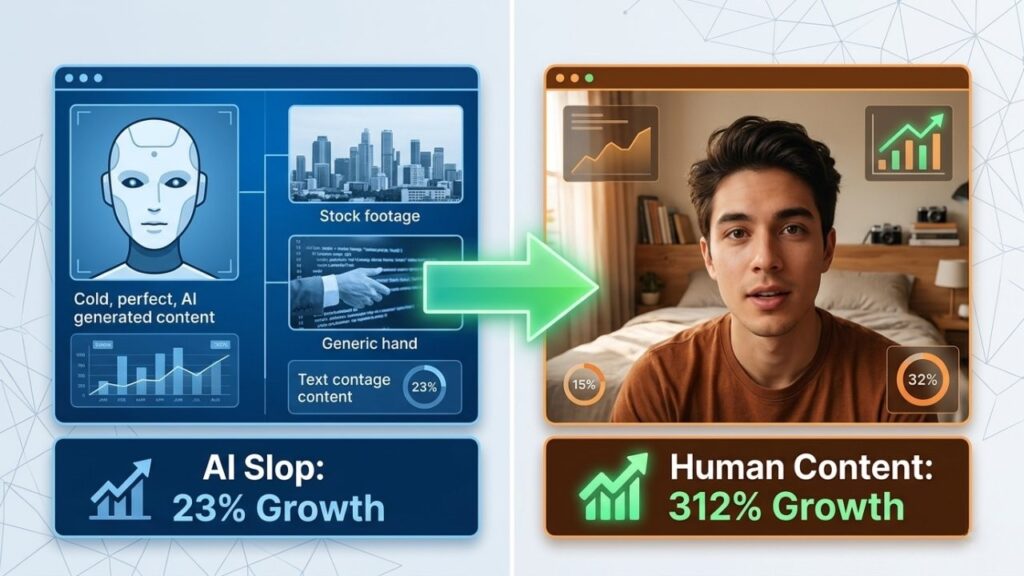
In 2026, YouTube is watching for something beyond CTR and retention. With AI-generated content flooding the platform, YouTube is actively promoting what it internally tracks as authentic human content—videos that show real people, real reactions, real mistakes, and real expertise. Faceless channels and AI voiceover channels are reporting significant drops in recommended feed impressions.
Showing your face, being specific about personal experience, and acknowledging mistakes all help signal that your content is human-made. Our full breakdown of proof of human content in 2026 covers what this means for your strategy and what specific signals YouTube appears to weight.
💸 What Happens After You Get Views: Monetization
Once your channel reaches 1,000 subscribers and 4,000 watch hours, you can apply for the YouTube Partner Program and start earning ad revenue. Getting free views is not just about vanity metrics—it is the direct path to income. Once you are monetized, the same organic view strategies that got you there keep compounding. Read our YouTube monetization guide for beginners to understand what to do once the views start coming in.
Thumbnails also affect your RPM indirectly. Better thumbnails attract more targeted viewers, and targeted viewers tend to watch more ads to completion, which increases your revenue per thousand views. Growing subscribers is also covered in our guide on why good thumbnails are important for growing subscribers—the connection between click quality and subscriber retention is direct.
📹 Gear and Setup for Beginners (What You Actually Need)
One of the most common questions from new creators is whether they need expensive gear to compete. The answer is no. Sound quality matters more than video quality. A mediocre camera with clean audio will outperform a 4K camera with echo-heavy room audio every single time.
Our minimalist YouTube gear guide for 2026 covers exactly what to buy (and what not to buy) when you are starting out. The short version: spend on a USB microphone before you spend on a camera.
🔗 Everything You Need to Get Free YouTube Views (Resource Hub)
Here are all the guides that connect to this strategy, organized by topic:
Thumbnail Design & Optimization
How to make thumbnails that get clicks (2026) · How to create eye-catching thumbnails · Ideal thumbnail size 1280x720 · Complete size & dimensions guide · Aspect ratio guide for CTR · How big is a YouTube thumbnail (2026)
Thumbnail Downloads & Research
How to use the WeenyTools downloader · Download on mobile · Save thumbnails without an app · Download in HD · Preview download for high quality
Compression & Technical
Compression guide & 2MB limit · 2MB converter guide 2026 · Fix blurry thumbnails on mobile · Red border vs. yellow border analysis
Channel Growth & SEO
YouTube SEO with thumbnails · Niche selection & micro-lane strategy · Proof of human content in 2026 · Monetization guide for beginners
Tools & Comparisons
Top 10 free tools for YouTubers · Top 5 thumbnail editing tools · Free vs. paid thumbnail tools · Canva vs. free tools (2026) · Free thumbnail preview & optimization score
❓ FAQ: How to Get Free YouTube Video Views
🎯 Where to Start: Your First 3 Actions
Everything in this guide works. But starting with everything at once is a good way to start with nothing. Here are the three actions that move the needle fastest:
Action 1: Go to WeenyTools Thumbnail Downloader and save 5 thumbnails from the top videos in your niche. Spend 10 minutes studying what they have in common—colors, text length, face placement, borders.
Action 2: Open your most recent video's analytics. Check the CTR. If it is under 5%, your thumbnail is the bottleneck. Use the Resizer to redesign it with a cleaner background (blue or green, not red), a high-contrast border, and shorter text. Swap it out using YouTube Studio's thumbnail replacement feature.
Action 3: Write down 10 specific questions people in your niche ask online (Reddit, Quora, Google autocomplete). Pick the one with the clearest search intent and make a video that answers it completely. Title the video with the exact question. Watch the organic search traffic over the next 30 days.
For support, visit About | FAQ | Contact. See also our Blog for more YouTube growth guides. Updated June 2026.