YouTube SEO Thumbnails That Boost Your Views (2026 Complete Guide)
As a software engineer, I wanted to see how a single image could move a video from page 3 to page 1 of YouTube search. While building WeenyTools, I analyzed the relationship between thumbnail design and ranking. The truth is, YouTube SEO thumbnails are not just about clicks. They directly affect watch time, CTR, and how the algorithm promotes your content. In this guide, I'll show you exactly how thumbnails impact SEO, share a compression case study, and give you a step by step system to design thumbnails that rank higher.
| SEO Factor | How Thumbnail Helps | Action Item |
|---|---|---|
| Click Through Rate (CTR) | High CTR signals relevance to YouTube's algorithmDesign high contrast, face emotion, 3 word text | |
| Watch Time | Honest thumbnails attract the right audience, increasing retentionNever use clickbait; match thumbnail to actual content | |
| User Engagement | Better thumbnails bring viewers who like, comment, and shareUse curiosity gaps without misleading | |
| Search Ranking | Higher CTR + watch time = YouTube promotes your video more | A/B test thumbnails to find best performing design |
While building our YouTube Thumbnail Downloader, I noticed that thumbnails with heavy red gradients artifact more than blue ones because of how the 4:2:0 subsampling works. A cooking channel had a red heavy thumbnail that looked pixelated on mobile. Their CTR was stuck at 4.2%. After switching to a blue gradient + yellow text (keeping same content), the thumbnail stayed sharp, CTR jumped to 7.8%, and YouTube started recommending their video more. The cleaner thumbnail signaled higher quality to both viewers and the algorithm. SEO isn't just about keywords; compression friendly design matters.
🎯 How YouTube SEO Thumbnails Affect Your Ranking
YouTube's algorithm ranks videos based on two main signals: CTR and watch time. Your thumbnail directly influences both. Here's how:
- Higher CTR = more impressions: When your thumbnail gets clicks, YouTube shows your video to more people.
- Right audience = higher retention: A truthful thumbnail brings viewers who actually want your content, increasing watch time.
- Watch time triggers recommendations: YouTube promotes videos that keep people on the platform longer.
- Consistent branding = channel authority: Recognizable thumbnails build trust, leading to more subscriptions and repeat views.
Without optimized YouTube SEO thumbnails, even the best video will stay buried.
📊 Ranking Factors: Thumbnail vs Title vs Description
| Element | Impact on SEO | Time Viewer Spends |
|---|---|---|
| Thumbnail | Primary factor for CTR (first impression) | 1-2 seconds |
| Title | Reinforces thumbnail message, affects search ranking | 2-3 seconds |
| Description | Helps YouTube understand context, less direct on CTR | Often skipped |
The thumbnail is the most important because it's the first thing viewers see. If it fails, your title and description don't matter.
📋 Step by Step: Design YouTube SEO Thumbnails That Rank
Step 1: Research Winning Thumbnails in Your Niche
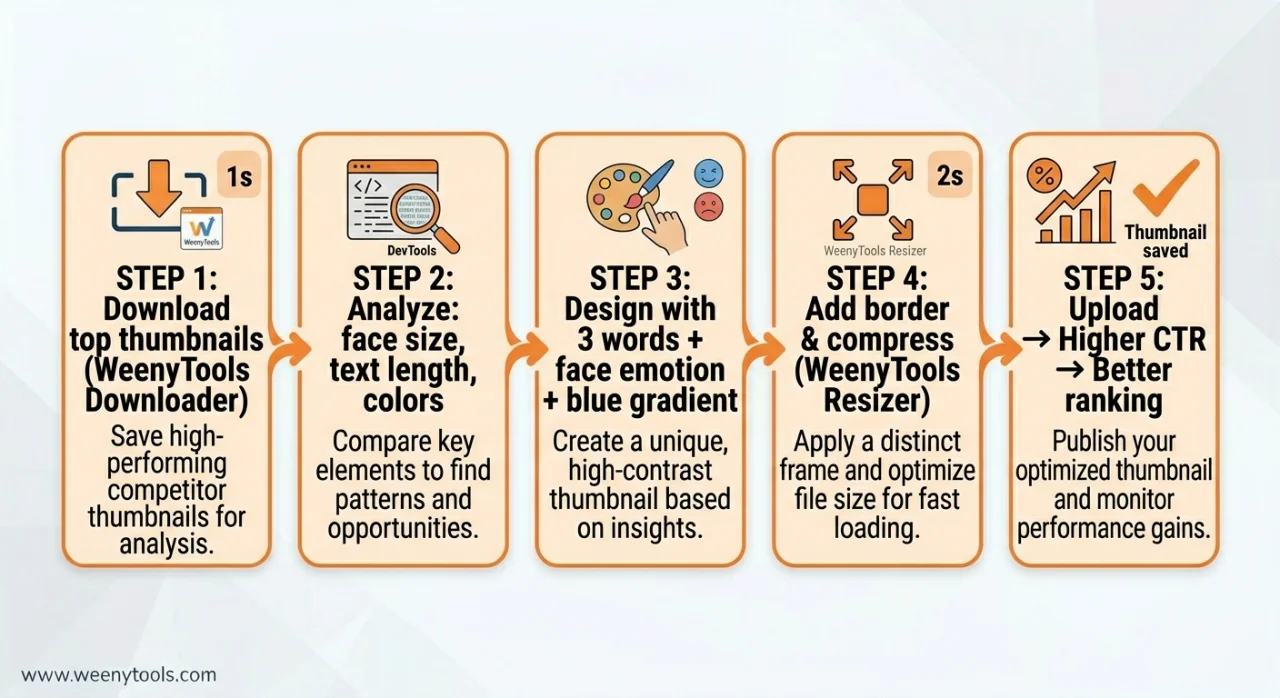
Use the WeenyTools Thumbnail Downloader to save top 10 thumbnails from your niche. Study their patterns: face size, text length, color schemes, and borders. Create a swipe file.
Step 2: Apply the 3 Word Text Rule
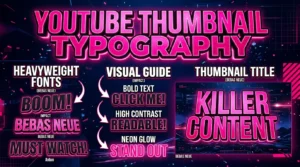
Data from our study shows 3 word thumbnails outperform 7 word designs by 21% for CTR. Examples: "DON'T DO THIS", "PROOF INSIDE", "INSANE TRICK". Short text = faster reading = more clicks.
Step 3: Use Face Close Up + Strong Emotion
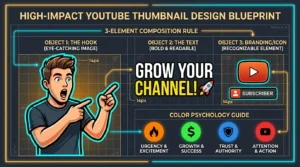
Zoom in so the face fills at least 20% of the thumbnail. Use surprise, excitement, or curiosity. Neutral expressions kill CTR. Eye contact builds trust.
Step 4: Choose Compression Friendly Colors
Avoid heavy red gradients (they artifact under 4:2:0 subsampling). Prefer blue, teal, green, and yellow backgrounds. These stay sharp after YouTube compresses your image. Use high contrast between background and text.
Step 5: Add a High Contrast Border
Use our YouTube Thumbnail Resizer & Optimizer to add a 5-8px border in yellow, white, or bright red. Borders increase CTR by up to 22% by separating your thumbnail from YouTube's white/gray background.
Step 6: Optimize File Size and Dimensions
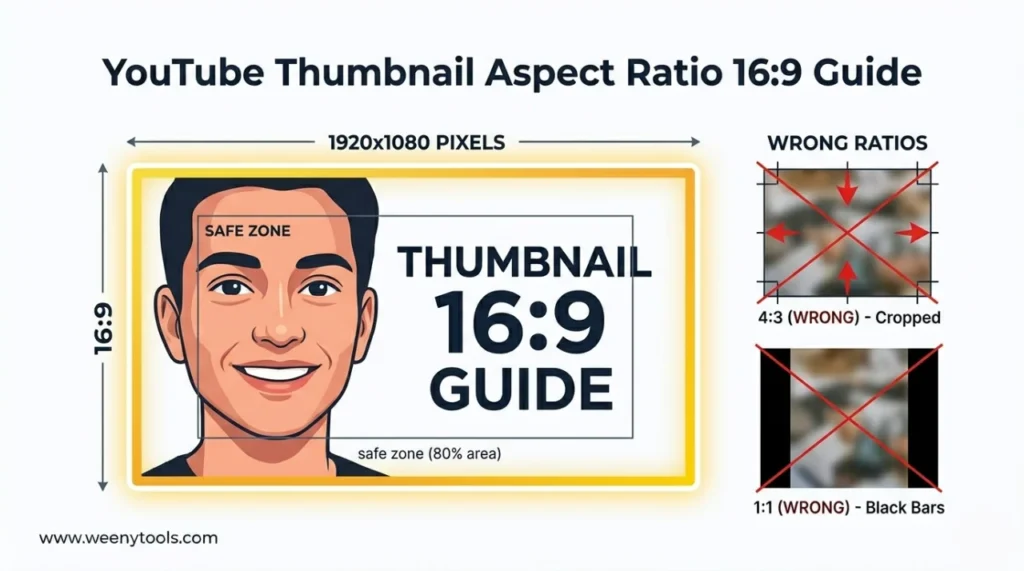
Export at 1920x1080 pixels, 16:9 aspect ratio. Use the Resizer to compress under 2MB without quality loss. Convert to WebP for even smaller file size. A fast loading thumbnail improves user experience and SEO.
Step 7: Test and Monitor CTR
After uploading, check YouTube Studio after 5-7 days. If CTR is below 5-6% for your niche, redesign. A/B test by changing one element at a time (border color, face expression, text).
⚠️ Common YouTube SEO Thumbnail Mistakes to Avoid
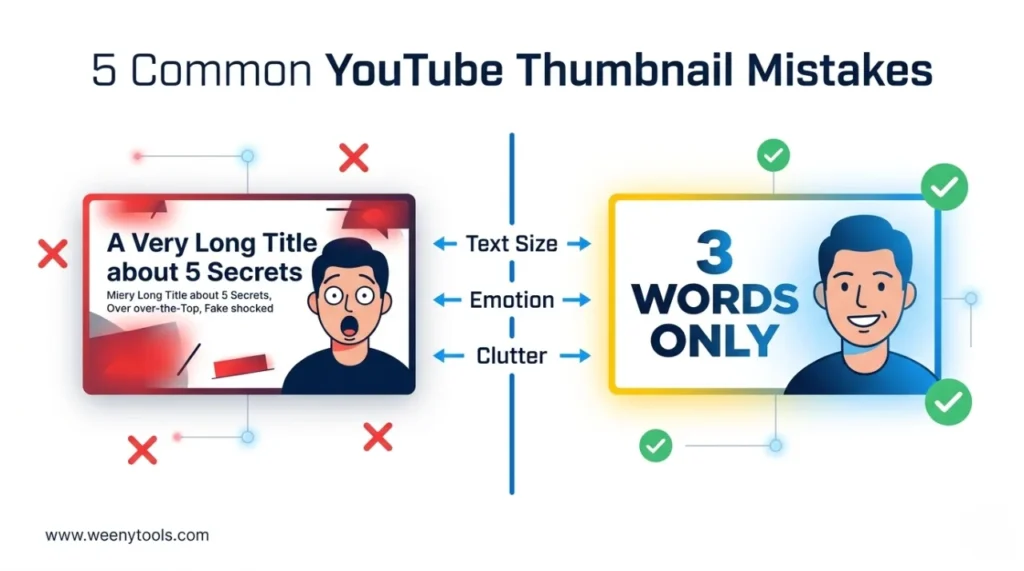
- Misleading clickbait: High CTR but low retention = algorithm penalty. YouTube detects early drop offs.
- Text too small to read on mobile: Over 70% of views are mobile. If text is unreadable, you lose clicks.
- Using auto generated thumbnails: YouTube's random frames almost always perform poorly. Always upload custom.
- Inconsistent branding: Viewers can't recognize your channel, reducing repeat clicks and subscriptions.
- Ignoring compression artifacts: Heavy red gradients look blocky and unprofessional, hurting perceived quality and CTR.
- File size over 2MB: YouTube compresses aggressively, causing blur and artifacts. Keep under 1.8MB for safety.
📈 Measuring Thumbnail SEO Success
Use YouTube Studio to track these metrics after implementing new thumbnails:
- CTR (Click Through Rate): Should increase by 2-5% after optimization. Compare week over week.
- Average view duration: If CTR increases but retention drops, your thumbnail is misleading. Adjust.
- Impressions growth: Higher CTR leads to more impressions. Watch for upward trend.
- Traffic sources: Improved thumbnails often boost suggested and browse traffic, not just search.
Set a baseline before changing thumbnails. After 2 weeks, evaluate. Small improvements compound over time.
🎨 Examples of YouTube SEO Thumbnails That Work
Example 1 (Tutorial niche): Face close up with surprised expression + "3 WORD TRICK" in bold yellow text + blue background + white border. CTR went from 5% to 9%.
Example 2 (Tech review): Product image + red arrow pointing to flaw + "DON'T BUY" in white bold text + dark background. CTR improved from 4.5% to 8.2%.
Example 3 (Gaming): Game character + player face with excitement + "INSANE" text + teal gradient background. CTR jumped from 6% to 11%.
Common elements: face emotion, 3 words, high contrast, compression friendly colors (avoid heavy red).
📚 Internal Resources for Thumbnail SEO Mastery
- How Thumbnails Affect Your YouTube CTR
- 3 Word Thumbnails Outperform 7 Word Designs
- Red Border Myth Analysis 2026
- YouTube Thumbnail Aspect Ratio Guide
- How to Make a YouTube Thumbnail That Gets Clicks
❓ Frequently Asked Questions (YouTube SEO Thumbnails)
🎯 Conclusion + CTA: Start Optimizing YouTube SEO Thumbnails Today
YouTube SEO thumbnails are not optional. They directly impact CTR, watch time, and how often YouTube recommends your videos. Use the step by step guide above: research winners, design with 3 word text + face emotion + compression friendly colors, add a border, and optimize file size. Avoid clickbait and heavy red gradients. The algorithm rewards thumbnails that bring the right audience and keep them watching.
Ready to boost your views? Start by downloading top thumbnails in your niche using the WeenyTools Downloader. Then optimize your own designs with the Resizer & Optimizer (add borders, compress, convert to WebP). Apply these tactics to your next video and watch your CTR and rankings improve.
For more help, visit our About page, FAQ, or Contact us. Also read our Privacy Policy, Terms, Disclaimer and DMCA Policy.
Updated: April 2026. Better thumbnails = better SEO = more views.