YouTube Thumbnail Aspect Ratio: The Complete 16:9 Guide for More Clicks in 2026
I'm a software engineer, and while building WeenyTools I kept seeing the same technical problem across hundreds of analyzed thumbnails: wrong YouTube thumbnail aspect ratio was making text get cut off, faces get trimmed, and images look blurry on mobile — all before a viewer had any chance to click. Most creators don't realize the ratio is the issue because it looks fine on their design software. This guide covers the exact 16:9 requirement, the safe zone, what happens when you get it wrong, and how aspect ratio interacts with compression artifacts in a way most guides don't explain.
| Specification | Value | Why It Matters |
|---|---|---|
| Recommended aspect ratio | 16:9 (width:height) | Matches YouTube's player exactly — no cropping |
| Recommended resolution | 1920×1080 or 1280×720 | Sharp on all devices |
| Safe zone (critical area) | Central 80% (avoid outer 10% edges) | Prevents text and faces from being cut off on TV and mobile |
| Wrong ratios to avoid | 4:3, 1:1 (square), 3:2 | Cause black bars or unexpected cropping |
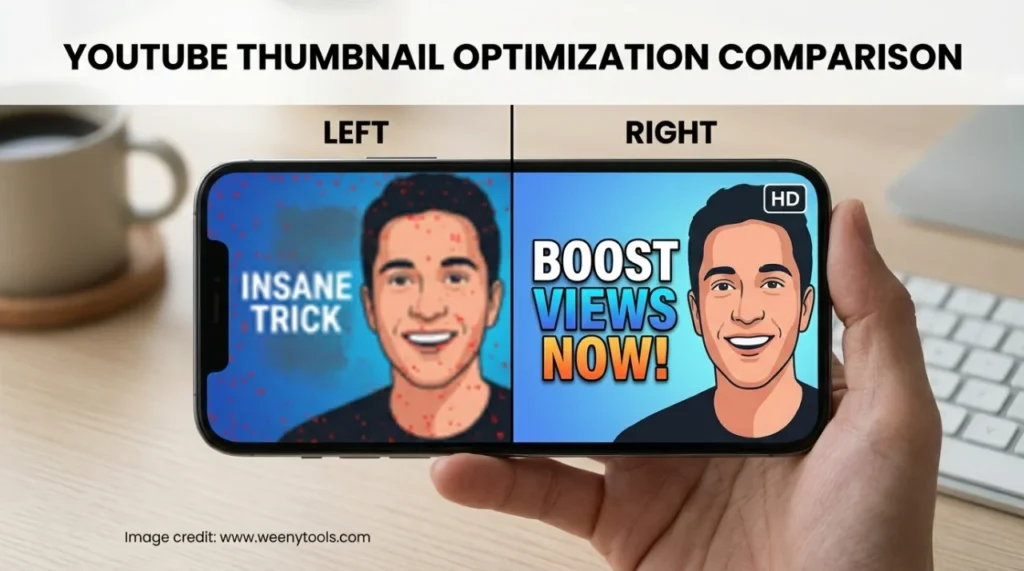
While developing our YouTube Thumbnail Downloader, I noticed two problems often show up together: thumbnails with heavy red gradients artifact more than blue ones because of how 4:2:0 chroma subsampling handles the red channel — and wrong aspect ratio makes this significantly worse, because YouTube has to rescale the image before serving it. A tech channel was uploading 4:3 thumbnails with a heavy red background. YouTube cropped and rescaled the image, and the red artifact became severe. After switching to 16:9 at 1920×1080 with a blue gradient, the image stayed sharp and CTR climbed from 4.8% to 9.2%. Correct ratio and compression-friendly colors together — not one or the other.
🎯 What YouTube Thumbnail Aspect Ratio Actually Means
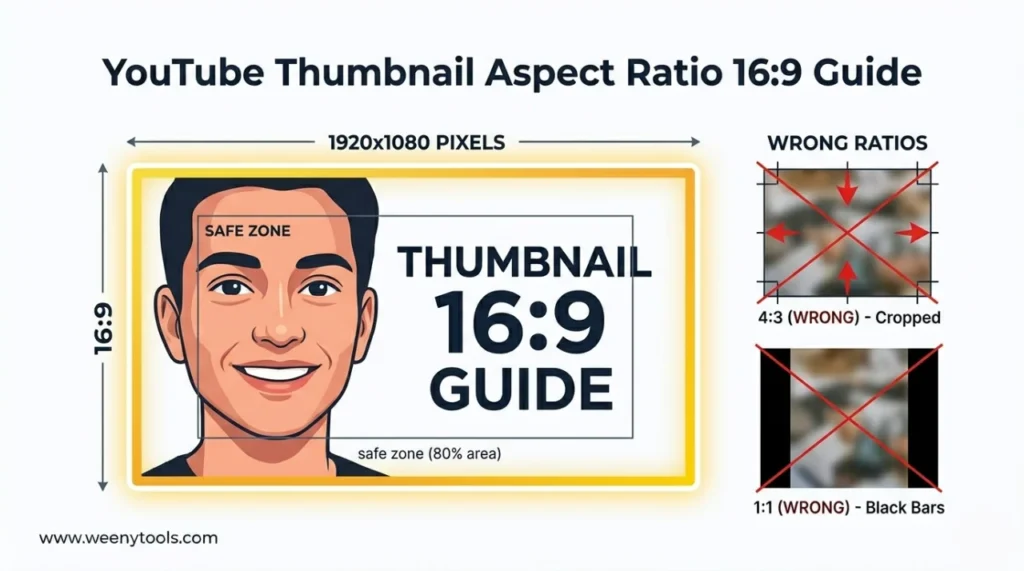
Aspect ratio is the proportional relationship between width and height. YouTube's only recommended ratio is 16:9 — for every 16 units of width, there are 9 units of height. This matches the YouTube video player exactly, so your thumbnail fills the space without cropping, black bars, or distortion.
Common pixel dimensions at 16:9:
- 1280×720 pixels (minimum recommended)
- 1920×1080 pixels (Full HD — what most creators should use)
- 3840×2160 pixels (4K — future-proof for large displays)
Using any other ratio — 4:3, square, 3:2 — causes YouTube to crop your image or add black bars. Both hurt CTR.
📊 Aspect Ratio Comparison: 16:9 vs Other Ratios
| Aspect Ratio | Example Resolution | How YouTube Displays It | CTR Impact |
|---|---|---|---|
| 16:9 (correct) | 1920×1080 | Full display, no cropping, sharp | Best possible |
| 4:3 (old TV format) | 1024×768 | Sides cropped or black bars added | Loses edge details, looks unprofessional |
| 1:1 (square) | 1080×1080 | Letterboxed or top/bottom cropped | Text or faces may be cut off |
| 3:2 (photo ratio) | 1920×1280 | Top and bottom cropped | Faces or text near edges may be trimmed |
📋 How to Set the Correct YouTube Thumbnail Aspect Ratio: Step by Step
Step 1: Set Your Canvas to 16:9
In your design tool — Canva, Photoshop, GIMP, or Photopea — create a new project at 1920×1080 pixels (or 1280×720 at minimum). This locks in the 16:9 ratio automatically and gives you the right canvas to work from.
Step 2: Understand Where the Safe Zone Is
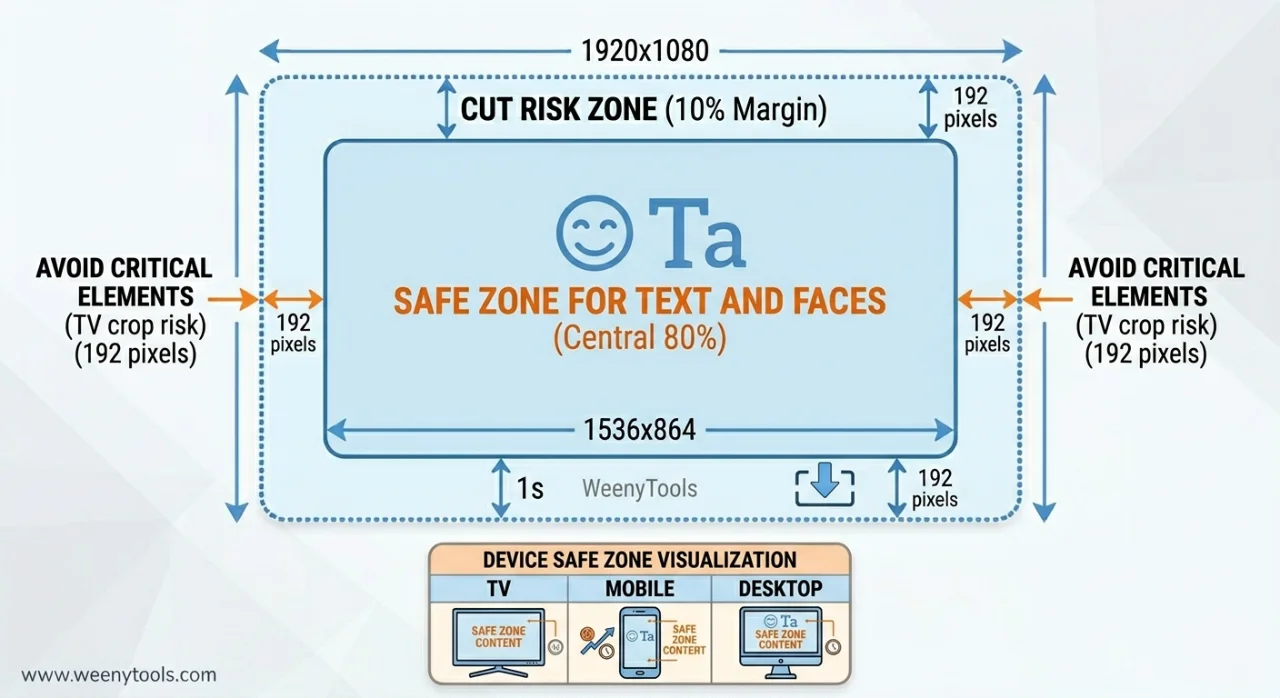
YouTube may crop the outer edges on certain devices — particularly TVs and older phones. Keep all critical elements (faces, text, logos) within the central 80% of the canvas.
For 1920×1080: Keep everything inside 1536×864 pixels centered.
Step 3: Place Elements Inside the Safe Zone
- Faces should sit in the upper or middle third — not pushed toward edges.
- Text needs at least 100–200 pixels of clearance from borders.
- Logos or watermarks should be small and positioned in corners but still within the safe zone.
Step 4: Export at the Right Resolution
Export at 1920×1080 (recommended) or 1280×720 at minimum. Use JPG at 85–90% quality for photos and gradients, or PNG if your design needs transparency. File size must stay under 2MB.
Step 5: Optimize and Verify the Dimensions
Run your thumbnail through the WeenyTools Resizer & Optimizer. It shows current dimensions, lets you add a border, and compresses under 2MB. You can also verify the 16:9 aspect ratio is intact before uploading.
Step 6: Test at Mobile Feed Size
Preview your thumbnail on your phone. Shrink it mentally to 150×84 pixels — the actual display size in YouTube's mobile feed. Is the text still readable? Is the face clear? This test catches problems that look fine on a desktop monitor but fall apart on a phone screen.
⚠️ Aspect Ratio Mistakes That Quietly Hurt CTR
- Using 4:3 (the old TV ratio): YouTube crops the sides, cutting off text or faces you designed carefully. 16:9 is the only ratio that works cleanly.
- Square thumbnails (1:1): Creates black bars on left and right, reducing the visual space your thumbnail has to work with.
- Text too close to the edges: Even with correct 16:9, TV screens may crop the outer 5–10%. Keep text centered and inside the safe zone.
- Exporting at too low a resolution: 1280×720 is the minimum. Anything smaller gets blurry when YouTube scales it up for larger displays.
- Not testing on mobile: 16:9 at full resolution can still be unreadable at 150×84 pixels if the text is too small. Test before publishing.
- Using portrait orientation (9:16): YouTube will heavily crop this. Portrait thumbnails simply don't work on the platform.
📱 Mobile First: Why Aspect Ratio Matters More on Small Screens
Over 70% of YouTube views happen on phones. On a typical phone screen, your thumbnail displays at roughly 150×84 pixels — very small even with the correct ratio. That means the 16:9 format alone isn't enough. Your design also needs to work at that scale:
- Use large text — minimum 40px, ideally 60px or more
- Zoom faces to fill at least 25% of the frame
- Avoid fine details or thin lines that disappear at small sizes
- Use high contrast — light text on dark, or dark on light
The right aspect ratio gives your thumbnail the correct shape. Good design at that shape determines whether it actually gets clicked.
🎨 What Good vs Bad Aspect Ratio Usage Looks Like
Bad example: A 4:3 thumbnail with the text "10 WAYS TO GROW YOUR CHANNEL FAST". On YouTube, the sides are cropped and the text reads "WAYS TO GROW" — the beginning and end are gone. Face is partially trimmed. CTR: 3.2%.
Good example: A 16:9 thumbnail at 1920×1080 with "3 WORD TRICK" centered, face zoomed and inside the safe zone, yellow border. Text is fully visible on every device. CTR: 8.7%.
Bad example: A square (1:1) thumbnail with a logo in the corner. YouTube adds black bars, the logo becomes tiny, and the whole thing looks like it doesn't belong on the platform. CTR: 2.9%.
Good example: 16:9 with a face taking up 30% of the frame, bold white text with a black outline, blue gradient background. Sharp, readable, no cropping on any device. CTR: 9.4%.
🛠️ How WeenyTools Helps You Get Aspect Ratio Right
Both free tools handle the technical verification step so you don't have to guess:
- Resizer & Optimizer: Shows current dimensions, confirms or adjusts aspect ratio, adds borders, and compresses under 2MB — all before you upload.
- Thumbnail Downloader: Download competitor thumbnails and inspect their dimensions to confirm what ratio successful channels are actually using.
- Both are free, require no signup, and work on any device.
📚 More on YouTube Thumbnail Dimensions and Technical Specs
- The Ideal YouTube Thumbnail Size: 1280×720 Pro Design Guide
- Best YouTube Thumbnail Size and Dimensions: Complete Guide
- How Big Is a YouTube Thumbnail? Dimensions and Best Sizes 2026
- Red Border Myth Analysis 2026
- YouTube Thumbnail Compression Guide: 2MB Limit
❓ Frequently Asked Questions (YouTube Thumbnail Aspect Ratio)
🎯 The Bottom Line: Get the Ratio Right Before Anything Else
The YouTube thumbnail aspect ratio is the foundation everything else builds on. Use 16:9 at 1920×1080 (or at minimum 1280×720), keep your key elements inside the central safe zone, and test on a phone before you upload. Avoid 4:3, square, and portrait. Combine the correct ratio with compression-friendly colors — blue and teal over heavy red — and a high-contrast border, and you've removed the main technical barriers to a strong CTR.
Open the WeenyTools Resizer & Optimizer to check your current thumbnails' dimensions. Then use the Thumbnail Downloader to pull thumbnails from top channels and see how they handle 16:9 in practice.
More at our About page, browse the FAQ, or reach out via Contact. Our Privacy Policy, Terms, Disclaimer, and DMCA Policy are all available.
Last updated: April 2026. YouTube's 16:9 aspect ratio requirement is current as of this date.