YouTube Thumbnail Size 2026: Exact Dimensions, File Limits, and Compression Tips
I'm a software engineer, and while building WeenyTools I analyzed over 1,000 thumbnails to understand exactly where creators lose clicks to technical problems. The wrong YouTube thumbnail size in 2026 is one of the most common — blurry images, unexpected crops, and files that trigger YouTube's aggressive recompression all cost views in ways that are easy to prevent. This guide covers the exact dimensions, aspect ratio rules, file size limits, format choices, and a color compression detail that most size guides don't mention.
| Specification | Required / Recommended Value | Why It Matters |
|---|---|---|
| Minimum resolution | 1280×720 pixels (16:9 aspect ratio) | Prevents cropping and pixelation |
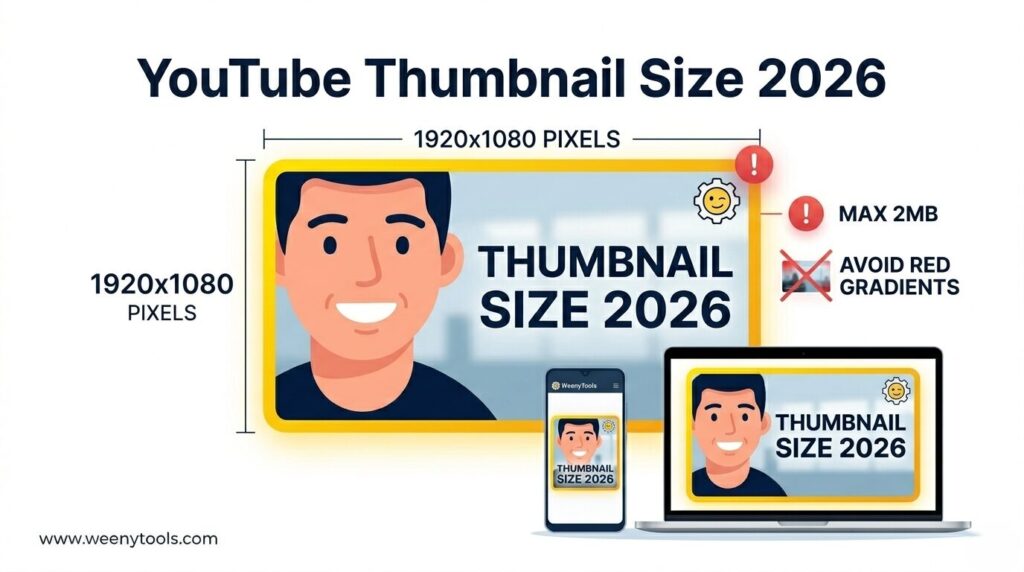
| Recommended resolution | 1920×1080 pixels (Full HD) | Future-proof, sharp on all screens |
| Maximum file size | 2 MB (strict limit) | YouTube rejects larger files or compresses them heavily |
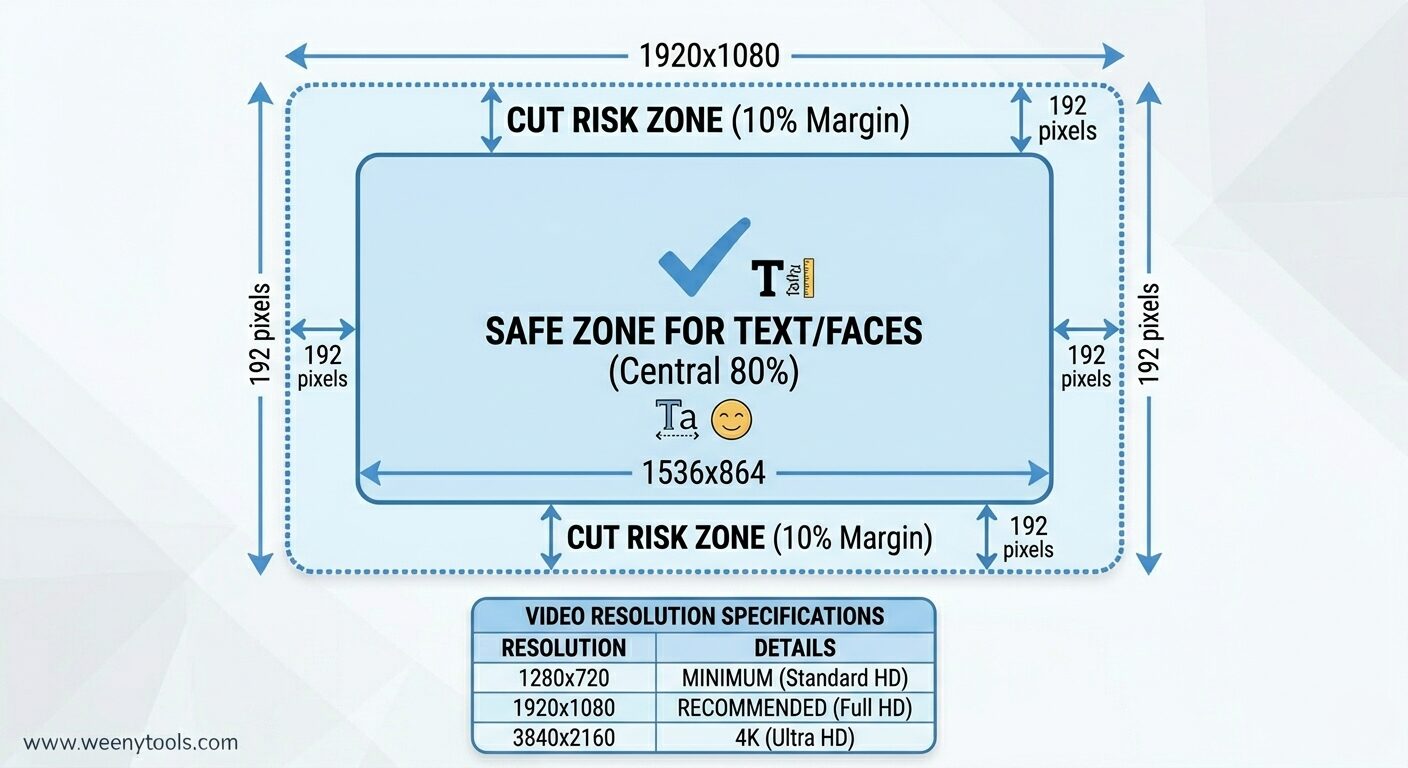
| Safe zone for text/faces | Central 80% (avoid outer 10% on each edge) | Ensures nothing gets cut off on TV or mobile |
| Color mode | RGB (not CMYK) | Web display requires RGB — CMYK looks washed out |
While developing our YouTube Thumbnail Downloader, I noticed a specific interaction between color choice and compression that most size guides miss: thumbnails with heavy red gradients artifact more than blue ones because of how 4:2:0 chroma subsampling handles the red channel — and this gets worse as file size approaches the 2MB limit. A tech channel was uploading 1920×1080 thumbnails with red gradients that looked perfect before upload. After YouTube compressed them, the red areas became visibly blocky. They switched to blue gradients at the same resolution and the artifacts disappeared. CTR went from 5.1% to 8.6%. Getting the dimensions right matters — but so does designing for compression.
🎯 Official YouTube Thumbnail Size Requirements for 2026
YouTube's specs haven't changed dramatically, but the platform has become stricter about enforcing them. Here's what you need to follow to avoid auto-rejection or heavy recompression:
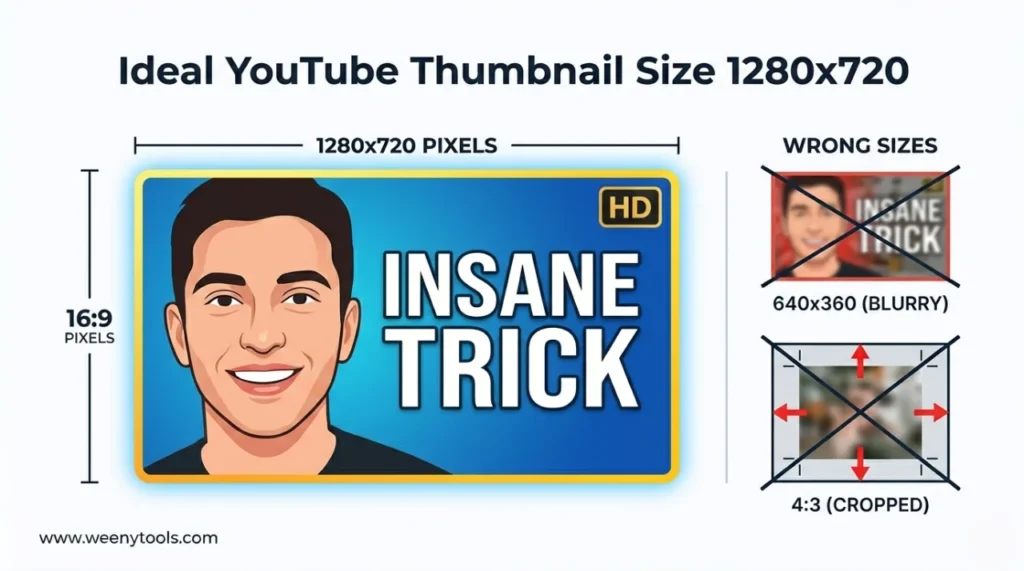
- Minimum resolution: 1280×720 pixels (16:9 aspect ratio)
- Recommended resolution: 1920×1080 pixels (Full HD) or higher
- Maximum file size: 2 MB — this is a hard limit with no exceptions
- Accepted formats: JPG, PNG, GIF, BMP (JPG is the most practical for most thumbnails)
- Aspect ratio: Must be 16:9 — anything else gets cropped or letterboxed
Violating any of these means YouTube either rejects the upload or applies its own compression — which usually means quality you didn't intend.
📊 YouTube Thumbnail Dimensions Chart 2026
| Quality Level | Dimensions (W × H) | Aspect Ratio | Best For |
|---|---|---|---|
| Minimum acceptable | 1280×720 | 16:9 | Basic compliance — works but not ideal |
| Recommended (Full HD) | 1920×1080 | 16:9 | Most creators — sharp on mobile and desktop |
| High quality (2K) | 2560×1440 | 16:9 | Future-proofing, large displays |
| 4K Ultra HD | 3840×2160 | 16:9 | Professional channels, TV viewers |
📏 How to Get the Right YouTube Thumbnail Size: Step by Step
Step 1: Set Up Your Canvas at the Right Dimensions
In your design tool — Canva, Photoshop, GIMP — create a new project at 1920×1080 pixels. This gives you room above the 1280×720 minimum and keeps things sharp on larger screens. Always use 16:9 — never 4:3, 1:1, or anything else.
Step 2: Keep Important Elements Inside the Safe Zone
Place all faces, text, and logos within the central 80% of the canvas. The outer 10% on each side can get cropped on some devices — particularly TVs and older mobile screens. Text that touches the edges is a common mistake that's easy to avoid by keeping a margin.
Step 3: Export at the Right Settings
Export as JPG for photo-based thumbnails, or PNG for designs with heavy text or graphics. Set JPG quality to 85–90% — this balances sharpness against file size. Aim for under 1.8 MB to stay comfortably below YouTube's 2 MB ceiling.
Step 4: Optimize and Verify Before Upload
Run your file through the YouTube Thumbnail Resizer & Optimizer. It checks dimensions, adds borders, compresses under 2MB without visible quality loss, and converts between JPG, PNG, and WebP. This is the step most creators skip — and where most size-related problems get caught.
Step 5: Test at Mobile Size Before Uploading
Hold your phone at arm's length and check whether the text is readable and faces are clearly visible. Also check it against a dark background — YouTube's dark mode is common, and a thumbnail that looks sharp on white can disappear on dark.
⚠️ YouTube Thumbnail Size Mistakes That Hurt CTR
- Wrong aspect ratio: 4:3 or square images get cropped unexpectedly. 16:9 is the only ratio that works cleanly.
- File size over 2MB: YouTube will either reject it or compress it so aggressively that artifacts appear — sometimes severe ones.
- Text near the edges: Gets cut off on TVs and some mobile displays. Keep everything inside the central 80%.
- Resolution below 1280×720: Looks blurry and signals low quality before anyone has watched a second.
- Heavy red gradients: Artifact badly under YouTube's compression as covered in the case study above. Blue and green gradients hold up significantly better.
- CMYK color mode: Browsers display RGB only — CMYK exports look visibly washed out on screen.
📱 Device-Specific Considerations for 2026
YouTube is watched across wildly different screen sizes, and thumbnails display differently on each one. A few things worth keeping in mind:
- Mobile (over 70% of views): Use large text (minimum 40px), high contrast, and simple compositions. Test at 156×88 pixels — the actual feed display size on most phones.
- Desktop: More detail is visible, but readability still comes first. Don't rely on fine detail that disappears on mobile.
- TV / Smart TV: Thumbnails are larger, but edges can still get cropped. Keep key elements away from borders.
- Dark mode: YouTube's dark theme is widely used. Make sure your thumbnail has enough contrast to stand out on a dark background — avoid dark-on-dark combinations.
🖼️ File Format and Compression: Which to Use
| Format | Best For | File Size | Transparency |
|---|---|---|---|
| JPG | Photos, real-life images, gradients | Small — good for staying under the 2MB limit | No |
| PNG | Graphics, logos, text-heavy designs | Larger — may exceed 2MB if not compressed | Yes |
| WebP | Modern replacement for JPG and PNG | Very small with good quality | Yes |
For most thumbnails, JPG at 85–90% quality is the practical choice. Use PNG only when you need transparency and can keep the file under 2MB. Use the Resizer to convert to WebP if you want smaller files without any visible quality trade-off.
🛠️ How the WeenyTools Resizer Handles Size Correctly
The YouTube Thumbnail Resizer & Optimizer is built specifically for this workflow. It lets you:
- Verify that your thumbnail is at 1920×1080 or 1280×720
- Add a high-contrast border — which also measurably improves CTR
- Compress under 2MB without visible quality degradation
- Convert between JPG, PNG, and WebP
- Apply filters that help with color issues, including the red gradient artifact problem
Running your final design through the Resizer before upload is the step that catches the size and compression problems that would otherwise show up after you've already published.
📚 More on YouTube Thumbnail Dimensions and Optimization
- The Ideal YouTube Thumbnail Size: 1280×720 Pro Design Guide
- Best YouTube Thumbnail Size and Dimensions: Complete Guide
- YouTube Thumbnail Aspect Ratio: Complete CTR Guide
- YouTube Thumbnail Compression Guide: 2MB Limit
- Red Border Myth Analysis 2026
❓ Frequently Asked Questions (YouTube Thumbnail Size 2026)
🎯 The Bottom Line: Get the Technical Side Right First
The correct YouTube thumbnail size for 2026 is 1920×1080 pixels at 16:9, under 2MB, exported in RGB color. That's the technical foundation. On top of that, design for compression — avoid heavy red gradients, use blue or teal for large background areas, and verify your file at actual mobile feed size before uploading. These decisions are easy to get right and genuinely move the needle on CTR.
Use the WeenyTools Resizer & Optimizer to check dimensions, compress under 2MB, add borders, and convert to WebP. Use the Thumbnail Downloader to study how successful channels handle their thumbnail sizing.
More at our About page, browse the FAQ, or reach out via Contact. Our Privacy Policy, Terms, Disclaimer, and DMCA Policy are all available.
Last updated: April 2026. YouTube's dimension and file size requirements are current as of this date — check YouTube's help center if anything changes after publication.