The Ideal YouTube Thumbnail Size (1280×720): Pro Design Guide for 2026
I'm a software engineer, and while building WeenyTools I kept seeing the same preventable problem: creators uploading thumbnails that were blurry, cropped on some devices, or compressed into something unrecognizable. Most of the time, the wrong ideal YouTube thumbnail size was the root cause. The target number is 1280×720 pixels at a 16:9 aspect ratio. Get that right and your thumbnails stay sharp on phones, desktops, and TVs. This guide covers the exact specs, a compression interaction that most size guides skip, and 7 design tips that actually move CTR.
| Specification | Value | Why It Matters |
|---|---|---|
| Recommended resolution | 1280×720 pixels (minimum) | HD quality — sharp on all devices |
| Aspect ratio | 16:9 (width:height) | Matches YouTube's player — no cropping or black bars |
| Maximum file size | 2 MB | Prevents upload rejection and aggressive recompression |
| Accepted formats | JPG, PNG, GIF, BMP | JPG for photos, PNG for graphics and text |
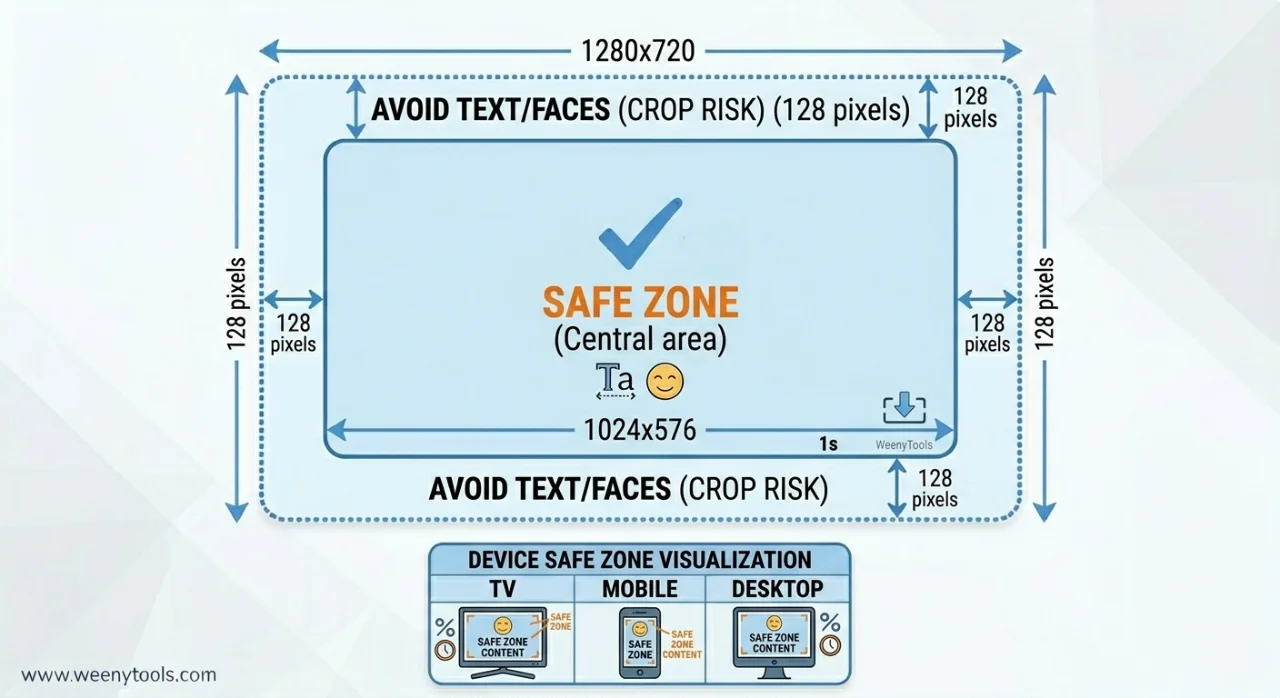
| Safe zone for content | Central 80% (avoid outer 10% edges) | Prevents cropping on TV and mobile devices |
While developing our YouTube Thumbnail Downloader, I noticed that wrong size and wrong color choice tend to make each other worse: thumbnails with heavy red gradients artifact more than blue ones because of how 4:2:0 chroma subsampling handles the red channel — and this problem becomes severe when YouTube has to stretch a too-small image. A creator was uploading 640×480 thumbnails with a red background. YouTube stretched the image to fit 1280×720, and the artifacts became blocky and visible. After switching to native 1280×720 with a blue gradient, the thumbnail stayed sharp and CTR went from 3.9% to 8.4%. Getting the size right and choosing compression-friendly colors are two separate decisions that compound each other.
🎯 What the Ideal YouTube Thumbnail Size Actually Is
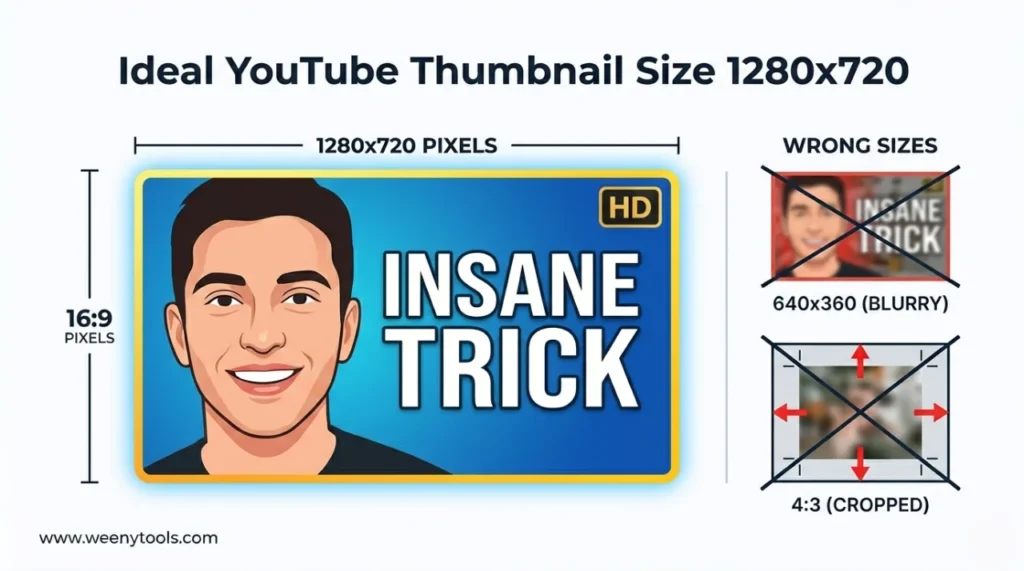
YouTube's official recommendation is 1280×720 pixels (minimum) at a 16:9 aspect ratio. This is the 720p HD standard — a practical balance between image quality and file size management. Here's what that means in full:
- Resolution: 1280×720 pixels at minimum; 1920×1080 (Full HD) is also fine if you can stay under 2MB.
- Aspect ratio: 16:9 (width to height). Any other ratio gets cropped or letterboxed.
- File size: Must stay under 2MB — YouTube rejects larger files or applies its own compression.
- File format: JPG works best for photos and gradients; PNG for designs with heavy text or transparent elements.
- Color mode: RGB — not CMYK. Browsers only display RGB, and CMYK exports look visibly washed out on screen.
Designing at 1920×1080 gives you extra working room, but exporting at 1280×720 for upload prevents YouTube from rescaling at a quality you didn't intend.
📊 Why 1280×720 Is the Right Starting Point
| Resolution | Quality | File Size Challenge | Verdict |
|---|---|---|---|
| 640×360 | Low — pixelated when YouTube scales it up | YouTube has to stretch it, amplifying artifacts | Avoid |
| 1280×720 | HD, sharp | Easy to stay under 2MB | Recommended minimum |
| 1920×1080 | Full HD, very sharp | Harder to stay under 2MB — needs careful compression | Good if compressed properly |
| 3840×2160 (4K) | Ultra HD — more than YouTube needs for a thumbnail | Very hard to stay under 2MB | Not recommended for thumbnails |
1280×720 or 1920×1080 covers everything practically. Higher resolutions add file size complexity without any visible benefit on screen.
📋 How to Get the Ideal YouTube Thumbnail Size: Step by Step
Step 1: Set Your Canvas to 1280×720 or 1920×1080
In Canva, Photoshop, GIMP, or Photopea, create a new project at 1280×720 pixels (or 1920×1080 for extra working resolution). This locks in 16:9 automatically — you don't have to calculate the ratio separately.
Step 2: Keep Everything Inside the Safe Zone
Place all faces, text, and logos within the central 80% of the frame. For 1280×720, that's 1024×576 pixels centered. The outer 10% on each side can get cropped on TVs and some older mobile screens.
Step 3: Use High-Contrast Text That's Actually Readable
Correct dimensions don't automatically make text readable at phone size. Use a minimum 40px font — 60px or larger is better for most designs. Add a black outline or drop shadow to ensure text is visible on any background color.
Step 4: Export at the Right Quality Settings
Export as JPG at 85–90% quality, or PNG if you need transparency. Target under 1.8MB to stay safely below YouTube's 2MB ceiling. Run the final file through the YouTube Thumbnail Resizer & Optimizer to compress and verify dimensions.
Step 5: Test at Mobile Feed Size Before Uploading
Hold your phone at arm's length and check whether the thumbnail is readable. Mentally shrink it to 150×84 pixels — that's the actual display size in YouTube's mobile feed. If the text or face becomes unclear, simplify the design before uploading.
🎨 7 Design Decisions That Move CTR at the Ideal Size
1. Design for Mobile Readability First
Over 70% of YouTube views happen on phones. At 1280×720, your thumbnail displays at roughly 150×84 pixels on a mobile feed. Large text, zoomed faces, and simple compositions — not the other way around.
2. Use High-Contrast Color Combinations
Bright, saturated colors cut through a crowded feed. Avoid dark-on-dark or light-on-light. Complementary pairs like blue and yellow, or red and white, work reliably well.
3. Include a Human Face with a Real Expression
Faces increase CTR by up to 37%. Zoom in so the face fills at least 20–25% of the 1280×720 frame. Surprise, excitement, or curiosity — these read at small size. Neutral expressions don't.
4. Keep Text to 3 Words Maximum
Data from our study shows 3-word thumbnails outperform longer text by 21%. "INSANE TRICK", "DON'T SKIP", "PROOF INSIDE" — short, punchy, readable at thumb size.
5. Add a High-Contrast Border
A 5–8px border in yellow, white, or bright red creates separation from YouTube's background and has been shown to lift CTR by up to 22%. The Resizer adds borders automatically.
6. Avoid Heavy Red Gradients in Large Background Areas
Under YouTube's 4:2:0 chroma subsampling, large red areas break down and become blocky. Blue, teal, green, and yellow backgrounds hold up much better. Use red for small accents — borders, arrows — not as the primary background color.
7. Keep Branding Consistent Across All Thumbnails
The same fonts, colors, and layout patterns across your uploads builds recognition over time. Viewers who recognize your thumbnail before reading the title are more likely to click without needing to evaluate the content first.
⚠️ Thumbnail Size Mistakes That Cost You Clicks
- Uploading images smaller than 1280×720: YouTube stretches them, which blurs the image and amplifies any compression artifacts.
- Wrong aspect ratio (4:3 or square): Results in black bars or unexpected cropping. 16:9 is the only ratio that works cleanly.
- File size over 2MB: YouTube either rejects the upload or runs its own compression — which tends to produce worse results than doing it yourself first.
- Text pushed to the edges: Gets cut off on TV and certain mobile displays. Keep everything inside the safe zone.
- Not testing on mobile: Text that looks fine at full resolution can become unreadable at 150×84 pixels. Always test at small size before publishing.
- Heavy red gradients at 1280×720: Compression artifacts are more visible at HD resolution than most creators expect. Switch to blue or teal for large background areas.
🛠️ Tools for Creating Thumbnails at the Right Size
| Tool | Best For | Price | 1280×720 Preset? |
|---|---|---|---|
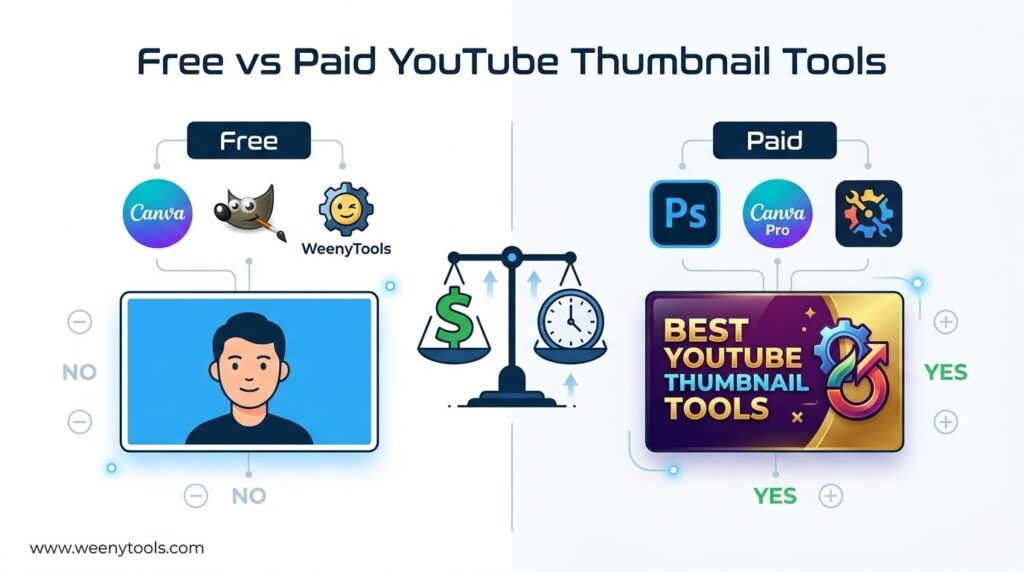
| Canva | Beginners, fast template-based design | Free / Pro | Yes — search "YouTube Thumbnail" |
| Adobe Photoshop | Professional-level editing | Paid | Yes — create a custom preset |
| GIMP | Free advanced editing | Free | Yes — set canvas size manually |
| Photopea | Browser-based Photoshop alternative | Free | Yes |
| WeenyTools Resizer | Compress, add borders, verify dimensions | Free | Shows current dimensions and fixes aspect ratio |
📚 More on YouTube Thumbnail Dimensions and Optimization
- Best YouTube Thumbnail Size and Dimensions: Complete Guide
- YouTube Thumbnail Aspect Ratio: Complete CTR Guide
- How Big Is a YouTube Thumbnail? Dimensions and Best Sizes 2026
- YouTube Thumbnail Compression Guide: 2MB Limit
- Red Border Myth Analysis 2026
❓ Frequently Asked Questions (Ideal YouTube Thumbnail Size)
🎯 The Bottom Line: Get the Size Right, Then Focus on Design
The ideal YouTube thumbnail size is 1280×720 pixels at 16:9 aspect ratio, under 2MB. That's the technical baseline everything else builds on. Once you've got that right, the design decisions that move CTR are: face close-up, 3-word text, high-contrast border, and compression-friendly colors — blue and teal over heavy red. Use the free tools to check your current thumbnails' dimensions, download what top creators are doing, and run your final image through the optimizer before it goes live.
Open the WeenyTools Resizer & Optimizer to verify your current thumbnails. Then use the Thumbnail Downloader to study how top channels actually handle size and design in practice.
More at our About page, browse the FAQ, or reach out via Contact. Our Privacy Policy, Terms, Disclaimer, and DMCA Policy are all available.
Last updated: April 2026. YouTube's 1280×720 specification is current as of this date — check YouTube's help center if any requirements change after publication.