Best Free AI Voice Generators for YouTube Videos (Realistic Voices)
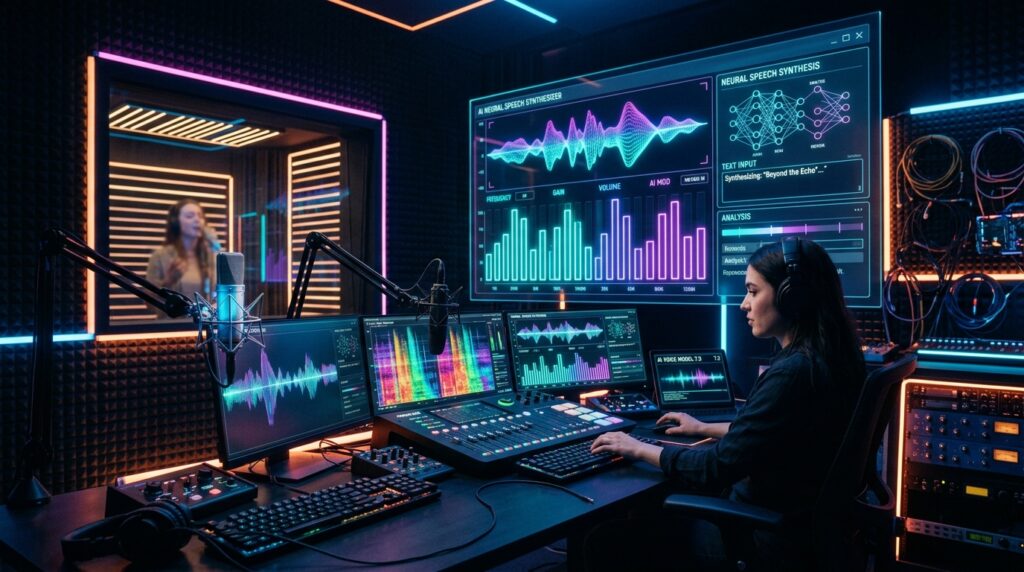
The landscape of digital video creation has undergone a massive technological shift. Gone are the days when automated YouTube narration meant enduring robotic, monotone text-to-speech synthesizers that drove viewers away within three seconds. In 2026, state-of-the-art deep learning models, diffusion-based acoustic modeling, and neural voice synthesis produce human-grade narration complete with natural breathing pauses, subtle emotional inflection, micro-cadence variation, and dynamic pitch modulation. Whether you run a faceless automation channel, produce technical software tutorials, or craft documentary-style essays, finding the best ai voice generator youtube creators can access for free is the ultimate catalyst for scalable, high-retention video production.
Key Takeaways: Free AI Voice Generation Benchmarks
| AI Voice Platform | Free Monthly Allowance | Emotional Range & Realism | Commercial Monetization Rights | Best Use Case |
|---|---|---|---|---|
| ElevenLabs Free Tier | 10,000 characters (~1,500 words) | Exceptional (Industry-leading natural inflections) | Requires attribution on free tier | Cinematic storytelling & documentary essays |
| Clipchamp (Azure AI Powered) | Unlimited free exports (1080p video) | High (Powered by Microsoft Neural Speech) | Yes (Commercial use allowed) | YouTube Shorts, explainer videos & software guides |
| CapCut Desktop TTS | Free unlimited usage inside editor | Moderate to High (Vibrant trending voices) | Permitted for YouTube monetization | Fast-paced social clips, listicles & memes |
| PlayHT Free Plan | 5,000 free words per month | Very High (Conversational micro-pacing) | Attribution required on free tier | Podcasts, technical audiobooks & tutorials |
| Murf AI Free Trial | 10 minutes free audio generation | High (Detailed pitch, emphasis & speed curves) | Evaluation only (Upgrade needed for commercial export) | Corporate training & high-precision voiceover testing |
Does YouTube Monetize Channels Using AI Voices in 2026?
The single most pervasive anxiety among emerging creators is whether YouTube’s Partner Program (YPP) penalizes or demonetizes faceless channels utilizing synthesized audio. Let us dispel this misconception with concrete platform policy: YouTube does not reject channels simply because they utilize AI text-to-speech narration. YouTube’s official monetization guidelines focus strictly on content value, originality, and whether an upload constitutes “reused or repetitious content.”
Where creators stumble into demonetization is pairing generic, low-effort AI voices with unedited stock footage reels and automated scrapers. If a video demonstrates thoughtful human curation—such as original research, unique scriptwriting, custom video editing, dynamic motion graphics, and carefully sound-designed sound effects—the presence of a neural voiceover is completely compliant with YouTube monetization standards. Furthermore, YouTube Studio now provides a clear “Altered or Synthetic Content” disclosure toggle. Checking this box ensures full transparency with platform algorithms while keeping your monetization privileges pristine.
Original Scriptwriting
Ensure your scripts are written with distinct voice, humor, and unique perspective rather than blindly copy-pasting raw output from generic chatbot prompts.
Sound Design Layering
Never leave synthetic speech isolated in a vacuum. Always blend your voice track with low-volume ambient background music and subtle sound effects (SFX).
Pacing & Breath Insertion
Inject micro-pauses between thematic transitions. Human speech naturally accelerates and slows down; manual timeline trimming makes neural audio sound completely organic.
Proper Metadata Disclosure
Utilize YouTube Studio’s synthetic content disclosure flag. Transparency builds viewer trust and protects your channel against algorithmic re-scans.
Top 5 Free AI Voice Synthesizers Evaluated for YouTube Creators
1. ElevenLabs (The Gold Standard for Human Realism)
ElevenLabs remains the undisputed champion of neural speech synthesis. Its generative acoustic engine captures subtle vocal nuances that other platforms miss entirely: slight throat clears, micro-hesitations, whispered intensity, and genuine enthusiasm. For documentary essays and dramatic storytelling, its voice library features iconic timbres like “Adam” and “Rachel” that sound virtually indistinguishable from professional studio voice actors.
The Free Tier Catch: ElevenLabs grants free accounts 10,000 characters per month. This translates to roughly 10 to 12 minutes of finished narration—sufficient for one substantial deep dive or 10 YouTube Shorts. While the free tier mandates creator attribution in the description box, the audio fidelity is unmatched for critical hero content.
2. Clipchamp by Microsoft (The Unlimited Free Workhorse)
Built directly into Windows 11 and accessible via any modern web browser, Clipchamp is powered by Microsoft’s enterprise Azure Neural Speech engine. It offers over 400 lifelike voices across 170 languages and accents. Crucially, Clipchamp imposes no character limits or word ceilings on audio generation.
You can type or paste 5,000-word scripts, audition dozens of realistic voices (such as “Jenny” or “Guy Multilingual”), adjust pitch and vocal speed sliders, and export full 1080p video renders without watermarks or subscription fees. For creators producing multiple weekly tutorials or long-form software guides on a zero-dollar budget, Clipchamp is the most cost-effective tool available.
3. CapCut Desktop Built-In Text-to-Speech
CapCut has evolved into a premier editing suite for digital creators. Its desktop version includes a robust neural text-to-speech module integrated directly on the timeline. Rather than generating audio externally and manually importing WAV files, you simply type your script onto text tracks, click “Text to Speech,” and instantly generate synced audio waveforms across hundreds of trendy narrative and comedic voices.
The real power of CapCut’s engine is velocity. With automated caption generation, beat detection, and template presets, a creator can assemble, voice, and subtitle a high-energy 60-second YouTube Short in under fifteen minutes with zero subscription fees.
4. PlayHT Free Tier (Conversational Precision)
PlayHT excels at technical, conversational, and explanatory pacing. Its Voice Generation Studio allows creators to fine-tune pronunciation phonemes, adjust pause durations down to the millisecond, and select emotional states ranging from cheerful customer support to solemn journalistic reportage. The free tier provides 5,000 words per month, making it an excellent platform for testing multi-character narrative scripts or podcast intro voiceovers.
5. Murf AI (Precision Pitch & Speed Automation)
Murf AI features one of the most sophisticated timeline-based audio mixing consoles in the industry. It enables word-level emphasis tweaking, allowing you to highlight specific nouns or verbs in your script to apply dramatic stress, pitch spikes, or deliberate decibel drops. While Murf’s free trial is restricted to 10 minutes of generation without free commercial downloads, it is the premier sandbox for auditioning highly technical educational scripts before scaling your workflow.
Pro Audio Mixing: How to Make Any AI Voice Sound 100% Real
Even the finest neural audio synthesizer can sound artificial if dropped bare into your video timeline. Follow this 4-step post-processing chain in any free audio editor (like Audacity or DaVinci Resolve Fairlight) to achieve broadcast-ready warmth:
- Parametric Equalization (EQ): Neural voices often suffer from unnatural high-frequency “digital sizzle” or muddy low-mid frequencies. Apply a high-pass filter at 80 Hz to eliminate sub-bass rumble, gently dip 2.5 kHz to soften harsh digital sibilance, and boost 12 kHz slightly with a high shelf for airy studio presence.
- Dynamic Range Compression: Smooth out volume discrepancies by applying a light compressor with a 3:1 ratio, a fast attack (10ms), and a gentle release (100ms). This glues the vocal performance together and ensures dialogue remains perfectly intelligible on smartphone speakers.
- Layering Subtle Stereo Room Ambience: In real recording studios, microphones capture subtle acoustic room reflections. Neural audio is mathematically sterile (100% dry). Adding an ultra-subtle convolution reverb with a 0.2-second room decay (wet mix at 3% to 5%) instantly tricks the human ear into perceiving a physical human speaking in a real space.
- The “Ducking” Background Music Rule: Never compete with your voice track. Place royalty-free background music on a separate track and configure automated sidechain compression (audio ducking) so the music dips by 4 to 6 dB whenever the narrator speaks.
Frequently Asked Questions
No. Click-through rate is entirely governed by your thumbnail design and video title packaging. Viewers cannot hear the voiceover until after they have already clicked. However, voice quality directly determines your Audience Retention and average view duration.
Several platforms offer instant voice cloning trials (including ElevenLabs and Descript). You can record a clean 60-second audio sample of your own speech, and the neural engine generates a synthetic clone that reads scripts in your exact vocal tone and cadence.
YouTube policy requires creators to disclose synthetic media that depicts a realistic person saying something they did not say. For general narrative explainer scripts or fictional stories, checking the synthetic media box in YouTube Studio is good practice and protects your channel standing.
Always export your narration as 24-bit WAV (48 kHz sample rate) whenever permitted. Uncompressed WAV files preserve maximum dynamic clarity during timeline video editing and prevent compression artifacts when YouTube re-encodes your master upload.
Explore Related YouTube Optimization Toolkits & Creator Guides
Best Free Royalty-Free Music Sites for YouTube •
How to Get 4,000 Watch Hours on YouTube Fast •
Best OBS Studio Settings for 1080p 60fps •
YouTube Community Tab Strategy Guide •
Free YouTube Thumbnail Downloader