Thumbnail Color Palette Guide: Complementary Schemes for Dark Mode
In graphic design for digital video platforms, color is rarely just an aesthetic flourish; it is an aggressive visual weapon. Every single day, billions of video impressions compete across YouTube’s recommendation feeds, mobile home feeds, and sidebar suggestion columns. The human brain processes visual imagery in as little as 13 milliseconds—long before a user consciously reads a title, checks a duration timestamp, or inspects a channel avatar. Furthermore, comprehensive platform telemetry reveals that over 74% of active YouTube mobile and desktop sessions now occur under Dark Theme (Dark Mode) interfaces. A thumbnail designed solely against a sterile white Photoshop canvas often turns into a muddy, invisible blur when surrounded by YouTube’s charcoal-gray UI background (#0f0f0f). Mastering a professional thumbnail color palette generator framework and understanding luminance contrast is the single most effective way to shatter algorithmic banner blindness and dramatically elevate your click-through rate (CTR).
Key Takeaways: Dark Mode Color Hierarchy Rules
| Color Strategy | Recommended Hex Swatches | Contrast vs. #0F0F0F | Psychological Trigger & Impact |
|---|---|---|---|
| Hyper-Vivid Complementary | Electric Amber (#FFB703) + Cyan (#00F0FF) |
12.4:1 (Exceptional) | High urgency, technological curiosity, tech tutorials and software deep dives |
| High-Energy Triadic | Neon Lime (#39FF14) + Magenta (#FF007F) |
11.8:1 (Blinding) | Gaming highlights, high-energy challenges, entertainment vlogs and reactions |
| Warm Foreground / Cool Depth | Sunburst Yellow (#FFD000) + Navy Blue (#0A192F) |
13.6:1 (Maximum) | Authority, clarity, finance, business analysis, and educational masterclasses |
| Split Complementary Danger | Vivid Orange (#FF5400) + Teal (#06D6A0) |
9.8:1 (Strong) | Action, transformation, before-and-after storytelling, fitness transformations |
| Monochromatic Gradient Highlight | Pure White (#FFFFFF) + Blood Coral (#FF3366) |
15.2:1 (Peak Pop) | Bold typography emphasis, dramatic reactions, breaking industry investigations |
The Science of Human Vision in Dark Mode Environments
To understand why traditional color selection fails on YouTube, one must examine visual psychophysics and optical ergonomics. When a user navigates YouTube in dark mode, the iris of the human eye dilates slightly to accommodate the lower overall ambient luminance of the display. When this optical dilation occurs, human perception shifts into mesopic vision, heightening neurological sensitivity to chromatic edges, sudden luminance spikes, and silhouette boundaries.
If your thumbnail relies heavily on dark maroon, desaturated navy, deep forest green, or charcoal silhouettes, the thumbnail’s outer borders visually bleed directly into YouTube’s surrounding dark background. To the viewer’s subconscious scanning mechanism, your thumbnail appears smaller, indistinct, unfocused, and unappealing. It literally shrinks on the display. Conversely, applying deliberate color theory—specifically high-saturation complementary pairings—creates what perceptual psychologists term the Von Restorff Isolation Effect: an object that differs noticeably from its surrounding environment is naturally magnetized to the focal point of human memory and attention.
Luminance Contrast (Not Just Hue)
Two distinct colors can share the identical grayscale luminance value. Always convert your thumbnail preview to black-and-white to verify that your foreground subject and key props truly pop against background elements.
Edge Separation Outlines
Surround cutouts and primary typography with a 4px to 8px high-contrast stroke or soft luminous drop glow to isolate focal subjects from dark UI boundaries and platform cards.
The 3-Color Ceiling Rule
Restricting your primary thumbnail palette to three dominant colors prevents visual noise and cognitive overload. Rainbow thumbnails confuse the eye; disciplined 3-color palettes guide immediate focus.
Warm Foreground Dominance
Warm optical wavelengths (red, orange, yellow) physically advance toward the human retina, while cool tones (deep blues, cyans, dark purples) naturally recede into background depth.
The 4 High-CTR Color Schemes for Modern Creators
1. Complementary Contrast (The 180-Degree Opposition)
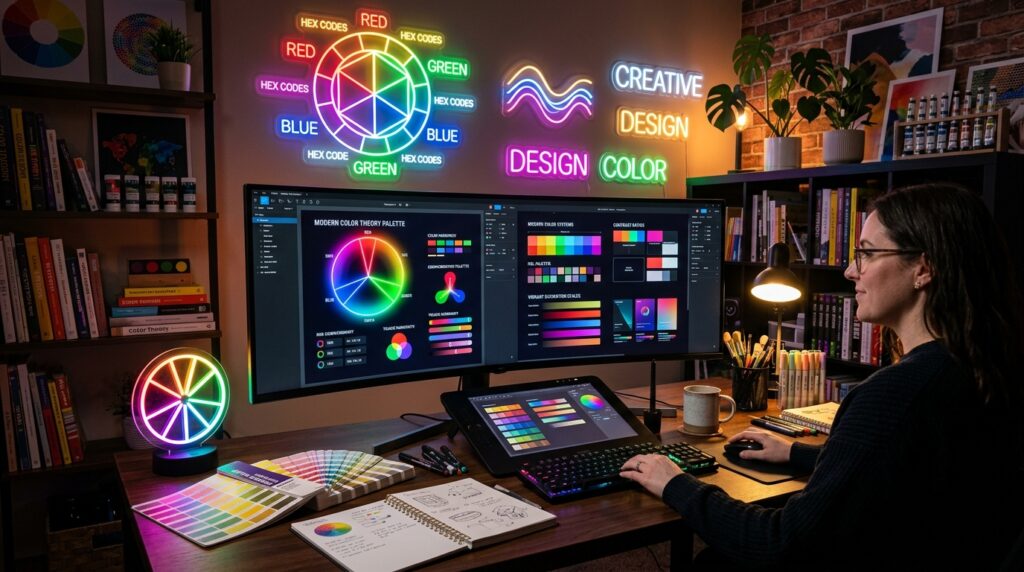
Complementary harmony utilizes two colors sitting directly opposite each other on the traditional 12-hue color wheel. The most battle-tested combination in cinema, blockbuster movie posters, and digital media is the iconic “Teal and Orange” (or Blue and Yellow). By submerging your background environment into cool, shadowy blues and illuminating your subject’s face, key props, or focal typography with warm amber or orange, you create maximum simultaneous contrast without causing chromatic aberration or visual fatigue.
When implementing this on YouTube thumbnails, keep the background cool and muted, reserving the high-saturation warm tone strictly for the primary focal point—the subject’s expressive face, an arrow, or your three-word title hook.
2. Split-Complementary Balance (Sophisticated Visual Depth)
While direct complements offer aggressive contrast, split-complementary schemes introduce sophisticated nuance. Here, you select a primary base color (such as deep royal violet) and pair it with the two colors adjacent to its direct complement (chartreuse yellow and vibrant lime green). This delivers intense visual dynamism while reducing the harsh optical tension that sometimes occurs when two fully saturated direct complements touch directly without an intermediary barrier.
This scheme is exceptionally powerful for tech teardowns, gaming setups, and creative software tutorials where you want to evoke modern sophistication without looking garish.
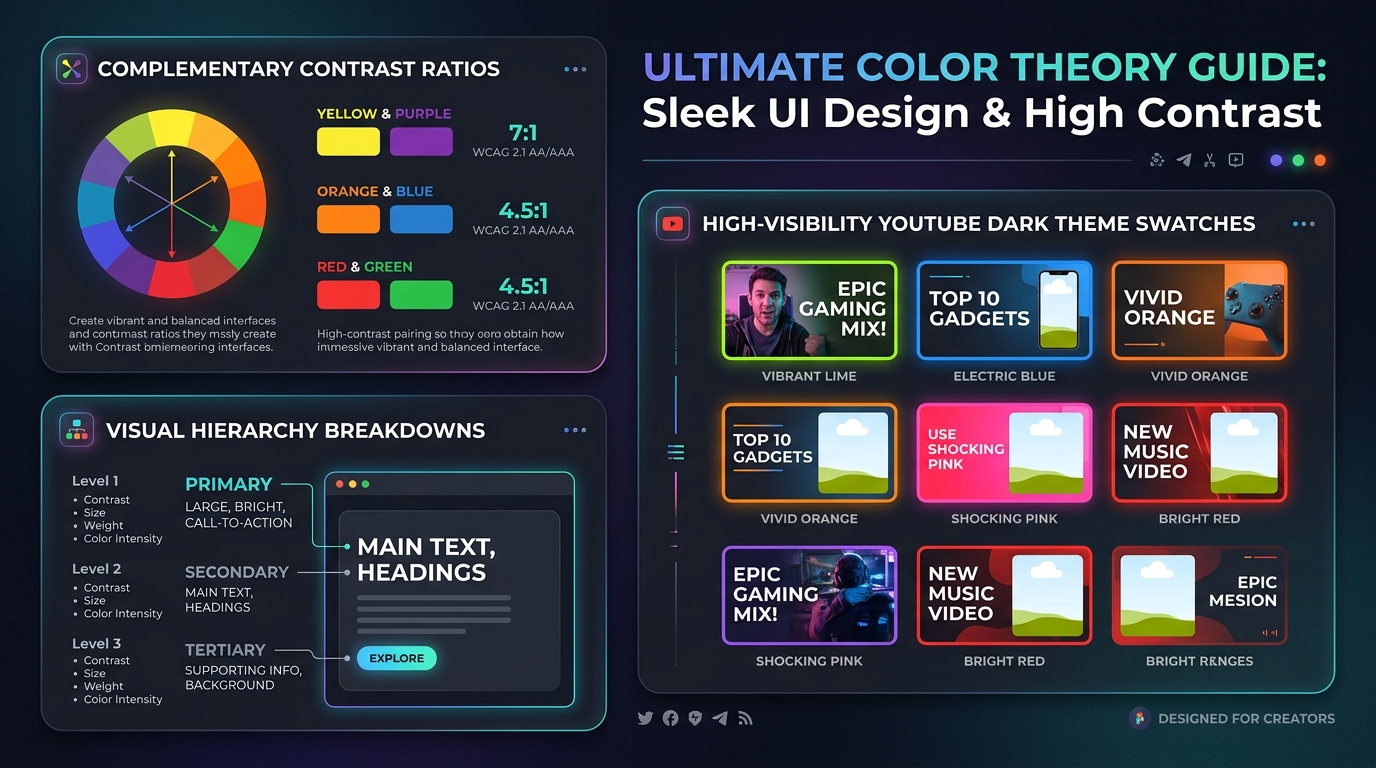
3. Analogous with an “Alarm” Accent (Guiding Viewer Gaze)
Analogous color palettes utilize three adjacent hues on the wheel—for example, deep indigo, royal blue, and rich cyan. While harmonious and aesthetically pleasing, an entirely analogous thumbnail often feels calm, ambient, and ignorable in a crowded subscription feed. The secret weapon is injecting a single discordant Alarm Accent—such as an ultra-saturated fluorescent yellow sticker, a bright crimson pointer arrow, or a neon green warning badge.
The human eye relaxes across the harmonious blue background and then snaps with laser focus directly onto the accent element containing your video’s core value proposition. This technique directs the viewer’s gaze with mathematical predictability.
4. The Dark Mode “Bioluminescent” Neon Aesthetic
One of the fastest-growing design trends across tech, gaming, and creator production channels is the deliberate use of dark canvases accented with radiant neon strokes (cyberpunk cyan, electric violet, and laser lime). Rather than fearing dark backgrounds, this technique embraces the dark theme UI by utilizing dark textured backdrops (subtle hex grids, blurred studio equipment, moody shadows) and creating intense local contrast through simulated outer glows, backlit rim lighting, and vibrant subject outlines.
The result looks stunningly premium on modern high-contrast OLED smartphone screens, where deep blacks achieve infinite contrast and neon accents appear to physically glow off the glass.
Advanced Psychology: Emotional Priming Through Color Temperature
Beyond optical mechanics, colors evoke hardwired emotional reactions that prime the viewer’s expectations before the video even begins playback. Aligning your palette with your video’s emotional narrative is essential for driving high-intent clicks:
- Electric Yellow & Gold: Communicates extreme urgency, wealth, financial breakthroughs, life hacks, and secret knowledge. It is the most visible color in the human visual spectrum under low light, making it ideal for curiosity hooks.
- High-Energy Crimson & Neon Red: Evokes danger, urgent warnings, controversy, aggressive competition, and breaking news. Use sparingly as a focal punctuation mark rather than a massive solid backdrop.
- Cyan & Electric Blue: Triggers feelings of technological mastery, trust, artificial intelligence, precision engineering, and professional software workflows.
- Neon Lime Green: Represents exponential growth, explosive ROI, massive wealth gain, viral success, and refreshing novelty. Excellent for “zero to 100k” style case studies.
- Vivid Magenta & Electric Purple: Conveys mystery, high-end creative artistry, futuristic imagination, and gaming thrills. Highly effective in entertainment and editing tutorials.
Step-by-Step Contrast Calibration Workflow in Your Design Suite
Before exporting your final thumbnail graphic, follow this rigorous 5-step quality assurance checklist in Photoshop, Photopea, or Figma to guarantee peak performance in dark mode feeds:
- The Desaturation Luminance Check: Place a Black & White adjustment layer at the very top of your layer stack. Toggle it on. If your subject’s facial expression, the main object, and the headline text do not remain clearly readable, punchy, and distinct in pure grayscale, your luminance contrast is insufficient. Adjust exposure, curves, or levels immediately.
- The 10% Squint / Mobile Scale Simulation: Zoom out until the thumbnail measures approximately 120 pixels wide on your screen (the exact size it appears on a budget smartphone browsing feed). Close your eyes halfway and squint. If you cannot decipher the subject, emotion, and headline within one second, strip away secondary clutter and boost text size.
- Simulated Dark Mode Border Check: Place a thick 50px border around your canvas filled with pure YouTube Dark Theme gray (
#0F0F0F). If the outer edges of your graphics vanish or dissolve into the border, add a 2px inner stroke or an exterior border frame to cleanly contain your composition. - Vibrance vs. Saturation Balance: Never blindly crank master saturation sliders; this blows out natural skin tones into unnatural, blotchy plastic orange. Instead, elevate Vibrance (which intelligently protects human skin tones while boosting muted background hues) and apply selective HSL adjustments to specific accent layers.
- Compression Artifact Defense: Highly saturated solid red backgrounds often suffer severe blocky compression artifacts when encoded by YouTube’s thumbnail pipeline. Add a 1% to 2% subtle monochrome noise filter across solid gradient backgrounds to smooth out banding and preserve crisp gradients.
Frequently Asked Questions
Pure White (#FFFFFF) and Sunburst Yellow (#FFD000) are statistically the highest-performing text colors for mobile dark mode. Both achieve astronomical contrast ratios against dark backgrounds and remain razor-sharp even on low-resolution mobile displays.
Use red with extreme tactical caution. While red commands psychological urgency, YouTube’s native UI progress scrubber bar and brand logo are pure red (#FF0000). Excessive red backgrounds can blend into platform elements or cause severe compression artifacts in YouTube’s lossy VP9/AV01 encoders.
Dark mode eliminates eye strain during nighttime and low-light browsing sessions. Viewers browsing in the dark are hypersensitive to glaring full-white backgrounds (which cause uncomfortable flash-bang glare) and respond far better to rich, dark-grounded visuals with vibrant local highlights.
You can use free web utilities to preview your graphic mocked up inside a simulated YouTube mobile feed, or test your assets with our companion safe zone and resizer tools.
Adhere strictly to the “Rule of Three”: one dominant base color (occupying ~60% of the canvas), one secondary supporting color (~30%), and one high-intensity accent color (~10%) reserved exclusively for the primary focal hook.
Explore Related YouTube Optimization Toolkits & Creator Guides
YouTube Thumbnail Safe Zone Guide 2026 •
How to Remove Image Background for Thumbnails •
How to Get 4,000 Watch Hours on YouTube Fast •
Best OBS Studio Settings for 1080p 60fps •
YouTube Community Tab Strategy Guide •
Free YouTube Thumbnail Resizer •
Free YouTube Thumbnail Downloader