When Does Google AdSense Pay for YouTube? Payment Schedule & Thresholds (2026)
Crossing the monetization threshold on YouTube—reaching 1,000 subscribers and 4,000 valid public watch hours—is an extraordinary achievement for any digital creator. However, once the green dollar sign appears next to your uploads in YouTube Studio, a new wave of questions immediately emerges: When does YouTube actually pay out? Why doesn’t the estimated revenue in YouTube Studio match the balance in Google AdSense? What is the minimum payout threshold, and how long does a bank wire transfer take to arrive?
For new creators, the gap between seeing estimated ad earnings and receiving cash in a local bank account can feel confusing and opaque. Google operates on a strict, automated monthly accounting cycle with defined cutoff windows for earnings finalization, tax withholding deductions, and wire disbursements. In this comprehensive operational guide, we demystify the entire AdSense payment timeline, provide an exact calendar roadmap of the monthly payout cycle, explain international payout thresholds, and show you how to troubleshoot common payment holds in 2026.
Key Takeaways: The AdSense Payout Roadmap
- The Monthly Payout Window (21st to 26th): Google processes and releases YouTube payments between the 21st and 26th of each month, covering earnings accumulated throughout the entire preceding calendar month.
- The Finalization Gap (7th to 12th): YouTube Studio displays estimated revenue in real-time. These numbers are audited for invalid click traffic and finalized in Google AdSense between the 7th and 12th of the following month.
- The \$100 Universal Threshold: To trigger a monthly payment disbursement, your finalized AdSense balance must reach the minimum payment threshold (\$100 USD or local currency equivalent, such as £60, €70, or ¥8,000).
- Rolling Balance Protection: If your monthly earnings fall below \$100, your funds are never lost. They automatically roll over to the subsequent month and accumulate until the threshold is crossed.
- Mandatory Pre-Payment Verification: Before your first payout can be issued, you must complete four account verifications: (1) Identity Verification, (2) Address Verification via mailed postal PIN, (3) Form W-8BEN tax certification, and (4) Bank account deposit verification.
The Monthly AdSense Payment Lifecycle: Step-by-Step
Understanding the exact monthly progression prevents unnecessary panic when funds do not transfer instantly. Here is how Google processes YouTube revenue across each 30-day billing cycle:
Phase 1: 1st – End of Month (Real-Time Accrual)
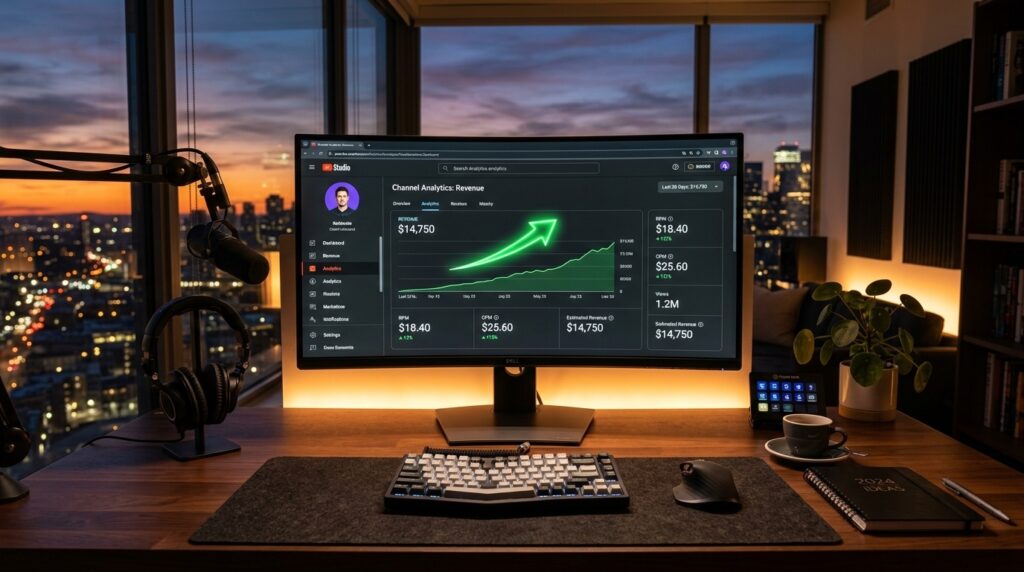
Throughout the month, you publish videos, viewers watch ads, subscribe to channel memberships, and send Super Chats. Inside the YouTube Studio > Analytics > Revenue tab, YouTube displays real-time estimated earnings. These figures fluctuate based on playback location, CPM rates, and seasonal advertiser demand.
Phase 2: 1st – 6th of the Next Month (Fraud & Quality Audit)
Once the calendar month concludes, Google’s fraud prevention systems run automated quality filters on all ad impressions. Programmatic bots, accidental clicks, self-views, and ad-skipping anomalies are identified and deducted. This ensures advertisers only pay for verified, genuine human engagement.
Phase 3: 7th – 12th of the Month (AdSense Finalization)
Between the 7th and 12th, Google transfers the audited earnings figure from YouTube into your Google AdSense account. When you log into AdSense and navigate to Payments > Payments info > YouTube (Your Country), you will see your finalized balance update. This finalized figure is the exact gross amount scheduled for disbursement.
Phase 4: 21st – 26th of the Month (Payment Release)
On the 21st of the month, if your finalized balance meets or exceeds the \$100 threshold and you have zero payment holds, Google initiates the payout. You will receive an automated email stating: “Check your recent payment: We sent a payment for your Google AdSense earnings on [Date].” In AdSense, a transaction line appears stating “Automatic payment: Bank transfer to bank account…”
Phase 5: 22nd – 28th of the Month (Bank Clearing)
Depending on your chosen payment method and banking institution, funds take between 1 to 5 business days to clear:
- Direct Deposit (ACH / EFT – US/Canada/UK/EU): Typically credits within 24 to 48 hours (often by the 22nd or 23rd).
- International Wire Transfer (SWIFT): Takes 2 to 5 business days to clear intermediary banks, usually settling between the 24th and 28th of the month.
Global Minimum Payment Thresholds by Currency
Google AdSense operates with localized payment thresholds based on the designated currency of your account. If your balance does not hit these amounts, payout is held until the following month:
| Currency Code | Currency Name | Tax Info Threshold | Address PIN Threshold | Payment Release Threshold |
|---|---|---|---|---|
| USD (\$) | United States Dollar | \$0 (Any earnings) | \$10 | \$100 |
| EUR (€) | Euro | €0 (Any earnings) | €10 | €70 |
| GBP (£) | British Pound Sterling | £0 (Any earnings) | £10 | £60 |
| CAD (C\$) | Canadian Dollar | C\$0 (Any earnings) | C\$10 | C\$100 |
| AUD (A\$) | Australian Dollar | A\$0 (Any earnings) | A\$10 | A\$100 |
| JPY (¥) | Japanese Yen | ¥0 (Any earnings) | ¥1,000 | ¥8,000 |
The 4 Mandatory Prerequisites Before Your First Payment
If you are approaching your first \$100 milestone, you must complete four verification milestones. If any milestone is incomplete, Google will place a red payment hold banner across your AdSense dashboard and suspend payout execution:
1. Government Identity Verification (KYC)
Once your lifetime earnings reach approximately \$10, AdSense will prompt you to submit proof of identity. You must upload a high-resolution color scan or photo of your government-issued passport, national ID card, or driver’s license. The name on the document must exactly match your AdSense profile name.
2. Physical Address PIN Verification
After your ID is approved, Google automatically mails an actual physical paper postcard containing a 6-digit verification PIN to your registered home address via international postal mail. This postcard takes 2 to 4 weeks to arrive. Once received, enter the 6-digit PIN in Payments > Verification check.
3. Form W-8BEN Tax Information Submission
All creators worldwide must submit United States tax details via AdSense. Non-US creators submit Form W-8BEN to claim bilateral tax treaty benefits. Failure to submit this form results in a 30% default withholding tax across all earnings.
4. Bank Account Verification
Add your payment method under Payments > Payments info > Add payment method:
- Wire Transfer: Provide your bank name, account number, and your bank’s international SWIFT/BIC code.
- Direct Deposit (EFT): In countries supporting EFT, Google will send a small test deposit (under \$1.00) to your account within 3 business days. Once received, log into AdSense and confirm the exact cents amount to verify ownership.
Why Did My Payment Not Arrive? (Troubleshooting Checklist)
If the 26th of the month has passed and your money has not hit your bank, check these common bottlenecks:
- Weekend / Bank Holiday Delay: Google only disburses payments on business days. If the 21st falls on a Saturday or Sunday, disbursements begin on Monday the 22nd or 23rd. Furthermore, if your local bank observes a national holiday, clearing will be delayed by 24 to 48 hours.
- Threshold Not Met: Ensure your finalized AdSense balance (not your YouTube Studio estimated revenue) reached the \$100 minimum before the end of the previous month.
- Active Payment Hold: Check the top of your AdSense dashboard for red or yellow notification alerts. Expired tax forms, unverified addresses, or bank verification issues will freeze disbursements.
- Incorrect SWIFT Code: Ensure you provided your bank’s international wire SWIFT code rather than a local branch transit code. Wire transfers with incorrect SWIFT codes will bounce back to AdSense within 10 to 14 business days.
Frequently Asked Questions (FAQ)
Can I increase my payment threshold above \$100?
Yes! In Google AdSense, navigate to Payments > Payments info > Manage settings. Under “Payment schedule”, you can customize your payment threshold (e.g., raising it to \$500 or \$1,000) or set a monthly payout hold until a specific future date to minimize bank wire processing fees.
Why is my YouTube Studio revenue higher than my AdSense balance?
YouTube Studio displays real-time estimated revenue before deductions. Between the 1st and 7th of each month, Google audits and cleanses traffic for invalid ad clicks and bot views. The audited, finalized number that transfers to AdSense between the 7th and 12th is the actual net earnings amount.
Does AdSense charge fees for bank wire transfers?
Google does not charge fees to issue payments. However, international wire transfers (SWIFT) may incur processing fees charged by your local bank or third-party intermediary correspondent banks, typically ranging from \$10 to \$25 per transfer.
What happens to my money if my channel is demonetized or terminated?
If your channel is demonetized for policy reasons (such as reused content), Google will still pay out your accrued, finalized balance on the standard monthly schedule, provided you hit the \$100 threshold and your account is not terminated for severe fraud or invalid click manipulation.
How many times can I request a new address verification PIN?
If your postal postcard does not arrive within 3 to 4 weeks, you can request a replacement PIN up to four times. If after four attempts the postcard still does not reach you, AdSense unlocks a document upload portal allowing you to verify your home address directly with a utility bill or bank statement.