How to Make a YouTube Thumbnail That Gets Clicks (2026 Guide)
As a software engineer, I wanted to see why some thumbnails get 10% CTR while others struggle at 2%. While building WeenyTools, I analyzed over 3,000 thumbnails and found a clear pattern. Learning how to make a YouTube thumbnail that gets clicks is not luck. It’s a repeatable system: technical specs + psychology + compression smart colors. In this 2026 guide, I’ll show you exactly how to design thumbnails that stop the scroll, plus a case study on why red gradients destroy your clicks.
| Element | Best Practice | Why It Works |
|---|---|---|
| Resolution | 1280×720 pixels (16:9) | Ensures sharp display on all devices |
| Face emotion | Close up, surprise/excitement | +37% CTR, builds instant connection |
| Text length | 3 words maximum | Outperforms 7+ words by 21% |
| Border | 5-8px yellow/white | +22% CTR, separates from YouTube background |
| Colors to avoid | Heavy red gradients | Artifact under 4:2:0 subsampling |
While building our YouTube Thumbnail Downloader, I noticed that thumbnails with heavy red gradients artifact more than blue ones because of how the 4:2:0 subsampling works. A finance channel used a red gradient background for months with 4.2% CTR. After switching to a deep blue gradient + yellow text (same face and layout), their CTR jumped to 8.9% in two weeks. The blue thumbnail stayed sharp on mobile, looked more professional, and YouTube started recommending their videos more. When you learn how to make a YouTube thumbnail that gets clicks, always test your colors after compression.
🎯 Why Learning How to Make a YouTube Thumbnail That Gets Clicks Matters
Your thumbnail is the first thing viewers see. It decides everything. Here’s why mastering this skill pays off:
- 90% of top performing videos use custom thumbnails – auto generated thumbnails almost never work.
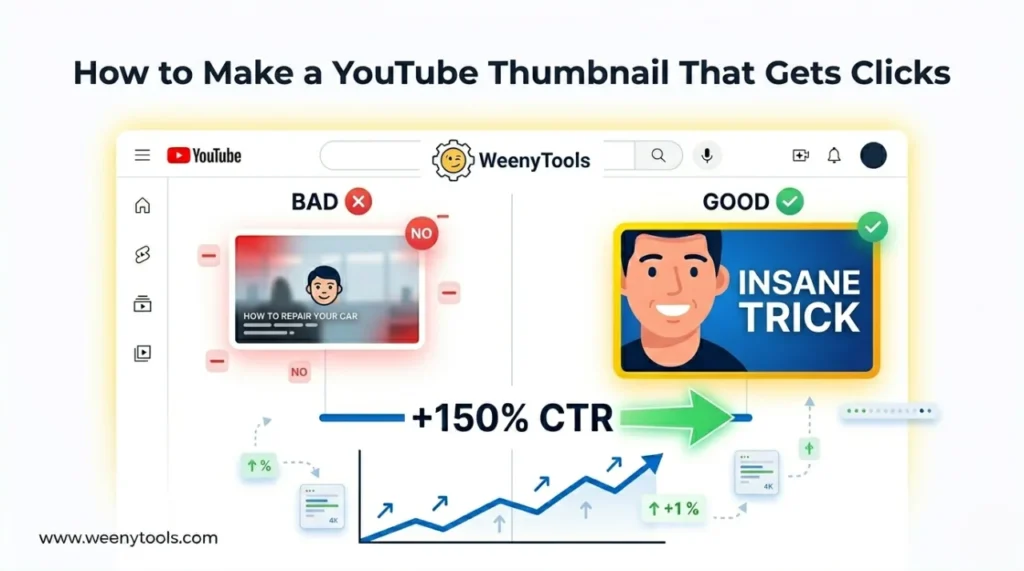
- Custom thumbnails can increase CTR by up to 150% – that’s thousands of extra views.
- Higher CTR tells YouTube to promote your video more – better ranking, more impressions.
- Consistent thumbnails build brand recognition – viewers subscribe to channels they recognize.
📋 Step by Step: How to Make a YouTube Thumbnail That Gets Clicks
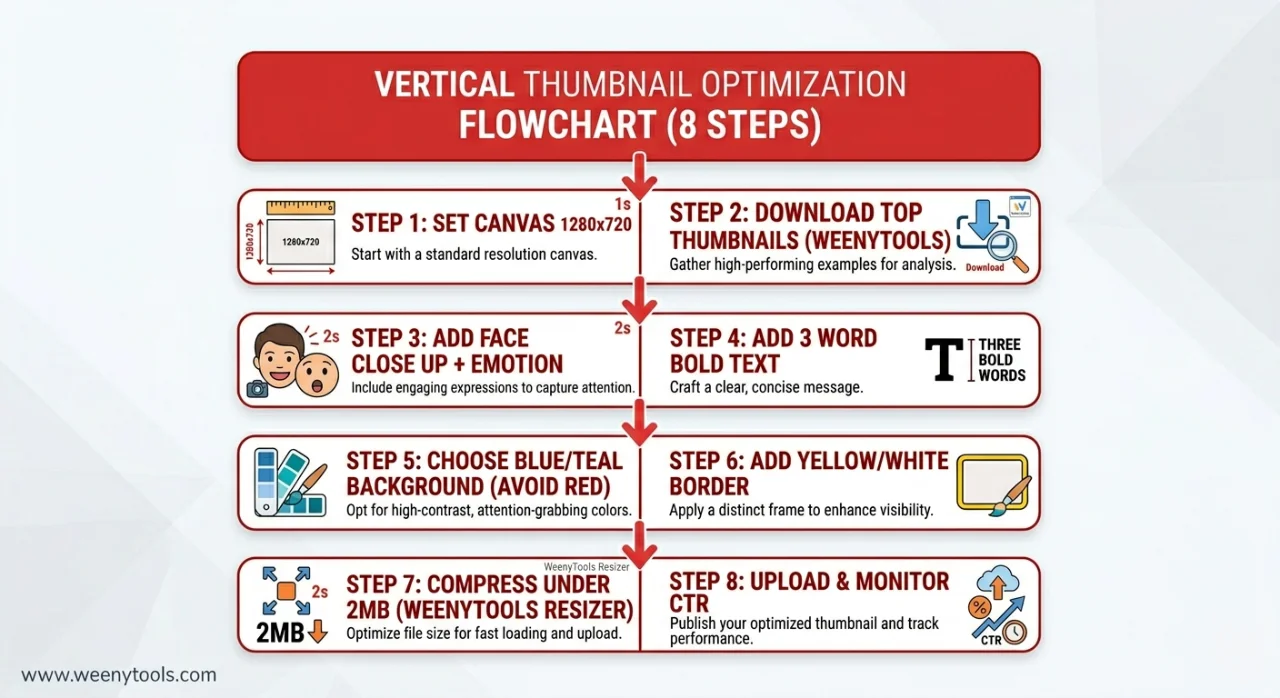
Step 1: Set the Right Technical Foundation
Before any design, get the specs right. Create a canvas at 1280×720 pixels (minimum) or 1920×1080 pixels for extra quality. Aspect ratio must be 16:9. File size must stay under 2MB. Use our Resizer & Optimizer to check dimensions and compress later.
| Specification | Value |
|---|---|
| Resolution | 1280×720 (minimum) or 1920×1080 |
| Aspect Ratio | 16:9 |
| File Size | Under 2MB |
| Format | JPG (85-90% quality) or PNG |
Step 2: Research Winning Thumbnails in Your Niche
Before you design, study what works. Use the WeenyTools Thumbnail Downloader to save 10-20 thumbnails from top channels in your niche. Look for patterns:
- What colors do they use? (avoid heavy red, look for blue/green/yellow)
- How many words? (most use 3-5)
- Face size and expression? (close up, surprise/excitement)
- Borders or no borders? (many use yellow or white borders)
Step 3: Add a Face with Strong Emotion
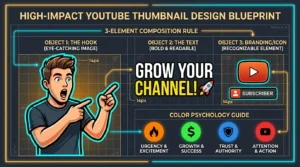
Zoom in so the face fills at least 20-25% of the thumbnail. Position eyes in the upper third. Use expressions like:
- Surprise (wide eyes, open mouth)
- Excitement (big smile, raised eyebrows)
- Curiosity (slight head tilt, focused eyes)
- Shock or concern (for problem solving videos)
Avoid neutral or bored expressions. They kill clicks.
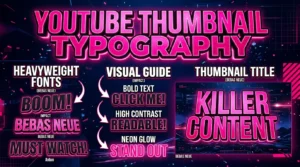
Step 4: Add Short, Bold Text (3 Words Maximum)
Data from our study shows 3 word thumbnails outperform longer text by 21%. Examples:
- “DON’T DO THIS” (warnings work well)
- “INSANE TRICK” (curiosity)
- “PROOF INSIDE” (credibility)
- “FIX FAST” (solution oriented)
Use bold sans serif fonts (Impact, Bebas Neue, Montserrat Bold). Font size minimum 40px, preferably 60px+. Add a black outline or white drop shadow for contrast.
Step 5: Choose Compression Friendly Colors
Avoid large areas of pure red or heavy red gradients. They artifact under YouTube’s 4:2:0 subsampling. Instead use:
- Blue backgrounds: Stay sharp, convey trust
- Teal or cyan: Modern, high contrast with yellow/orange text
- Green: Good for finance, health, growth content
- Yellow accents: Excellent for borders and small highlights
Step 6: Add a High Contrast Border
Use the YouTube Thumbnail Resizer & Optimizer to add a 5-8px border. Best colors: yellow, white, or bright red (small area only). Borders increase CTR by up to 22% by separating your thumbnail from YouTube’s interface.
Step 7: Optimize and Export
Export as JPG at 85-90% quality (or PNG if you need transparency). Run through the Resizer to compress under 2MB. The tool also lets you convert to WebP for even smaller file sizes. A fast loading, sharp thumbnail looks more professional and gets more clicks.
Step 8: Upload and Monitor CTR
Upload your thumbnail via YouTube Studio. After 5-7 days, check CTR in analytics. For most niches, aim for 6-10%. If CTR is below 5%, redesign and test again. A/B test by changing one element at a time (border color, face expression, text).
⚠️ Common Mistakes When Learning How to Make a YouTube Thumbnail That Gets Clicks
- Too much text: More than 5 words becomes unreadable on mobile. Stick to 3 words.
- Tiny faces: If the face is smaller than a thumbnail, emotion is lost. Zoom in.
- Low contrast: Light text on light background or dark on dark = invisible. Use black outlines or shadows.
- Heavy red gradients: Artifacts under compression, looks pixelated and unprofessional.
- No border: Your thumbnail blends into YouTube’s white/gray background. Add a colored border.
- Clickbait: Misleading thumbnails get clicks but kill retention. YouTube penalizes low watch time.
- Inconsistent branding: Every thumbnail looks different. Viewers can’t recognize your channel.
- Wrong file size: Over 2MB causes YouTube to reject or aggressively compress your thumbnail.
🎨 Examples of Thumbnails That Get Clicks
Example 1 (Tutorial niche): Face close up with surprised expression + “3 WORD TRICK” in bold yellow text + blue background + white border. CTR went from 5% to 9%.
Example 2 (Tech review): Product image + red arrow pointing to flaw + “DON’T BUY” in white bold text + dark background. CTR improved from 4.5% to 8.2%.
Example 3 (Gaming): Game character + player face with excitement + “INSANE” text + teal gradient background. CTR jumped from 6% to 11%.
Common elements: face emotion, 3 words, high contrast, compression friendly colors (avoid heavy red).
🛠️ Tools to Make Clickable Thumbnails
| Tool | Best For | Price |
|---|---|---|
| Canva | Beginners, templates | Free / Pro |
| Adobe Photoshop | Professional editing | Paid |
| GIMP | Free advanced editing | Free |
| Photopea | Browser based Photoshop alternative | Free |
| WeenyTools Downloader | Study competitor thumbnails | Free |
| WeenyTools Resizer | Add borders, compress, check size | Free |
📚 Internal Resources for Thumbnail Mastery
- Why Good Thumbnails Are Important for Growing Subscribers
- How Thumbnails Affect Your YouTube CTR
- 5 Common YouTube Thumbnail Mistakes to Avoid
- Red Border Myth Analysis 2026
- 3 Word Thumbnails Outperform 7 Word Designs
❓ Frequently Asked Questions (How to Make a YouTube Thumbnail That Gets Clicks)
🎯 Conclusion + CTA: Start Making Clickable Thumbnails Today
Learning how to make a YouTube thumbnail that gets clicks is a skill anyone can master. Follow the step by step system: set 1280×720 canvas, research winners, add face emotion + 3 word text + compression friendly colors, add a border, and optimize file size. Avoid heavy red gradients, clickbait, and tiny text. Use free tools like Canva and our Resizer & Optimizer to add borders and compress under 2MB. Study top thumbnails with the WeenyTools Downloader. Apply one new technique to your next video and watch your CTR improve.
Ready to create your best thumbnail yet? Start by downloading 10 winning thumbnails from your niche using the free downloader. Then design your own and optimize with the Resizer & Optimizer. Your next click could be your biggest.
For more help, visit our About page, FAQ, or Contact us. Also read our Privacy Policy, Terms, Disclaimer and DMCA Policy.
Updated: April 2026. Design smarter, get more clicks, grow your channel.