How to Download YouTube Thumbnails in HD & 4K (2026 Free Methods)
As a software engineer, I wanted to see how many creators settle for blurry, pixelated thumbnails. While building WeenyTools, I realized that most people don't know how to download YouTube thumbnails in HD or 4K. They take screenshots instead. But HD thumbnails (1280x720 and above) are essential for analyzing design details, studying competitors, and improving your own CTR. In this guide, I'll show you 3 reliable methods to get the highest quality thumbnails, a case study on compression artifacts, and how to use our free tools to download in seconds.
| Method | Max Resolution | Ease of Use | Best For |
|---|---|---|---|
| WeenyTools Downloader | 4K (3840x2160) | Very easy | Everyone, any device |
| Manual URL construction | 1280x720 (maxresdefault) | Technical | Developers, batch downloads |
| Browser inspect element | Varies (often low) | Moderate | When other methods fail |
While building our free YouTube Thumbnail Downloader, I noticed that thumbnails with heavy red gradients artifact more than blue ones because of how the 4:2:0 subsampling works. This problem is invisible in low resolution thumbnails (320x180). Only when you download the HD or 4K version can you see the blocky pixelation. A gaming channel was using red heavy thumbnails and couldn't understand why their CTR stayed low. After downloading the HD version using our tool, they saw the artifacts clearly, switched to blue gradients, and their CTR jumped from 4.2% to 8.5%. HD downloads expose quality issues that kill your click through rate.
🎯 Why You Need to Download YouTube Thumbnails in HD
Low resolution thumbnails hide important details. Here's why HD matters:
- See compression artifacts: Blocky red gradients, blurry text, and pixelation are only visible in HD.
- Analyze competitor designs: Study exact fonts, color hex codes, and face expressions.
- Create better thumbnails: Learn what works at full resolution, then apply to your own designs.
- Print or present: HD thumbnails look professional in slideshows or client reviews.
- Crop and edit: Higher resolution gives you flexibility to extract elements for mockups.
📊 YouTube Thumbnail Resolutions Explained
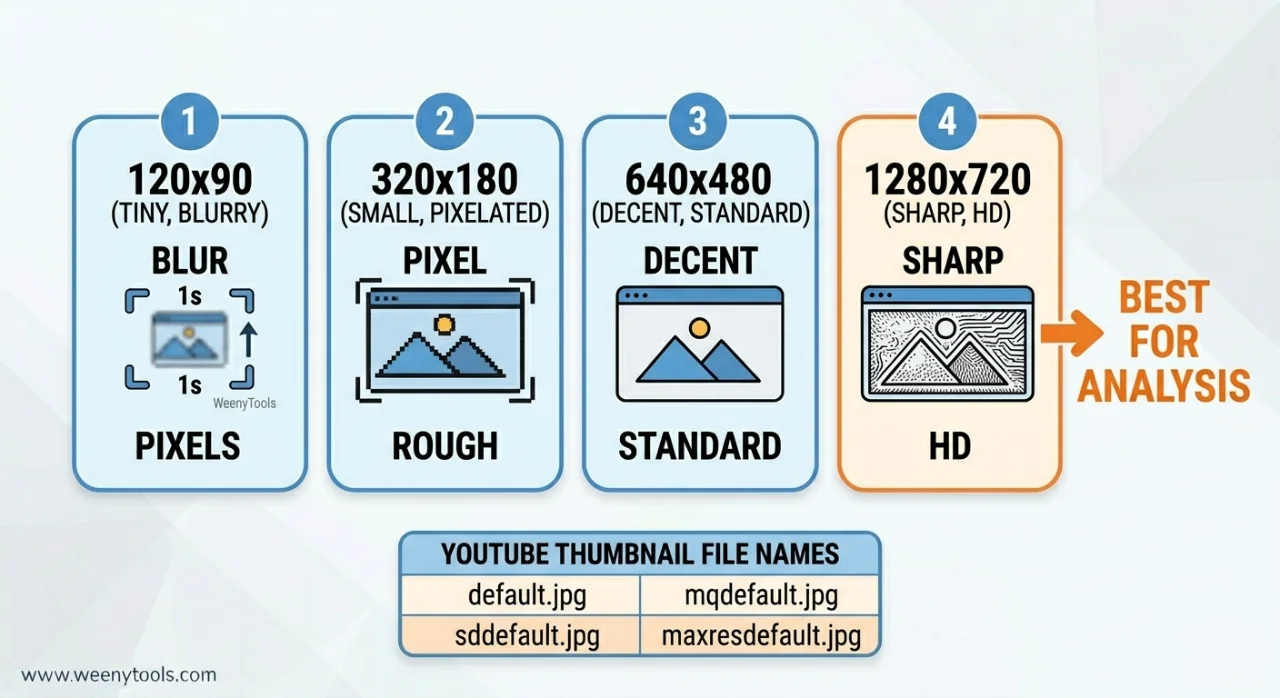
| Quality Name | File Name | Resolution | When to Use |
|---|---|---|---|
| Default | default.jpg | 120x90 | Never, too blurry |
| Medium | mqdefault.jpg | 320x180 | Only if HD not available |
| High | hqdefault.jpg | 480x360 | Basic reference |
| Standard | sddefault.jpg | 640x480.\] | Good for quick previews |
| Maxres (HD) | maxresdefault.jpg | 1280x720 or 1920x1080 | Best for analysis, design study |
| 4K Ultra HD | maxresdefault.jpg (4K upload) | 3840x2160 | Professional study, large prints |
Always download maxresdefault.jpg or 4K when available. Lower resolutions hide compression artifacts and design details.
📋 Method 1: WeenyTools Downloader (Easiest & Highest Quality)
Step by Step to Download YouTube Thumbnails in HD
- Go to WeenyTools YouTube Thumbnail Downloader.
- Open YouTube and find the video. Tap Share → Copy Link (or copy URL from address bar).
- Paste the URL into the input box on WeenyTools.
- Click "Get Thumbnails".
- The tool shows all available resolutions (120p to 4K).
- Click "Download" on the highest resolution (maxresdefault.jpg or 4K).
- On desktop: right click the image → Save as. On mobile: tap and hold → Save image.
Why this method wins: Automatically finds the best quality, works on any device, no signup, completely free.
🔧 Method 2: Manual URL Construction (Technical)
For users who want direct control
YouTube stores thumbnails at predictable URLs. Use this format:
https://img.youtube.com/vi/VIDEO_ID/maxresdefault.jpg
How to get the video ID: From a YouTube URL like https://www.youtube.com/watch?v=dQw4w9WgXcQ, the ID is dQw4w9WgXcQ (after v=).
Example full URL: https://img.youtube.com/vi/dQw4w9WgXcQ/maxresdefault.jpg
Open that URL in your browser. If the image loads, right click and save. If you get an error, the video doesn't have an HD thumbnail. Try sddefault.jpg or hqdefault.jpg as fallbacks.
Limitation: Many videos lack maxresdefault.jpg. Only works for public videos that have HD thumbnails uploaded.
🛠️ Method 3: Browser Developer Tools (Advanced Backup)
When other methods fail
- Open the YouTube video page.
- Press F12 (or right click → Inspect).
- Go to the Network tab.
- Refresh the page (F5).
- Filter by "img" or search for "maxresdefault".
- Right click the image URL → Open in new tab → Save.
Best for: Troubleshooting when the downloader doesn't find a thumbnail (rare).
⚠️ Common Mistakes When Downloading YouTube Thumbnails in HD
- Taking screenshots instead of downloading: Screenshots are low quality, include UI elements, and waste time. Always download the original image.
- Using the wrong URL format: Some tutorials show outdated formats. Always use img.youtube.com/vi/VIDEO_ID/maxresdefault.jpg.
- Assuming every video has HD thumbnails: Many creators only upload low resolution images. If maxresdefault fails, try sddefault.jpg.
- Forgetting about private/unlisted videos: These cannot be accessed by any downloader. Only public videos work.
- Not checking for 4K: Some channels upload 3840x2160 thumbnails. Our downloader automatically shows them if available.
- Reusing downloaded thumbnails as your own: Copyright violation. Use for research and inspiration only, then create original designs.
📱 Downloading HD Thumbnails on Mobile (iPhone & Android)
Our tool is fully mobile responsive. Steps are identical to desktop:
- Open WeenyTools Downloader in Chrome or Safari.
- In YouTube app, tap Share → Copy Link.
- Paste the link into the tool.
- Tap "Get Thumbnails".
- Tap and hold on the HD or 4K thumbnail.
- Select "Save to Photos" (iPhone) or "Download image" (Android).
No app installation needed. Works on all modern phones.
📚 How to Use Downloaded HD Thumbnails to Improve Your Channel
- Build a swipe file: Create folders by niche (gaming, tech, education, etc.). Download 20-30 HD thumbnails from top channels.
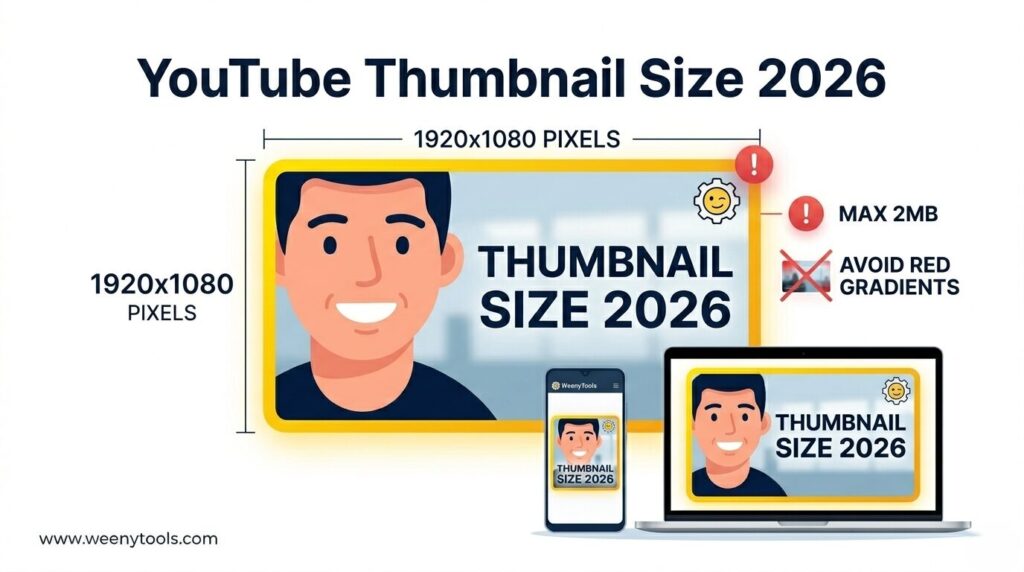
- Analyze patterns: Look for common elements: face size (20%+ of thumbnail), text length (3 words), colors (avoid heavy red), borders (yellow/white).
- Extract color palettes: Use free tools like Coolors to grab hex codes from downloaded thumbnails.
- Study compression artifacts: Zoom in on red areas. If you see blocky pixels, avoid that color scheme in your own designs.
- Create your own version: Apply what you learned using Canva or GIMP. Then optimize with our Resizer (add border, compress under 2MB).
📚 Internal Resources for Thumbnail Mastery
- How to Download YouTube Thumbnails on Mobile Devices
- How to Save YouTube Thumbnails Without Any App
- Step by Step: How to Use WeenyTools YouTube Thumbnail Downloader
- YouTube Thumbnail Compression Guide
- Red Border Myth Analysis 2026
❓ Frequently Asked Questions (Download YouTube Thumbnails HD)
🎯 Conclusion + CTA: Start Downloading HD Thumbnails Now
Knowing how to download YouTube thumbnails in HD gives you a massive advantage. You can study exactly what top creators do, see compression artifacts (like the red gradient problem), and build a swipe file of winning designs. The fastest and highest quality method is the WeenyTools YouTube Thumbnail Downloader. It's free, works on any device, and delivers up to 4K resolution in seconds. After downloading, use the Resizer & Optimizer to add borders, compress, and convert formats for your own thumbnails.
Ready to see the difference between 480p and 4K? Try the WeenyTools Downloader now with any YouTube video. No signup, no limits, just HD quality instantly.
For more help, visit our About page, FAQ, or Contact us. Also read our Privacy Policy, Terms, Disclaimer and DMCA Policy.
Updated: April 2026. Download HD, analyze better, grow faster.