Dark Mode Thumbnail Contrast: Hex Colors & Mobile Feed Optimization (2026)
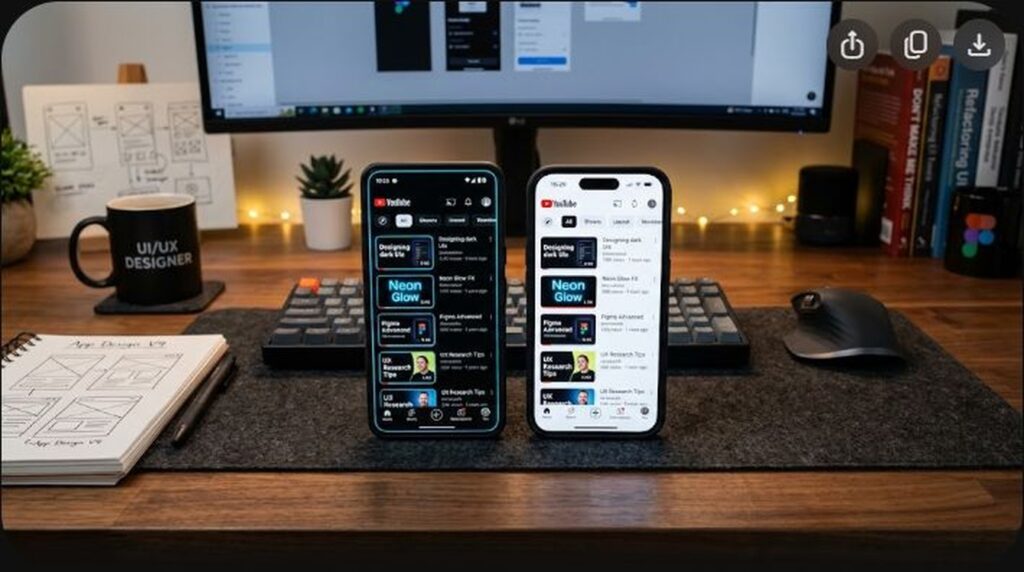
Over 82% of mobile smartphone users operate the YouTube mobile application in Dark Mode. Furthermore, modern OLED and AMOLED mobile displays render pitch-black backgrounds (#0F0F0F or true black #000000) with infinite contrast ratios by physically shutting off individual pixels. Yet, an overwhelming majority of YouTube creators continue designing their thumbnails on bright white Photoshop or Canva canvases under bright studio ambient lights.
When a thumbnail designed for a white background is suddenly served on a midnight-dark OLED mobile feed, the visual hierarchy collapses: dark outer borders dissolve into the platform background, muddy brown and dark maroon hues become completely invisible, and low-luminance text vanishes. To capture aggressive click-through rates in 2026, you must design specifically for the Dark Mode environment. In this technical color science manual, we provide the highest-converting hex color palettes, luminance contrast formulas, and edge-separation techniques that make your thumbnails pop off the screen like neon billboards.
Key Takeaways: The Dark Mode Contrast Blueprint
- The Canvas Background Reality (
#0F0F0F): YouTube’s official Dark Mode theme color is #0F0F0F on desktop and #000000 on mobile OLED devices. Any thumbnail edge that drops below 10% luminance melts seamlessly into the feed, destroying the image’s defined perimeter. - The High-Contrast Hex Champions: The three highest-converting text and accent hex colors on dark backgrounds are Electric Lime (
#CCFF00), Cyberpunk Yellow (#FFE600), and High-Luminance Cyan (#00F0FF). Each commands a contrast ratio above 12:1 against#0F0F0F. - The Dangerous Bleed Trap: Thumbnails with pure black or dark navy backgrounds lack external definition. Without an edge border or artificial backlight rim, the thumbnail loses up to 25% of its perceived physical size on mobile feeds.
- WCAG 3:1 Non-Text & 7:1 Text Standards: While designed for accessibility, adhering to WCAG AAA contrast standards guarantees that your thumbnail elements can be comprehended in direct outdoor sunlight on dimmed smartphone screens.
- Designing on a Neutral Dark Gray Canvas: Always change your Photoshop or graphic editor workspace background color to #0F0F0F before placing a single asset. If a design doesn’t stand out on dark gray, it will fail on YouTube.
The Color Science of Dark Mode Feeds
Contrast is not simply a matter of picking bright colors; it is governed by relative luminance. The human visual cortex detects shape, motion, and text primarily through luminance contrast (lightness vs. darkness) rather than chromatic contrast (color hue vs. color hue).
Against YouTube’s dark charcoal background (#0F0F0F), human eyes register luminance differences exponentially faster than against a stark white backdrop:
- Focal Isolation: High-luminance elements (values > 80%) on dark backgrounds create an optical effect known as “irradiation,” where the bright element appears slightly larger and closer to the viewer than its physical pixel dimensions.
- Eye Strain Reduction: Dark backgrounds reduce peripheral retinal glare, allowing the viewer’s pupils to dilate slightly. This makes intensely saturated colors appear more vibrant and commanding.
- Edge Dissolution: If the outer boundary of your thumbnail is dark gray, dark brown, or black, the eye cannot determine where the video begins and where the YouTube interface ends. The thumbnail loses its punchy rectangular presence.
The Top 6 High-Converting Hex Palettes for 2026
Use these battle-tested color pairings to ensure maximum legibility and emotional resonance on mobile dark feeds:
| Color Name | Hex Code | Contrast Ratio vs #0F0F0F | Best Use Case |
|---|---|---|---|
| Electric Lime | #CCFF00 | 15.2 : 1 | Financial gains, positive reviews, viral alert hooks |
| Cyberpunk Yellow | #FFE600 | 14.1 : 1 | Crucial warnings, 1-word callouts, curiosity questions |
| Laser Cyan | #00F0FF | 12.8 : 1 | Tech hardware, AI tutorials, coding/developer guides |
| Vivid Crimson | #FF1E27 | 5.8 : 1 | Failure warnings, negative comparisons, stop symbols |
| Hyper Magenta | #FF007A | 6.2 : 1 | Creative software tutorials, gaming highlights, lifestyle |
| Pure Titanium White | #FFFFFF | 17.5 : 1 | Primary supporting text, subtitle phrases, subject outlines |
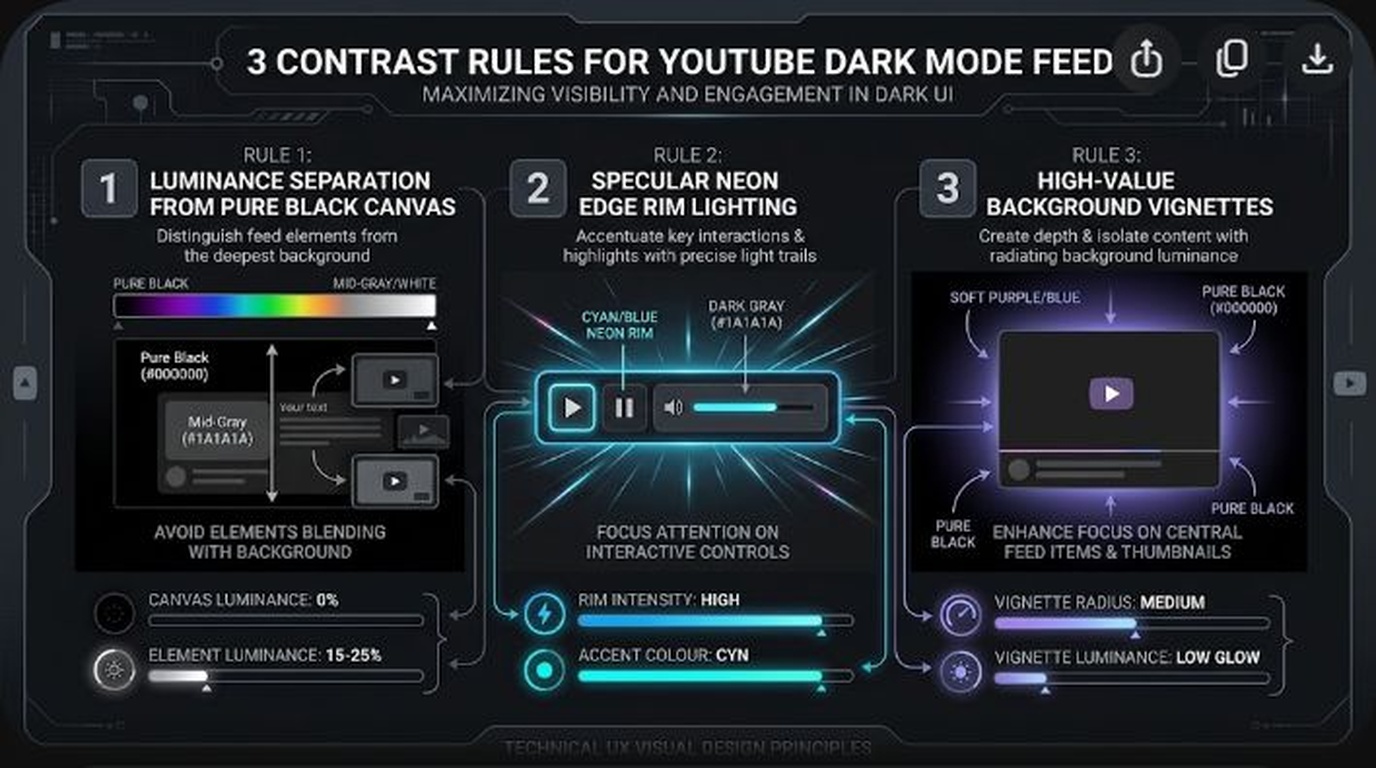
3 Techniques to Prevent the “Dark Mode Edge Bleed”
If your video is set in a dark environment (e.g., a dark podcast studio, night photography vlog, or moody gaming setup), you must actively prevent the thumbnail borders from dissolving into YouTube’s dark UI:
1. The 3px Perimeter Stroke (The Border Shield)
Add a clean 2px to 4px inner stroke along the canvas perimeter in Photoshop. Use a high-contrast accent color (such as pure white #FFFFFF or soft slate #38BDF8 at 70% opacity). This defines the physical bounds of your 16:9 canvas, ensuring your video maintains its structural presence in the feed.
2. The Rim Light (Backlight Silhouette)
When filming your face or product shots, always place a dedicated backlight or hair light behind the subject set to cool daylight (5600K) or saturated colored LED. If the subject has dark hair or wears dark clothing, this rim light traces a bright neon contour around their silhouette, completely detaching them from the dark background.
3. The Radial Background Glow
Behind your primary subject, paint a soft, expansive radial gradient using a complementary hue (e.g., deep orange or vibrant teal) set to Linear Dodge (Add) or Screen blend mode at 35% opacity. This creates an optical spotlight directly behind the subject’s head, generating instant three-dimensional separation.
Text Legibility in Dark Mode: Drop Shadows vs. Bounding Boxes
Even bright yellow or white text will fail if the background behind it contains complex textures, lighting transitions, or high-frequency details. Compare these two text separation methods:
Method A: The Hard-Drop Shadow Stack (Modern & Clean)
Instead of a muddy, soft-feathered drop shadow that looks like a smudge, stack two distinct shadow effects in your design software:
- Shadow 1 (Tight Crisp Occlusion): Blend Mode: Multiply, Opacity: 90%, Distance: 4px, Size/Blur: 2px, Angle: 120°. This creates a razor-sharp dark outline around the letters.
- Shadow 2 (Atmospheric Spread): Blend Mode: Normal (Black
#000000), Opacity: 60%, Distance: 12px, Size/Blur: 25px. This softly darkens the underlying background behind the entire word cluster.
Method B: The High-Contrast Pill / Bounding Box
For maximum legibility, place text inside a solid rounded rectangle (“pill”). Make the pill background pure black (#000000) with bright electric text (#CCFF00 or #FFFFFF), or make the box bright red (#FF1E27) with white text. This creates an independent graphical element with a guaranteed 15:1 contrast ratio regardless of what video background is behind it.
Outdoor Mobile Testing: The 50% Screen Brightness Test
Remember that millions of viewers browse YouTube while walking outdoors on bright sunny days with their smartphone screens dimmed to 50% to save battery life. If your thumbnail relies on subtle shadow details, moody film noir lighting, or low-contrast earth tones (olive green, navy blue, charcoal), the image renders as an unidentifiable black smudge.
Test your designs under simulated outdoor conditions: drop the overall layer brightness by 35% in Photoshop. If the subject’s face, emotional expression, and core text hook are not instantly legible in under 0.5 seconds, boost the midtone exposure and bump the saturation of your key focal elements by 15%.
Frequently Asked Questions (FAQ)
Does YouTube offer different thumbnail uploads for light mode vs dark mode?
No. YouTube only allows one single thumbnail image per upload. Because over 80% of active mobile sessions are in Dark Mode, you should always optimize your thumbnail contrast for dark backgrounds first while ensuring it remains aesthetically pleasing in Light Mode.
Why do my thumbnails look darker on YouTube than in Photoshop?
This is commonly caused by color profile mismatches. If you export your thumbnail in Display P3 or Adobe RGB (1998), YouTube’s web compressors convert it to sRGB, which often crushes dark shadow tones and shifts color saturation. Always design and export in the standard sRGB IEC61966-2.1 color profile.
What is the worst color to use on a YouTube thumbnail in 2026?
Dark muddy red (e.g., #550000), dark navy blue (#001133), and muted olive green. These shades have extremely low relative luminance and blend invisibly into YouTube’s dark UI background.
Is pure white text better than colored text?
Pure white (#FFFFFF) has the highest raw luminance contrast (17.5:1 vs #0F0F0F) and is the easiest to read quickly. However, pairing a single word of vibrant yellow (#FFE600) or electric lime (#CCFF00) within a two-word phrase creates a powerful visual focal point that draws the eye first.
Should I add a white border around my entire thumbnail?
A thin 2px or 3px white or bright cyan border is highly effective for gaming, tech, and reaction thumbnails with dark edges. It creates a crisp visual picture frame that prevents the image from bleeding into the dark mode mobile interface.