How to Dispute a YouTube Content ID Claim Under Fair Use (2026)
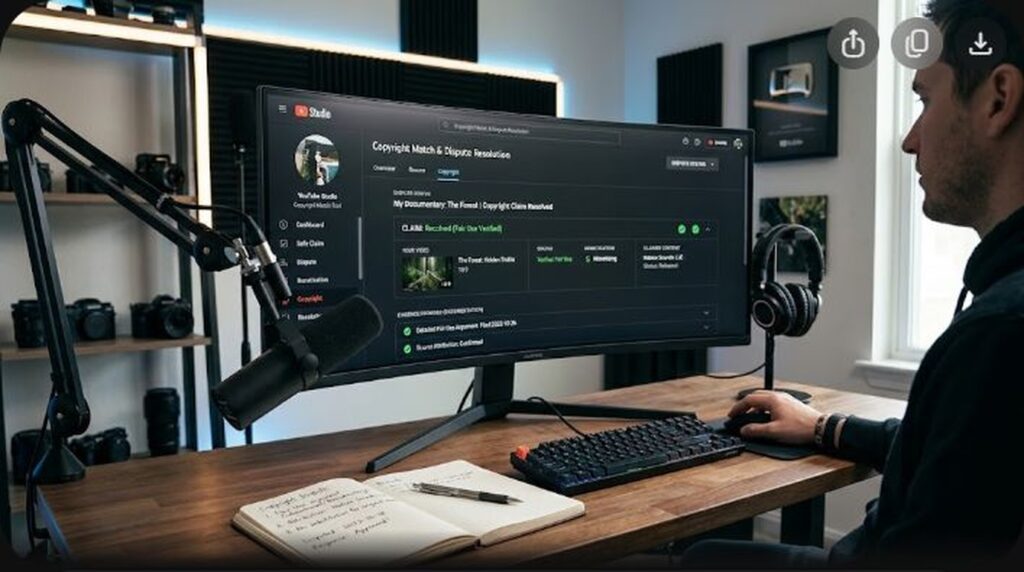
Few notifications trigger greater dread for a digital creator than opening YouTube Studio and seeing an amber copyright warning: “Your video has received a Content ID claim.” In seconds, monetization is frozen or diverted to a third-party rights holder, ad revenue is stripped from your balance, and your hard work is claimed by automated algorithmic fingerprinting—even when your clip is a transformative review, educational commentary, or parodic critique clearly protected under legal Fair Use doctrines.
Most creators panic and make one of two catastrophic mistakes: they immediately delete the video (destroying audience watch history and SEO ranking) or submit a generic, emotional one-sentence dispute saying “I don’t own the music, no copyright infringement intended.” That disclaimer holds zero legal weight. In 2026, successfully disputing an automated Content ID claim requires understanding YouTube’s multi-tier dispute architecture, leveraging the 4-factor statutory Fair Use test under 17 U.S.C. § 107, and utilizing YouTube’s escrow revenue protection system so you never lose a cent of ad earnings while your case is reviewed.
Key Takeaways: The Content ID Dispute Blueprint
- Content ID Claim vs. Copyright Strike: An automated Content ID claim is NOT a copyright strike. It does not penalize your channel’s standing or terminate your account; it merely claims revenue, restricts viewing in certain regions, or monitors playback statistics.
- The Escrow Revenue Safeguard: If you file your dispute within 5 days of the initial claim, all ad revenue generated by the video during the dispute process is held in an isolated escrow account. Once you win, 100% of the funds are deposited directly into your AdSense balance.
- The Four Factors of Fair Use: Fair Use is determined by: (1) Purpose and character of use (transformative vs. commercial reproduction), (2) Nature of the copyrighted work, (3) Amount and substantiality used, and (4) Market effect on the original work.
- Never Use Disclaimers as a Shield: Stating “Credit to original owner” or “Fair Use intended” provides zero legal immunity. You must explicitly state how your work transforms, critiques, or analyzes the source material.
- The 30-Day Claimant Response Window: Claimants have exactly 30 calendar days to respond to your initial dispute. If they fail to respond within this window, the claim expires automatically and your video is permanently released.
Understanding Content ID: How Automated Fingerprinting Works
YouTube’s Content ID is an automated digital matching system that scans newly uploaded video and audio files against a massive reference database provided by major movie studios, record labels, television networks, and digital aggregators. When an upload matches audio or visual fingerprints in the reference database, YouTube’s system automatically executes the policy rule pre-selected by the rights owner:
- Monetize: The claimant places advertisements on your video and collects 100% of the revenue.
- Track: The claimant allows the video to remain live without ads to collect audience demographic data and playback metrics.
- Block: The claimant prevents the video from being viewed worldwide or in designated geographic territories.
Because Content ID is purely programmatic, it lacks human context. It cannot differentiate between outright piracy and transformative criticism. If you use an 8-second clip of a blockbuster movie trailer to critique its cinematography or analyze its narrative structure, Content ID matches the audio waveform and flags your video automatically, despite your clear legal protection under fair use.
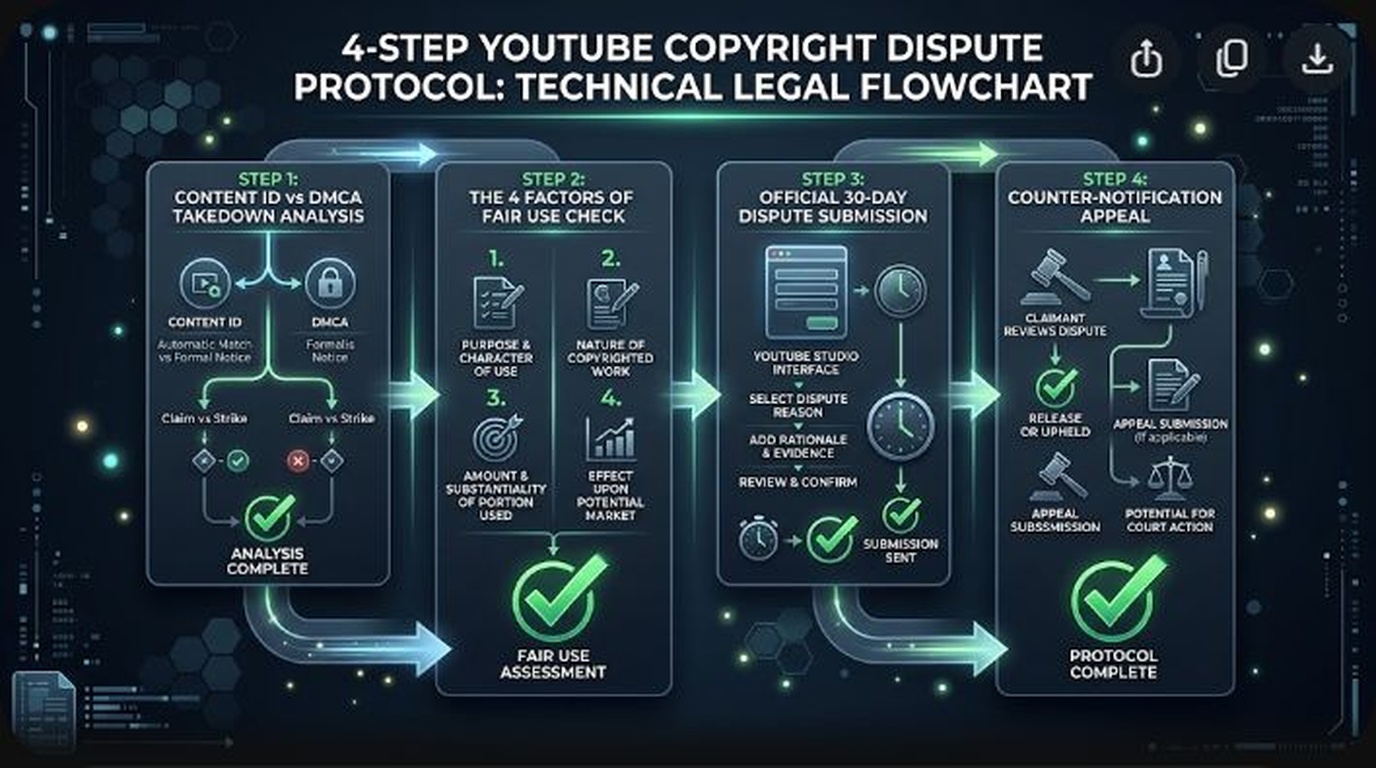
The 4 Legal Pillars of Fair Use (17 U.S.C. § 107)
When disputing an automated claim under Fair Use, your defense must be built directly upon the four statutory factors codified in United States copyright law. Review each pillar before drafting your dispute:
1. Purpose and Character of the Use
Is your video transformative? Does it add new meaning, commentary, analysis, or humor to the original work, or does it merely act as a substitute? Courts heavily favor works that critique, educate, parody, or provide technical breakdown over passive entertainment compilations.
2. Nature of the Copyrighted Work
Factual, documentary, and historical works receive less copyright protection than highly creative, imaginative fictional works (such as feature films, studio singles, or choreography). Quoting a news segment carries significantly higher fair use protection than using an unreleased studio song.
3. Amount and Substantiality of the Portion Used
Did you use only what was strictly necessary to make your point, or did you replay extensive sequences? Using 6 seconds of a scene to dissect a camera movement is strongly protected; playing 4 minutes of uninterrupted dialogue without voiceover is virtually impossible to defend.
4. Effect on the Potential Market
Does your video harm the market value of the original work? If a viewer can watch your video instead of buying the album, subscribing to the streaming service, or attending the film screening, fair use is weakened. If your critique encourages viewers to engage with the primary work or serves a completely different audience, this factor leans heavily in your favor.
Step-by-Step Guide: How to Submit a Winning Dispute in YouTube Studio
Follow this exact operational workflow in YouTube Studio to ensure your dispute is logged with full escrow protections:
- Locate the Claimed Asset: Navigate to YouTube Studio > Content. Filter your video list by “Copyright claims” and click on the specific video.
- Inspect Claim Details: Under the Restrictions column, hover over Copyright and click See Details. Note the exact timestamp (e.g.,
04:12 - 04:38), the claimed territory, and the claimant entity (e.g., Warner Chappell, UMG, or a third-party aggregator like Create Music Group). - Initiate Dispute: Click the Actions dropdown and select Dispute.
- Check Eligibility Requirements: Read the confirmation checklist verifying that you understand false disputes can result in copyright strikes. Check the box and click Next.
- Select Dispute Reason: Choose Public Domain / Fair Use / Exceptions to Copyright. Click Next.
- Affirm Fair Use Status: Select “Fair Use: My use of the content is protected under fair use principles.”
- Input Transformative Rationale: Paste your tailored legal dispute statement (use our tested template below). Specify how the cited timestamps are transformative.
- Sign & Submit: Enter your full legal name, check all three acknowledgement boxes, and click Submit.
Winning Fair Use Dispute Text Template (Copy & Paste)
Customize the bracketed information below. Never submit vague statements like “Please remove claim, this is fair use.” Provide precise analytical detail:
1. Transformative Purpose: The claimed segment between timestamps [INSERT TIMESTAMPS, e.g., 03:15 – 03:42] is utilized exclusively for educational criticism, commentary, and technical analysis. The original copyrighted material is subjected to substantive audio voiceover commentary and visual dissection, providing new artistic and analytical context rather than serving as an entertainment substitute.
2. Amount & Substantiality: Only [INSERT DURATION, e.g., 27 seconds] of the copyrighted work was included—the absolute minimum portion required to illustrate the specific critical argument presented.
3. Market Effect: This video does not compete with, usurp, or negatively impact the market for the original work. In fact, it provides critical discussion that directs audience interest back to the legitimate rights holder.
Pursuant to YouTube policy and statutory fair use guidelines, I request that this Content ID claim be released immediately and that escrowed monetization funds be restored to the creator.
What Happens Next: Understanding the 30-Day Escalation Matrix
Once your dispute is submitted, YouTube gives the claimant 30 calendar days to review your statement. The claimant has four choices:
| Claimant Action | Procedural Result | Monetization Outcome | Next Creator Step |
|---|---|---|---|
| Release Claim | Claimant accepts your defense; claim is permanently dropped. | 100% of escrowed revenue released to creator. | None. You won the dispute. |
| No Response (30 Days) | Claimant ignores dispute; claim auto-expires on Day 30. | 100% of escrowed revenue released to creator. | None. Video is cleared. |
| Reinstate Claim | Claimant rejects dispute and reasserts claim. | Revenue remains in escrow if you appeal within 7 days. | Submit formal Appeal (requires phone verification). |
| Issue DMCA Takedown | Claimant files formal legal takedown; video removed; channel receives 1 Strike. | Monetization revoked; video taken offline. | File formal DMCA Counter-Notification if legally confident. |
Frequently Asked Questions (FAQ)
Will disputing a Content ID claim hurt my channel or give me a strike?
No. Submitting an initial Content ID dispute is completely safe and does NOT carry a copyright strike. A copyright strike can only occur if the rights holder formally rejects an escalated appeal and issues a sworn legal DMCA takedown notice under penalty of perjury.
Can I use YouTube’s trim or mute tools instead of disputing?
Yes. If the claimed segment is non-essential (such as a 15-second background track or a transitional bumper), you can use YouTube Studio’s Trim out segment, Replace song, or Mute song tools. YouTube will reprocess the video in the cloud without changing your URL, view count, or SEO rankings, instantly clearing the claim.
What happens to ad revenue while the dispute is pending?
If you dispute the claim within 5 calendar days of receiving it, YouTube automatically holds all advertising revenue in escrow. If you win the dispute or the claimant fails to respond within 30 days, the entire escrow balance is deposited into your AdSense account on the next monthly payout cycle.
What is the difference between a dispute and an appeal?
A dispute is the first informal step where you ask the claimant to reconsider their automated match. If the claimant rejects your dispute, you can submit an appeal. An appeal is a higher-stakes formal step where the claimant must either release the claim or file a legal DMCA takedown notice resulting in a copyright strike.
Can copyright claimants take down my video if I live outside the United States?
While Fair Use is a United States statutory doctrine under 17 U.S.C. § 107, YouTube is hosted in the United States and adheres to the Digital Millennium Copyright Act (DMCA). Furthermore, most international jurisdictions feature parallel legal doctrines such as “Fair Dealing” in the United Kingdom, Canada, and Australia, or quotation exceptions across the European Union.