YouTube 4K VP09 vs AV01 Codec: How to Force High-Bitrate Encoding (2026)
If you have ever uploaded a razor-sharp 1080p video to YouTube—only to watch the live playback dissolve into an embarrassing mosaic of blocky pixelation during fast-paced gameplay, panning landscape shots, or high-energy vlogging cuts—you have been a victim of YouTube’s algorithmic codec rationing. While major creators with millions of subscribers enjoy crystal-clear 1080p playback, smaller and mid-sized channels routinely find their uploads relegated to YouTube’s legacy, ultra-low-bitrate AVC1 (H.264) compression pipeline.
Behind the scenes, YouTube processes videos into three distinct video codecs: AVC1 (H.264), VP09 (VP9), and the next-generation AV01 (AV1). The codec your video receives determines not only visual sharpness and color gradient smoothness, but the actual data bandwidth YouTube allocates to your content. In this definitive 2026 technical guide, we break down how YouTube’s codec allocation hierarchy works, how to inspect your active codec using “Stats for nerds”, and the proven 1440p / 4K upscale strategy that guarantees your uploads receive the premium VP09 or AV01 high-bitrate encoding every single time.
Key Takeaways: The YouTube Codec Hierarchy
- The 3-Tier Codec Stack: YouTube uses AVC1 (legacy, lowest quality, ~3,500 Kbps at 1080p), VP09 (high-efficiency, ~7,000–9,000 Kbps at 1080p), and AV01 (next-generation AOMedia codec with unmatched compression density and clean dark gradients).
- The 1080p Sub-Threshold Penalty: For standard 1080p uploads, YouTube only awards VP09 or AV01 to channels that exceed massive subscriber thresholds or generate sudden viral velocity. New and growing channels are automatically capped at AVC1.
- The 1440p / 4K Upscale Rule: Uploading at 2560 x 1440 (1440p) or 3840 x 2160 (4K) completely bypasses channel subscriber checks. YouTube’s servers are architecturally forced to encode 1440p and 4K resolutions in VP09 or AV01.
- Downscaled 1080p Playback Benefits: When a viewer on a 1080p screen watches your 1440p/4K upload, YouTube serves the 1080p VP09/AV01 stream, delivering twice the data density of the AVC1 stream and eliminating macroblocking.
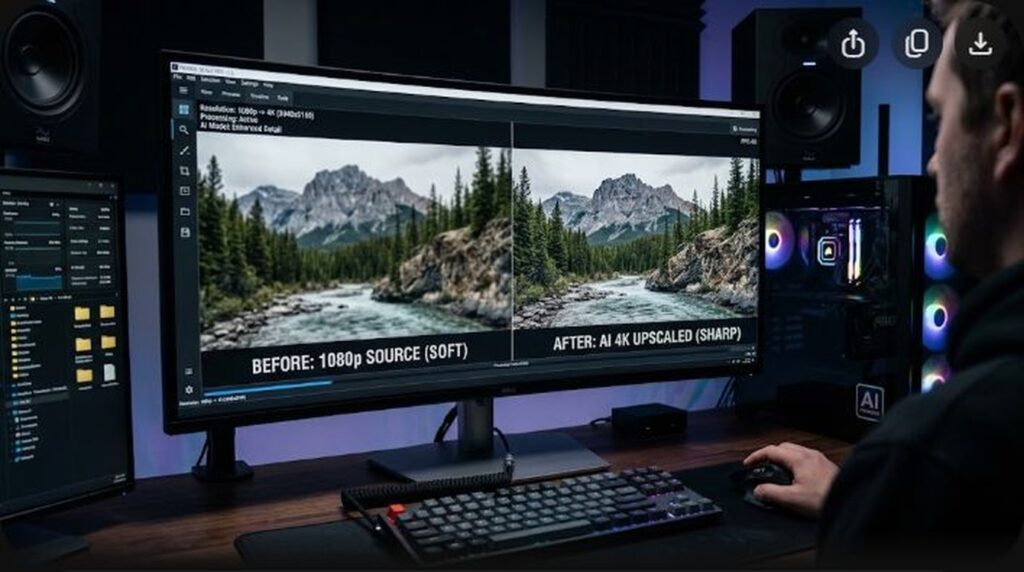
- Zero Upscaling Penalty: Upscaling a native 1080p timeline to 1440p or 4K during export in Premiere Pro or DaVinci Resolve does not introduce blur, but provides massive visual returns once YouTube re-encodes the file.
Understanding YouTube’s Three Codecs: AVC1 vs VP09 vs AV01
To serve over five billion video views every day without bankrupting global data networks, YouTube maintains an intricate, automated transcoding matrix. Depending on your video’s resolution, frame rate, and viewing traffic, YouTube transcodes your original master into one or more of three codecs:
1. AVC1 (Advanced Video Coding / H.264)
AVC1 is the aging workhorse of the internet, standardized back in 2003. Because virtually every smart toaster, old smartphone, and budget TV contains hardware H.264 decoding chips, YouTube maintains AVC1 for universal backward compatibility. However, to minimize storage bandwidth, YouTube compresses 1080p AVC1 streams aggressively, allocating an average bitrate of only 3,000 to 4,500 Kbps. In scenes with dense foliage, water, confetti, smoke, or fast camera movement, AVC1 completely breaks down, resulting in severe macroblocking and blurred details.
2. VP09 (Google VP9)
Developed by Google as a royalty-free, open-source competitor to HEVC (H.265), VP09 is approximately 50% more efficient than AVC1. It supports larger transform block sizes (up to 32×32) and advanced intra-prediction modes. When YouTube encodes a video in VP09, it allocates significantly higher bitrates (often 7,000 to 10,000 Kbps for 1080p and 15,000 to 25,000 Kbps for 1440p), preserving razor-sharp text, crisp facial features, and smooth color transitions.
3. AV01 (AOMedia Video 1)
Created by the Alliance for Open Media (consisting of Google, Apple, Microsoft, Amazon, Netflix, and NVIDIA), AV1 represents the cutting edge of open video compression. AV1 delivers roughly 30% better data compression than VP9 and easily outperforms HEVC. It handles high-frequency noise and dark, moody gradients with breathtaking clarity, completely preventing color banding in dark rooms. In 2026, YouTube actively encodes popular uploads in AV01 for devices equipped with dedicated AV1 hardware decoders (Apple A17 Pro/M3/M4, Snapdragon 8 Gen 2/3, NVIDIA RTX 30/40 series, Intel Arc, and newer smart TVs).
How to Check Your Active Codec on YouTube (“Stats for Nerds”)
You can instantly verify which codec YouTube has assigned to any video on the platform in three simple clicks:
- Open your video in Google Chrome, Microsoft Edge, Safari, or Firefox on a desktop computer.
- Right-click anywhere inside the playing video window.
- From the context menu, click “Stats for nerds”.
- A translucent overlay panel will appear in the top-left corner of the video.
- Locate the line labeled Codecs:
- If it displays
avc1.640028 / opus (251): Your video is running on the low-bitrate AVC1 budget stream. - If it displays
vp09.00.51.08.01 / opus (251): Your video has successfully received the high-bitrate VP09 stream! - If it displays
av01.0.08M.08 / opus (251): Your video is streaming on the top-tier AV1 next-gen pipeline!
- If it displays
The 1440p / 4K Upscale Strategy: How to Force VP09 & AV01
Because YouTube’s infrastructure handles thousands of hours of uploads every minute, computing VP09 and AV1 encodes for every standard 1080p video would require billions of dollars in compute infrastructure. Therefore, YouTube’s automated resource scheduler applies a strict rule:
Videos uploaded at 1080p (1920×1080) only receive VP09 if the channel has a large subscriber count or if the video experiences rapid, breakout viewer velocity within its first few hours. Otherwise, it is locked to AVC1 forever.
However, YouTube has a hard technical mandate for higher resolutions: YouTube does not support AVC1 for resolutions above 1080p. If you upload a video with a vertical resolution of 1440p (2560×1440) or 4K (3840×2160), YouTube’s servers must transcode the file using VP09 or AV01, regardless of whether your channel has 5 subscribers or 5 million subscribers.
How to Execute the Upscale in Your Video Editor:
- Shoot and Edit in 1080p: You do not need to upgrade your camera or buy a 4K monitor. Continue shooting your clips in 1080p and editing on your standard 1080p timeline.
- Change Sequence / Timeline Output on Export:
- In DaVinci Resolve: On the Deliver page, set Resolution to
2560 x 1440 QHD(or3840 x 2160 Ultra HD). - In Adobe Premiere Pro: In the Export dialogue, click the Video tab > Frame Size > Custom > set width to
2560and height to1440. Check the box “Render at Maximum Depth” and “Use Maximum Render Quality” to enable high-quality Lanczos scaling. - In CapCut Desktop: In the Export window, select 2K/4K (3840×2160) resolution.
- In DaVinci Resolve: On the Deliver page, set Resolution to
- Export at 45,000–60,000 Kbps: Use a healthy bitrate so YouTube’s ingestion servers receive a clean, uncompressed master raster.
- Upload to YouTube: Wait 15 to 45 minutes for YouTube to complete its HD and 4K processing passes. Once processing finishes, open “Stats for nerds”—you will see
vp09orav01proudly displayed!
YouTube Codec Allocation & Bitrate Matrix (2026)
| Upload Resolution | Small / New Channel Codec | Large Channel Codec | Delivered 1080p Quality |
|---|---|---|---|
| Native 1080p (1920×1080) | AVC1 (Low Bitrate) | VP09 or AV01 | Poor. Visible macroblocking in motion. |
| Upscaled 1440p (2560×1440) | VP09 (Guaranteed) | VP09 or AV01 | Excellent. 2x data bitrate allocated. |
| Native or Upscaled 4K (3840×2160) | VP09 or AV01 | AV01 (Priority) | Flawless. Pristine clarity on all displays. |
| Vertical YouTube Shorts (1080×1920) | AVC1 / VP09 (Mixed) | AV01 (Priority) | Export in 2160×3840 to force VP09. |
Frequently Asked Questions (FAQ)
Does upscaling 1080p to 1440p make the video look artificially stretched?
No. When you export a 1080p video at 1440p, both resolutions share the exact same 16:9 aspect ratio (1.777:1). Your video editor simply scales the raster mathematically. Because modern editors use high-precision scaling filters (such as Lanczos or Bicubic), there is zero distortion, stretching, or pixel smearing.
Why does my new upload show AVC1 even though I uploaded in 1440p?
YouTube processes video resolutions sequentially. The fast, low-complexity 360p, 720p, and 1080p AVC1 passes finish within minutes, making the video immediately viewable. The computationally intensive 1440p, 4K, and VP09/AV01 passes take anywhere from 15 minutes to two hours depending on server load. Always upload your video as Unlisted and wait until the 4K / HD badge stops blinking in YouTube Studio before setting your video to Public.
Can all viewers watch AV01 video without stuttering?
Yes. If a viewer’s computer or mobile phone lacks dedicated hardware AV1 decoding, YouTube automatically falls back to serving them the VP09 or AVC1 stream. Viewers with modern hardware (iPhone 15 Pro and later, modern Androids, Intel Core Ultra, M3/M4 Macs, RTX graphics) will automatically receive the ultra-efficient AV01 stream with zero battery penalty.
Should I upload in 1440p or full 4K?
While 1440p is sufficient to force the VP09 codec, uploading in full 4K (3840 x 2160) is recommended in 2026. YouTube assigns even higher bitrate ceilings to 4K streams (up to 45,000–60,000 Kbps), and 4K uploads have a much higher probability of receiving the cutting-edge AV01 codec pass.
What audio codec does YouTube pair with VP09 and AV01?
YouTube pairs VP09 and AV01 video streams with the open-source Opus audio codec (typically profile 251 at ~160 Kbps). Opus delivers superior acoustic fidelity to standard AAC at identical bitrates, providing crystal-clear vocal frequencies, punchy low-end bass, and zero high-frequency phase artifacting.