
👋 Introduction: Your Video’s First Impression (The Power of the Tiny Image)
You just spent hours—or maybe even days—crafting a brilliant video. The script is tight, the edits are flawless, and the content is gold. You’re ready for the world to see it. But before you hit the “Publish” button, there’s one tiny, critical piece of the puzzle that determines whether all your hard work pays off: the YouTube thumbnail.
Think of your video thumbnail as a tiny billboard on the world’s busiest highway. It’s the visual gatekeeper that stands between your amazing content and a potential viewer. In a feed filled with hundreds of other videos, your thumbnail is the only thing that can stop a viewer’s scroll and convince them to click your content. A blurry, poorly sized, or confusing thumbnail can tank your video’s performance before it even gets a chance to shine.
This isn’t just about making a pretty picture; it’s about following the rules YouTube has set up to make your content look professional and clickable on every device, from a massive 4K TV to the smallest smartphone screen. If you want to understand the true impact of this tiny image, read our deep dive on Why Good Thumbnails Are Important for Growing Subscribers.
In this ultimate guide from the team at WeenyTools, we’re going to give you the non-negotiable specifications for the ideal YouTube thumbnail size and then walk you through simple, powerful design principles that will make your videos irresistible. We promise to make this technical topic easy to understand, simple, and immediately actionable.
🎯 What is the Ideal YouTube Thumbnail Size?
Let’s cut right to the chase. If you only remember one thing from this entire article, let it be these magic numbers. They are the official, universally recommended dimensions by YouTube for maximum clarity and compatibility. Ignoring these specs is the fastest way to get a blurry, unprofessional-looking image.
🖼️ The Golden Dimensions: The Specs That Guarantee Quality
| Specification | Requirement | Why It Matters (The Human Reason) |
| Resolution (Pixels) | 1280 pixels wide x 720 pixels tall | This is the minimum “HD” size (720p). It ensures your image stays crisp and clear when scaled up on large desktop monitors and TVs. |
| Aspect Ratio | 16:9 | This ratio matches the shape of YouTube’s video player, preventing your thumbnail from being awkwardly stretched or having ugly black bars around it. For a complete explanation, see our guide on the YouTube Thumbnail Aspect Ratio. |
| Minimum Width | 640 pixels | YouTube will reject any image that is smaller than this width, automatically forcing you to meet at least a baseline standard. |
| Maximum File Size | 2MB (Megabytes) | Keeps your thumbnail loading quickly. A slow-loading thumbnail frustrates users and can hurt your video’s overall performance. |
| Accepted File Types | JPG, PNG, or GIF | PNG is generally best for sharp text and graphics, while JPG is better for photo-based images as it keeps the file size lower. |
💡 Human-Friendly Tip: Why Not Bigger?
Some creators ask, “Why not upload $1920 \times 1080$ for better quality?” While you can upload higher-resolution images (like $1920 \times 1080$ or $3840 \times 2160$), YouTube will compress and resize them anyway. Sticking to the $1280 \times 720$ standard is the perfect balance: it’s guaranteed to be high-definition, and it’s much easier to keep the file size under the critical 2MB limit. Don’t waste time creating massive files that YouTube will just shrink! For a full breakdown, check out ourBest YouTube Thumbnail Size and Dimensions 2025 Complete Guide.
🛑 What Happens If You Get the Size Wrong? (The Blurry Nightmare)
Understanding the consequences is key to prioritizing the correct size. When you deviate from the $1280 \times 720$ standard, you introduce visual issues that immediately turn viewers away.
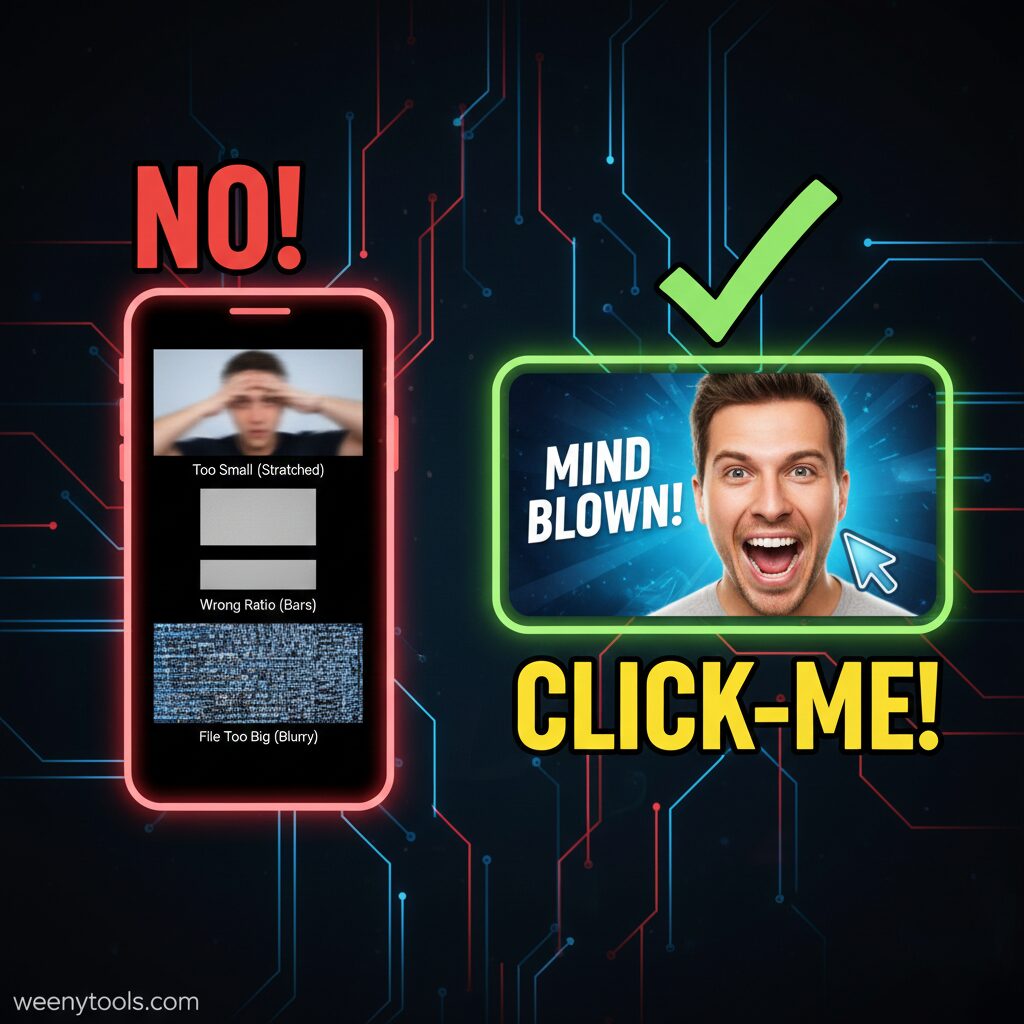
1. The Blurry, Pixelated Mess (If the Image is Too Small)
If you try to upload a tiny image—say, $640 \times 360$—YouTube has no choice but to stretch it out to fill the $1280 \times 720$ frame. When you stretch a digital image, you force each original pixel to cover four times the space, resulting in that dreaded pixelation and blurriness, which is one of the 5 Common YouTube Thumbnail Mistakes to Avoid.
2. Distortion and Awkward Cropping (If the Aspect Ratio is Wrong)
If you upload an image with a non-16:9 aspect ratio, YouTube will try to fit it into the player, resulting in stretching or black bars. This poor presentation severely hurts your video’s Click-Through Rate (CTR). Learn more about How Thumbnails Affect Your YouTube CTR.
3. File Rejection (If the File is Too Big)
The 2MB maximum file size is an absolute boundary. If you upload a file larger than 2MB, YouTube will simply reject the upload.
🎨 Design to Dominate: 7 Best Practices for Clickable Thumbnails
Getting the size right is your ticket into the game; the design is how you win. A perfectly sized but boring thumbnail is still going to be ignored. The goal is to design a visual that makes viewers stop their scroll and click. Since most views are on mobile, simplicity and clarity are paramount! If you want a masterclass, read our article on How to Create Eye-Catching Thumbnails for YouTube.
1. Prioritize Mobile Readability (The Squint Test)
- The Problem: Over 70% of YouTube views happen on mobile phones, where your thumbnail appears incredibly small.
- The Solution: Perform the “Squint Test.” Keep your elements large, simple, and clean.
2. Embrace High-Contrast Colors and Saturation
- The Strategy: Use bright, saturated colors that pop! Boosting the overall saturation and contrast of your image makes it impossible to ignore when placed next to other videos.
3. Use Human Faces and Strong Emotions
- The Science: People are biologically wired to notice and react to human faces, especially those showing intense emotion.
- The Strategy: Use a high-quality close-up of your face showing a strong emotion—shock, excitement, deep thought, or confusion. This creates an instant emotional connection and a “curiosity gap.”
4. Keep Text Short, Bold, and Protected
- Rule of Thumb: Limit text to 3 to 5 powerful words maximum. The text should complement your video title.
- Readability Hack: Always add a thick, contrasting outline or place the text inside a solid color block to ensure it stands out.
5. Don’t Forget the Bottom Right Corner
- The Critical Area: YouTube places the video length (runtime) in this corner.
- The Design Fix: Never put your main subject, your logo, or any critical text here.
6. Be Consistent and Brand Your Content
- The Goal: You want a loyal subscriber to instantly recognize your video in their feed.
- The Method: Choose a consistent style, color palette, and font. This consistency is key to helping you Increase YouTube Clicks with Custom Thumbnails.
7. Avoid Clickbait (Be Honest)
- The Algorithm Secret: YouTube’s algorithm heavily favors Audience Retention.
- The Danger: If your thumbnail is misleading, viewers will click away, which hurts your performance. Always be honest! This is also critical for your long-term YouTube Monetization Guide for Beginners 2025 goals.
🛠️ The Thumbnail Toolkit: Tools to Get the Job Done
You don’t need expensive software to create a killer thumbnail. Check out our detailed list of the Top 5 YouTube Thumbnail Editing Tools for Creators in 2025 and compare Free vs Paid Tools for YouTube Thumbnails.
| Tool Name | Best For | Price | Key Feature |
| Canva | Beginners & Fast Templates | Free / Paid Pro | Thousands of pre-sized YouTube templates. |
| Adobe Express | Quick branding & mobile editing | Free / Paid | Simple tools for adding text and effects. |
| GIMP | Advanced, free, open-source | Free | A powerful, free alternative to Photoshop. |
| Adobe Photoshop | Professional editing & effects | Paid | Industry-standard for complex layer work. |
🔗 WeenyTools Insider Tip:
Need to grab a thumbnail from an existing video for inspiration or testing? Our free YouTube Thumbnail Downloader Tool lets you instantly pull the high-quality image file from any video URL.
- Learn How to Save YouTube Thumbnails Without Any App.
- Find out How to Download YouTube Thumbnails in HD.
- Need to grab one on the go? Here is How to Download YouTube Thumbnails on Mobile Devices.
- Get a full tutorial: Step-by-Step How to Use WeenyTools YouTube Thumbnail Downloader.
❓ Frequently Asked Questions (FAQ Block)
Q1: Can I use a higher resolution like $1920 \times 1080$?
A: Yes, you can! However, the official $1280 \times 720$ is the standard minimum for HD and provides the best balance of quality and file size. Going higher often offers no visible difference but makes compression trickier.
Q2: Why is the 16:9 Aspect Ratio so important?
A: The 16:9 ratio is the fundamental shape of video across YouTube. Using this ratio guarantees that your thumbnail fills the entire preview window without being stretched, cropped weirdly, or having black bars.
Q3: How do I handle YouTube Shorts thumbnails?
A: Shorts use a vertical 9:16 aspect ratio. While you can select a frame, if you use a custom $16:9$ image, ensure your key visual elements are perfectly centered to survive the vertical cropping on the Shorts shelf.
Q4: Does the thumbnail help with YouTube SEO?
A: Indirectly, yes! While the algorithm doesn’t “read” the image, a great thumbnail generates a high Click-Through Rate (CTR). A high CTR tells YouTube that your video is highly relevant to the search query, causing the algorithm to recommend it more widely. This is a crucial element of YouTube SEO: Boost Views with Better Thumbnails.
Find more answers to your creator questions on our main FAQ page.
🚀 Final Thoughts: Make the Click Unavoidable
Your video’s journey to success begins with a single click, and that click is earned by a professional, compelling thumbnail.
By mastering the universal standard of $1280 \times 720$ pixels at a $16:9$ aspect ratio, you guarantee your content looks professional and crisp everywhere it’s displayed. Combine that technical precision with human-centered design—like big, emotional faces, high-contrast colors, and bold text—and you’ll transform your thumbnails from simple images into powerful, scroll-stopping calls to action. For other essential tools, check out the Top 10 Free Tools for YouTubers in 2025.
Stop seeing the thumbnail as an afterthought, and start treating it like the most important tool for your video’s visibility. Get the size right, get the design right, and watch your click-through rate soar!
🤝 Connect & Legal Information
- Need to get in touch? Visit our Contact page.
- Learn more about us: About WeenyTools.
- Privacy & Legal: Please review our Privacy Policy, Terms and Conditions, Disclaimer, and DMCA Policy for full details on using our site.


