
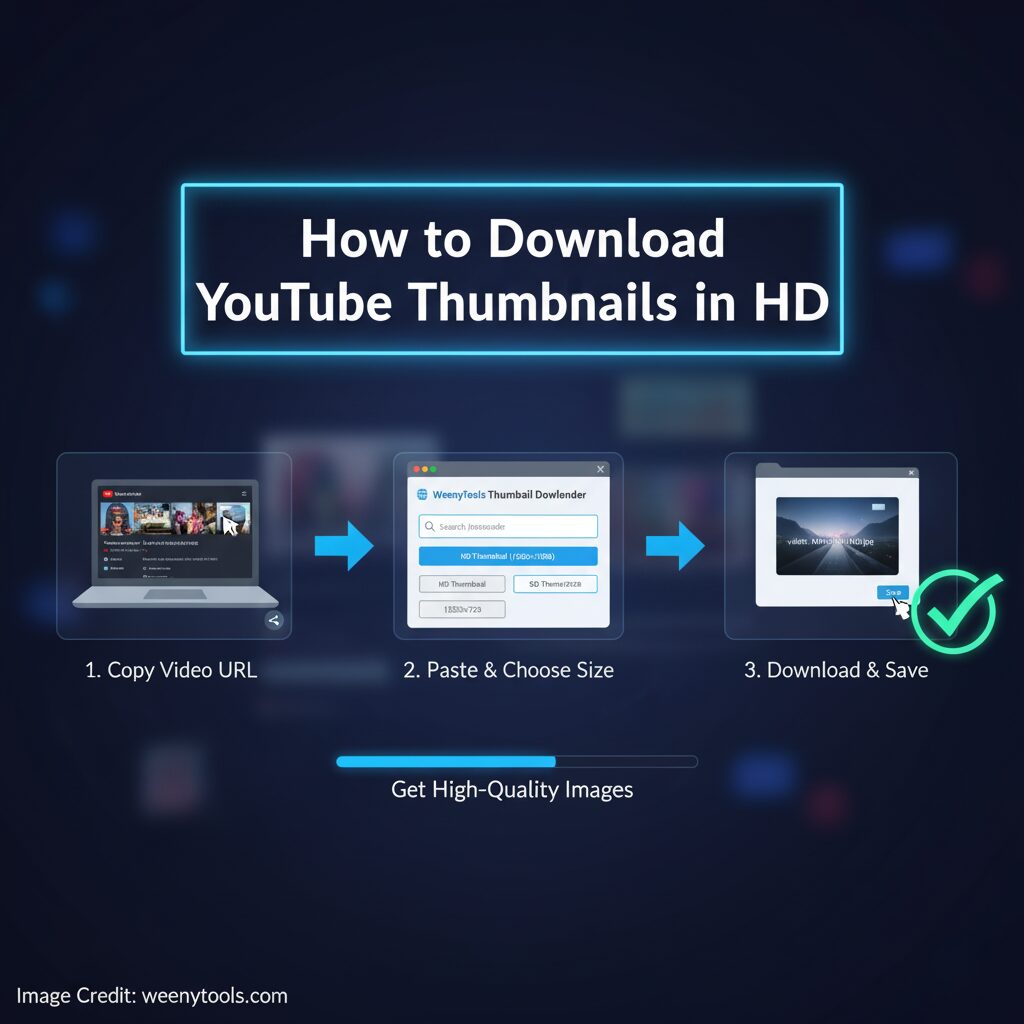
Quick steps you can use right now. Easy methods. Free tools. Use this guide to get high quality thumbnails for research and design.
Thumbnails shape first impressions and play a crucial role in attracting viewers. A strong, eye-catching thumbnail significantly increases the number of clicks and helps your content stand out. To understand what works best, you need clear, detailed images to analyze viewer preferences. Additionally, having high-definition thumbnails is essential for presentations, graphic design projects, and promotional materials. This comprehensive guide demonstrates simple and effective methods to download YouTube thumbnails in high definition. It provides a list of useful tools, manual techniques, and best practices to ensure success. By following these steps carefully, you will be able to quickly obtain clean, high-resolution images that enhance your work and attract more attention.
Open YouTube Thumbnail Downloader Quickly and easily. No need to sign up or create an account. Fully compatible and works smoothly on all mobile devices.
Why you should download thumbnails in HD
- You can inspect design details precisely.
- You can test different layouts for higher click rates.
- You can reuse elements for mockups and guides.
- You can print samples for client reviews.
SEO keywords in this post: download YouTube thumbnails in HD, YouTube thumbnail downloader, HD thumbnails, free thumbnail downloader, how to download thumbnails easily and quickly.
Method 1, use our free downloader on WeenyTools
This is the easiest way for most users. The tool finds all available thumbnail sizes for any public video. It shows the max resolution when available. You do not need technical skills.
- Copy the video link from YouTube. Example: https://www.youtube.com/watch?v=VIDEO_ID
- Open the thumbnail downloader on WeenyTools. Use the link above.
- Paste the link into the input field.
- Click the Get Thumbnail button.
- Choose the highest resolution image shown and download.
This method works effectively on both phone and desktop devices, providing a seamless experience regardless of the platform you are using. It handles the majority of YouTube videos available, making it a versatile tool for various content. Use this technique whenever you want to quickly capture a high-definition image from a video without any hassle.
Method 2, manual URL trick
Use this option when you want a direct link and prefer to have full control over the video playback. It is especially effective when the video includes a high resolution thumbnail that is readily available for display. This method ensures a clearer and more visually appealing preview of the video content before playing.
- Find the video id. It follows v= in the YouTube URL.
- Use this format in your browser address bar.
Replace VIDEO_ID with the real id and open the link. If maxresdefault.jpg is not available try hqdefault.jpg or sddefault.jpg.
This particular method will unfortunately not be effective for certain types of videos. Many creators choose to upload only small thumbnail images rather than full-size previews. Additionally, some videos are hosted on custom platforms that implement restrictions to block any direct access to their content.
Thumbnail sizes and what they mean
- 120×90, default small preview.
- 320×180, medium quality.
- 480×360, good for web use.
- 640×480, higher clarity for editing.
- 1280×720 and up, HD and best for study.
- 3840×2160 Ultra HD / 4K
Always opt for the highest resolution available whenever possible. Choosing a higher resolution provides significantly greater flexibility when it comes to editing your images and ensures better quality for printing purposes. This extra detail allows you to make adjustments without losing clarity, resulting in superior final output.
Tools to help you analyze thumbnails
WeenyTools YouTube Thumbnail Downloader
Experience fast and efficient downloads with high-definition quality available whenever possible. Enjoy the convenience of no registration required, making the process quick and hassle-free. The platform is fully optimized for mobile devices, allowing you to download content seamlessly on the go. Utilize this tool to gather numerous examples for your research projects with ease. Open Downloader
Canva or GIMP
Use these tools to edit and test different thumbnail variations effectively. Canva is a fast platform that relies on easy-to-use templates, making it ideal for quick and visually appealing designs. On the other hand, GIMP offers advanced control and customization options, allowing for more detailed and precise editing to meet specific design needs.
Quick thumbnail fetch form
Paste a video link and open the downloader in a new tab. Get Thumbnail
Tip, you can paste the full URL or just the video id. The tool supports both.
Best practices when using downloaded thumbnails
- Use thumbnails for research and inspiration only.
- Create your own final image. Do not copy another creator directly.
- Respect copyright and fair use rules in your country.
- Keep originals in a folder and label them by channel or topic.
- Use HD images when you need to crop or enhance details.
If you plan to use an image commercially, ask the owner for permission first.
Troubleshooting common problems
Thumbnail not found
- Check that the video is public. Private videos are not accessible.
- Try the manual URL with hqdefault.jpg or sddefault.jpg.
- Use the WeenyTools downloader to handle edge cases.
Only low quality images show
- The uploader may have used a low resolution thumbnail.
- Some videos do not offer maxresdefault.jpg.
FAQ
Is it legal to download YouTube thumbnails?
Yes for personal use and analysis. You should not reuse the image commercially without permission. Always follow copyright rules.
Can I download thumbnails from unlisted videos?
No. Unlisted and private videos do not expose thumbnails via public tools.
What is the best resolution to keep?
Keep the highest resolution available. Usually that is 1280×720 or higher. It gives you room for editing.Quick checklist
- Copy video URL.
- Use WeenyTools downloader for fast HD results.
- Save the original HD file before edits.
Related links on WeenyTools
This comprehensive guide is designed to help you easily download YouTube thumbnails in high-definition quality for your study and design projects. Please ensure that you use these tools responsibly and respect copyright and usage policies. If you encounter any difficulties or need further assistance, do not hesitate to contact us, and our team will gladly guide you step-by-step through the entire process.


