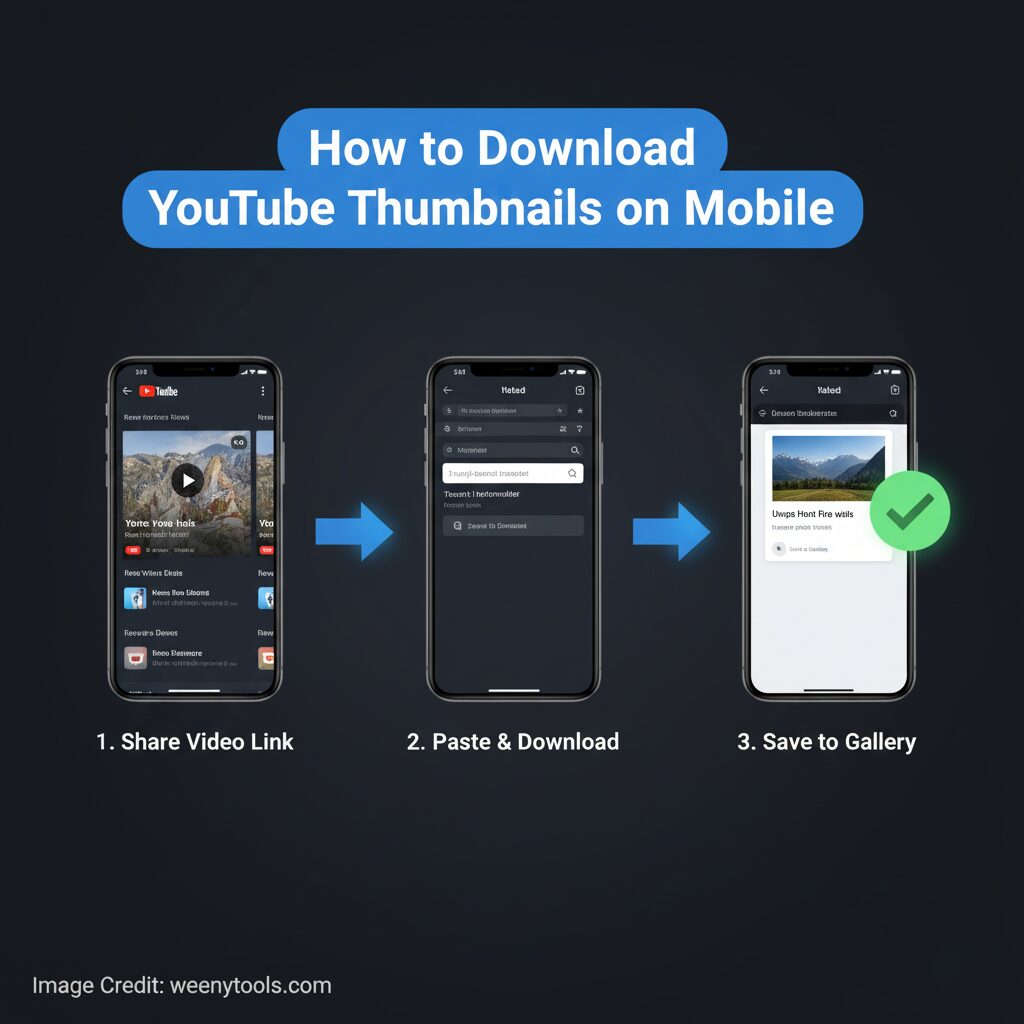
In today’s rapidly evolving and fast-paced digital world, having the ability to download YouTube thumbnails on mobile devices has become increasingly essential for content creators, digital marketers, and everyday users alike. Whether you are using an Android smartphone, an iPhone, or a tablet, the WeenyTools YouTube Thumbnail Downloader provides a simple and convenient way to save high-quality YouTube thumbnails directly to your device without any hassle.
This comprehensive guide thoroughly explains easy, secure, and dependable methods to download YouTube thumbnails without the need to install any additional applications or software. In addition to the basic steps, you’ll also discover mobile-specific tips that will help you access thumbnails more quickly, achieve better image quality, and maintain a well-organized storage system for all your downloaded images.
Why Download YouTube Thumbnails on Mobile?
- Instant Inspiration: Save eye-catching thumbnails while browsing YouTube.
- Research on the Go: Analyze competitor thumbnails anytime, anywhere.
- Social Media Content: Use thumbnails in Instagram stories, blog visuals, or LinkedIn posts.
- Mobile Workflow: Perfect for creators who edit and publish using mobile devices.
- No Desktop Needed: Download and reuse thumbnails directly from your phone.
How to Download YouTube Thumbnails on Android
Step 1: Open Your Android Browser
Open the Chrome or Firefox browser on your Android device to get started. For optimal performance and the best overall experience, it is highly recommended that you use Chrome. Chrome tends to offer faster load times and better compatibility with most websites on Android.
Step 2: Visit WeenyTools
Visit weenytools.com/youtube-thumbnail-downloader to access the tool. It is designed to automatically optimize and adjust its layout to fit perfectly on your mobile device screen, ensuring a smooth and user-friendly experience no matter what device you are using.
Step 3: Copy YouTube Video Link
In the YouTube app, tap Share → Copy Link.
Step 4: Paste and Download
Paste the copied link into the designated input field located on the WeenyTools webpage, then click or tap the “View & Download” button to begin the process.
The thumbnail size you have selected, ranging anywhere from low resolution up to 4K resolution, will be displayed on the screen. To save the image, simply long-press on the displayed thumbnail and then tap the “Download image” option that appears.
Downloaded thumbnails are saved in your device’s Downloads folder.
How to Download YouTube Thumbnails on iPhone or iPad
Step 1: Open Safari on iOS
Open Safari or any other web browser you prefer on your device. The WeenyTools utility is designed to function smoothly and efficiently on all versions of iOS, ensuring compatibility and ease of use regardless of which iOS version you are running.
Step 2: Visit WeenyTools on Safari
Type weenytools.com/youtube-thumbnail-downloader directly into your browser’s address bar. This website is designed to automatically adjust and fit perfectly on any screen size, whether you are using a compact iPhone SE or a larger iPad Pro, ensuring a seamless and user-friendly experience across all devices.
Step 3: Copy YouTube URL
Open the YouTube app, tap Share, and select Copy Link.
Step 4: Paste and Save
Paste the link into the WeenyTools input box and press “View & Download”
Tap and hold the image you want, then select “Save to Photos.” It will appear directly in your Photos app.
Tips for Better Mobile Experience
For Android:
- Use Chrome for faster downloads.
- Find thumbnails in the “Downloads” folder.
- Organize thumbnails by channel or topic.
For iOS:
- Save directly to Photos for easy access.
- Create albums for thumbnail collections.
- Use iCloud backup to store your downloaded images safely.
Optimize Performance:
- Ensure strong internet connection.
- Clear browser cache occasionally.
- Bookmark the WeenyTools page for quick access.
Troubleshooting Common Mobile Issues
- Download not working: Refresh the page and check your internet connection.
- Image quality is low: Select 1080p or 4K options for best results.
- Browser issue: Switch to Chrome or Safari for smoother performance.
- Storage full: Free up space or enable cloud backup.
Legal and Ethical Use
Always use YouTube thumbnails responsibly. Thumbnails are the property of the original video creators. Download them only for research, education, or inspiration purposes. Do not reuse copyrighted thumbnails in your own uploads without obtaining permission. For more information on digital content usage, please visit our Disclaimer and DMCA Policy.
Conclusion
Learning how to download YouTube thumbnails on mobile can greatly simplify and enhance your overall content creation workflow, making it more efficient and convenient. The WeenyTools Thumbnail Downloader is an excellent tool that provides high-resolution downloads of YouTube thumbnails, supporting resolutions up to an impressive 4K quality, compatible with both Android and iOS devices. This downloader is not only fast and easy to use but also designed to be fully mobile-friendly, ensuring a smooth experience on any smartphone. Best of all, it requires no additional app installation or complicated setup processes, allowing you to start downloading thumbnails immediately without any hassle.
Whether you’re a YouTuber looking to enhance your channel, a marketer aiming to capture audience attention, or a researcher gathering visual content, you can easily save YouTube thumbnails directly from your phone in just a matter of seconds. Give it a try now and experience the convenience of smooth, app-free downloading without any hassle or delays.
Useful Resources
Discover more detailed information about our company and what we stand for on our About Page. If you have any questions or need assistance, feel free to reach out to us anytime through the Contact Page. For your convenience, please take the time to carefully review our Privacy Policy, Terms & Conditions, and FAQ, which provide comprehensive information and guidelines to help you use WeenyTools safely, securely, and effectively at all times.